
In this article we will learn how to connect a node.js project with SQL database. The IDE used for this is the trial version of WebStorm and the database is SQL Server 2008 R2.
I will also request you to please go through the previous article Learning Node.JS and Express - Part 1 (Configuration) where we learned to configure the node.js project.
In order to connect with an SQL DB, many packages are available. We have complete repository of packages available on the official node.js package site https:/www.npmjs.com/.
The package officially released by Microsoft for SQL Connection is “msnodesql”. Although we won’t be using this package as there are many requisites to start working on it.
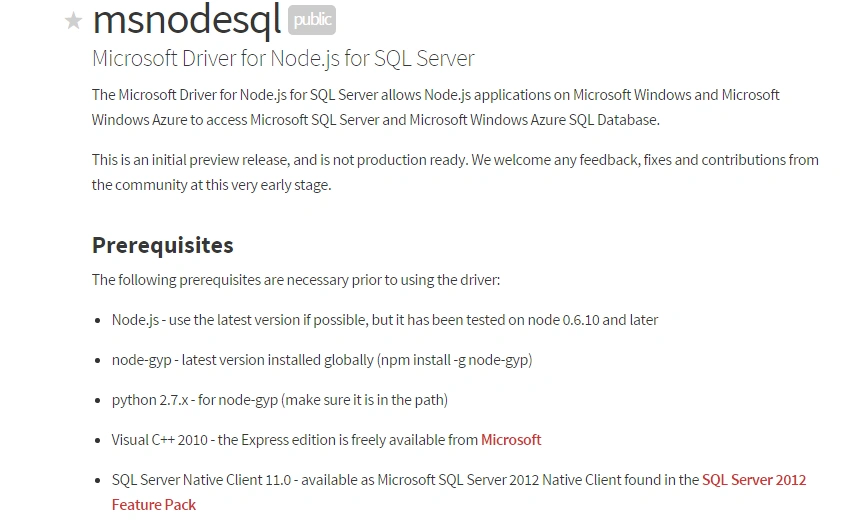
It is only due to this reason we won’t be using this package. Instead, we would be using “mssql” package. It provides us much functionality like Prevention from SQL Injection, Stored Procedures. You can go through all the features here.
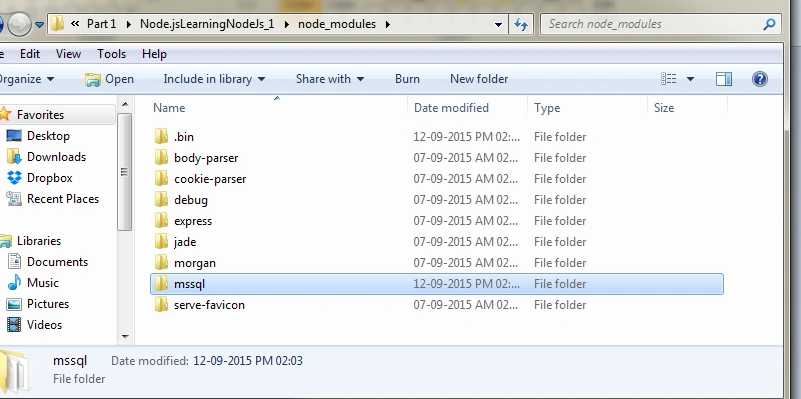
Let’s start with installing mssql package. Open Node.js command prompt as an administrator and reach to the location of your project (Please refer Part 1 for guidance on project creation). Now reach the node_modules folder of your project from cmd and install mssql using the command “npm install mssql”.
After successful installation, a folder by the name “mssql” would now be available in the node_modules folder of the project.
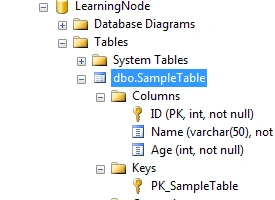
Now, we will make a sample database in our SQL Server. The name of the DB is LearningNode and the table and description is as in the following screenshot:
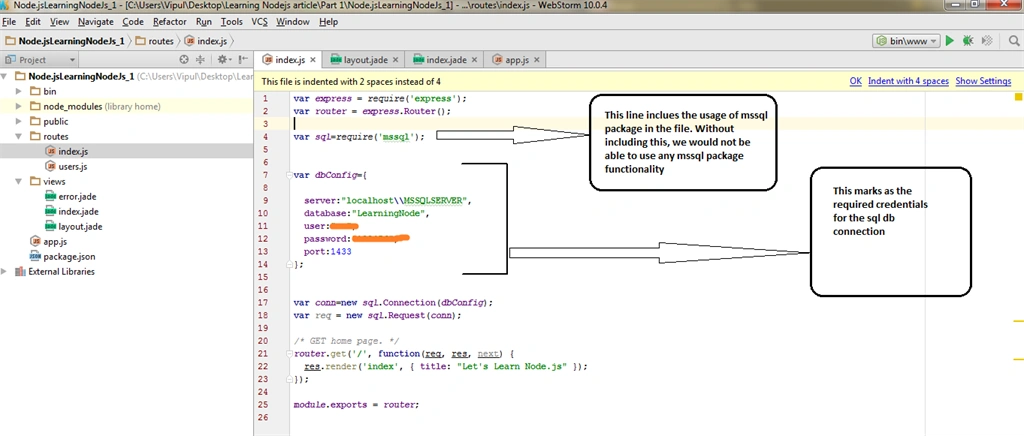
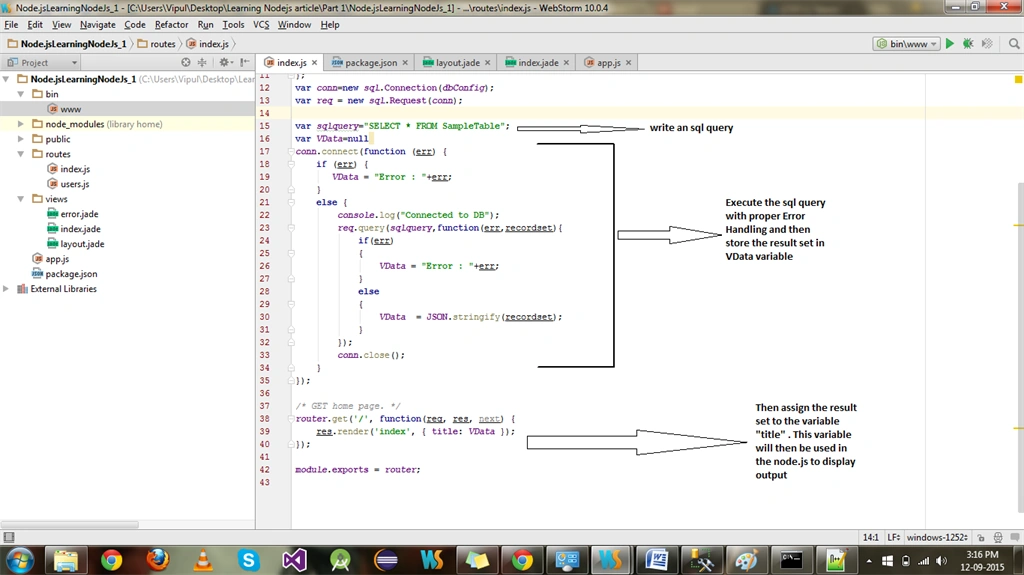
I will be creating complete db connection in the index.js itself. Though, it’s not a correct way to do as the db configuration and connection should be handled in a different file altogether, but as the purpose of the article is just to brief you all about connection, so I will be talking this liberty here.
Now, let’s make a DB call to get all the data in the table
The output is then easily displaced on the page as in the following screenshot:

Hope this article gave you a good idea regarding db connection in Node.js.
In the next article, I will share the idea of creating an API in node.js
Thanks!

Learning Node.js And Express - Part 2 (Connecting DB)
Join the conversation! Your thoughts help the community grow.
Sign in to leave a comment
It is the same account you read, post and publish with — and you will come straight back to this page.
Shobana JPosted Jul 12, 2016, 3:38 AM
Nice one
Asfend YarPosted Feb 29, 2016, 2:09 PM
Thanks for valuable information
Sr KarthigaPosted Feb 26, 2016, 9:34 AM
good one
Sr KarthigaPosted Feb 26, 2016, 9:34 AM
nice explanation
pooja guptaPosted Sep 22, 2015, 3:08 PM
nice article
Santhakumar MunuswamyPosted Sep 17, 2015, 10:42 AM
Thanks for nice article:)
Vipul MalhotraPosted Sep 14, 2015, 4:06 AM
Thanks everyone
Harshad PansuriyaPosted Sep 14, 2015, 12:25 AM
Nice Article
Saineshwar BageriPosted Sep 13, 2015, 11:51 PM
Good One
Vaikesh K PPosted Sep 13, 2015, 9:22 AM
Nice
Pankaj Kumar ChoudharyPosted Sep 13, 2015, 4:47 AM
Nice Article Sir..........
Rajeesh MenothPosted Sep 12, 2015, 11:20 PM
Good One
Vipul MalhotraPosted Sep 12, 2015, 4:27 PM
Thanks Akash
Akash MalhotraPosted Sep 12, 2015, 4:23 PM
Nice article