

Functionality of Sorting and Searching in ASP.NET MVC Application
While developing any application, the user should use many types of useful functions among them, Sorting and Searching are very important and widely used functions in any method of an application.
Here I am showing Sorting and searching in a table named MCN having columns Name and Age.
First develop the database table as shown in the below figure:
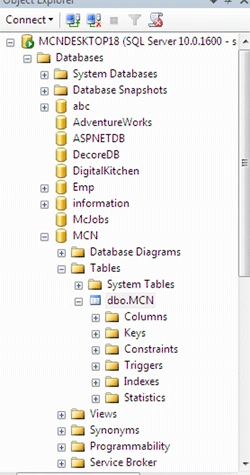
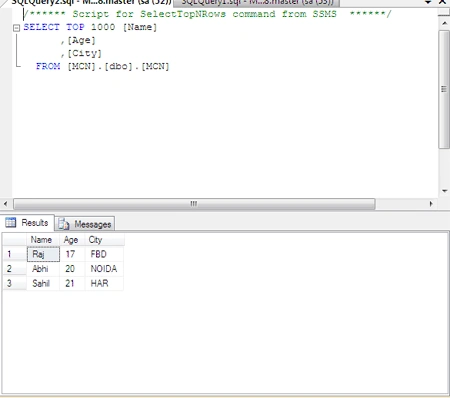
Now develop an application in ASP.NET MVC in which you can use this table and retrieve the data.
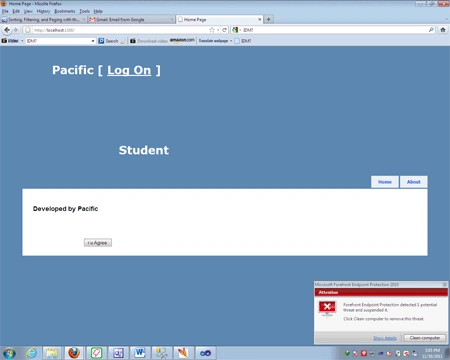
Click on the Student Hyperlink to retrieve data from the table to the grid. Here i am not showing the database connection procedure.
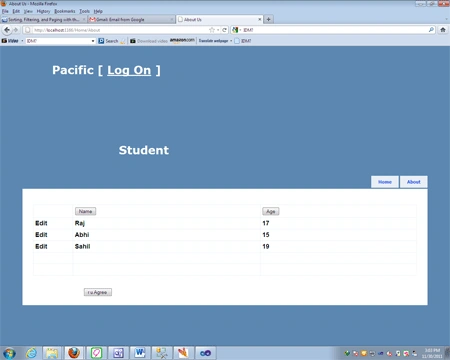
To see the use of Sorting in columns, create an MCN controller(which you have add to the controller) and
manipulate the code.
The code is as follows, which will be done in Controllers\MCNController.cs (Index
method)
public
ViewResult Index(string sortOrder)
{
ViewBag.NameSortParm = String.IsNullOrEmpty(sortOrder) ?
"Name asc" : "";
ViewBag.AgeSortParm = sortOrder == "Age" ?
" desc" : "Age";
var mcn = from p in db.MCN
select p;
switch (sortOrder)
{
case "Name Asc":
mcn= mcn.OrderByDescending(p => p.Name);
break;
case
"Age":
mcn = mcn.OrderBy(p => p.Age);
break;
case
"Age desc":
mcn = mcn.OrderByDescending(p => p.Age);
break;
default:
mcn = mcn.OrderBy(p => p.Name);
break;
}
return View(mcn.ToList());
}
Names in Ascending Order:
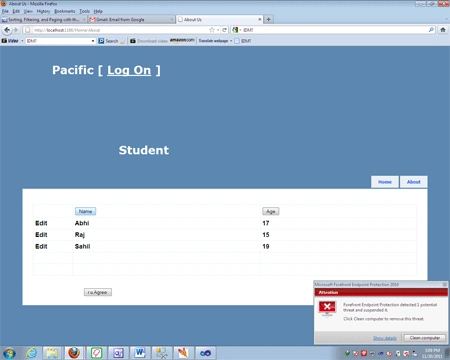
And Ages in Descending Order:
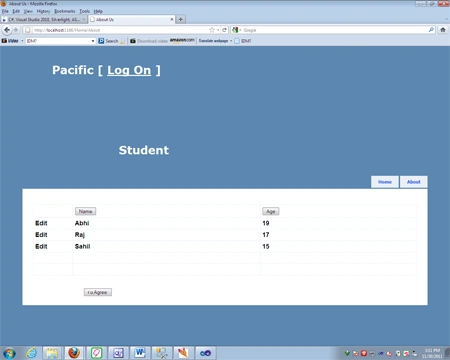
In the above code, the sorting
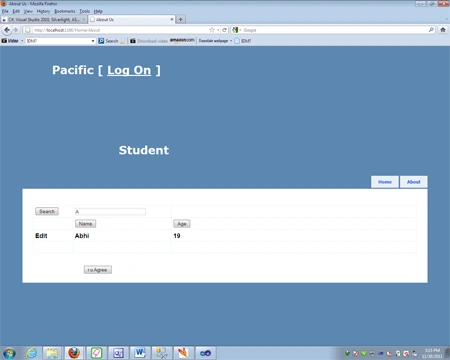
function has been applied to the Name and Age columns which are present in the database named MCN.db. Now to show the Search Function in ASP.NET MVC.
Create a Textbox in which you will write the string which you want to search. Now code it to show this functionality
that will be:
if
(!String.IsNullOrEmpty(searchString))
{
mcn = mcn.Where(p => p.Name.ToUpper().Contains(searchString.ToUpper())
}
After that code the View page of MCN/Index.cshtml
<%@
Page Language="C#"
MasterPageFile="~/Views/Shared/Site.Master"
Inherits="System.Web.Mvc.ViewPage"
%>
<script
runat="server">
protected
void Page_Load(object sender,
EventArgs e)
{
}
</script>
<asp:Content
ID="aboutTitle" ContentPlaceHolderID="TitleContent"
runat="server">
MCN
</asp:Content>
<asp:Content
ID="aboutContent" ContentPlaceHolderID="MainContent"
runat="server">
<h2>
@using (Html.BeginForm())
{
<p>
Find by name: @Html.TextBox("SearchString")
<input
type="submit"
value="Search"
/></p>
}<table
style="width:
100%">
<tr>
<td
style="width:
102px">
<asp:Button
ID="Button4"
runat="server"
Text="Search"
/>
</td>
<td
style="width:
269px">
<asp:TextBox
ID="TextBox1"
runat="server"></asp:TextBox>
</td>
<td>
</td>
</tr>
Mohammad NurdineditedPosted Sep 6, 2012, 4:25 PMEdited Sep 6, 2012, 4:26 PM
where is the source code?