
This article describes how to use the Date Time Datatype in LightSwitch Visual Studio 2012.
The following is the procedure to create a sample of using the Date Time datatype on a Screen.
Step 1
Open the LightSwitch Application in Visual Studio 2012 and go to the Solution Explorer.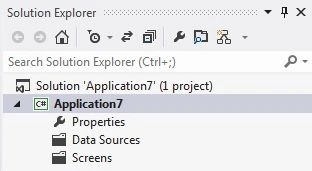
Right-click on "Data Source" and choose "Add Table".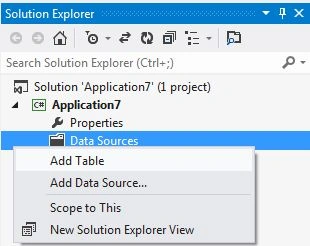
The table appears in the table designer window. Insert the records in the following table.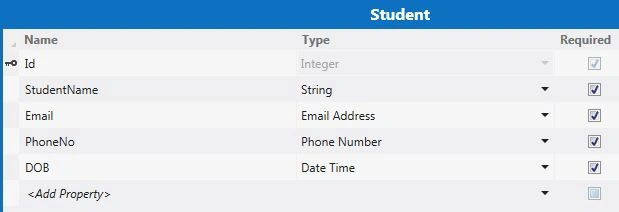
Here in the table I have added a record named "DOB" and I have taken its datatype as "Date Time" as shown below.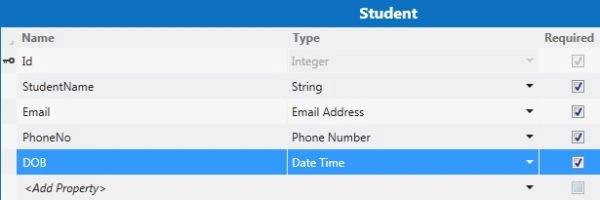
Step 2
From the table select the "DOB" record and go to the property window of the DOB record.
Go to the Format Pattern property under the formatting section in the property window and enter "M" in Format Pattern TextBox as shown below.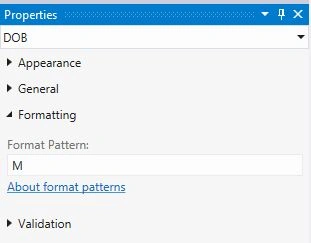
Step 3
Now once again go to the Solution Explorer, right-click on "Screens" and choose "Add Screen".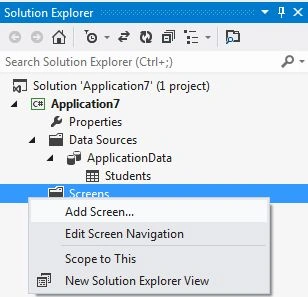
The Add New Screen dialog box appears. Select the "Editable Grid Screen" from the Screen Template, inside screen information, choose "Student" under screen data and provide a name to the Screen and click the "OK" button.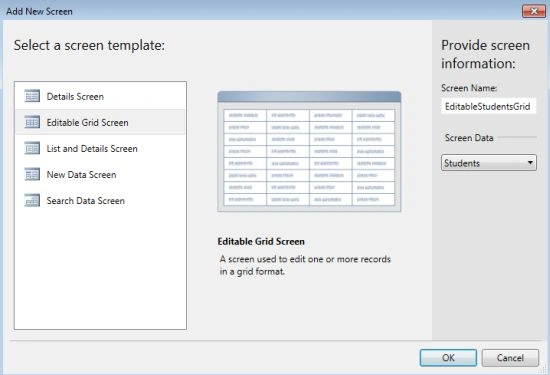
The Screen Designer appears as shown below.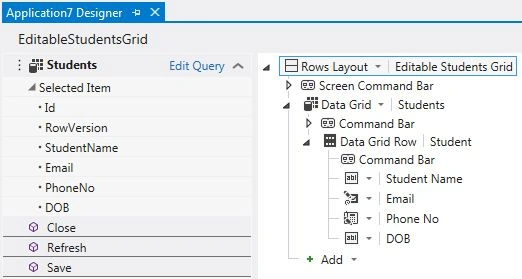
Step 3
Press F5 to run the application. Provide the information and we will see the date in the following format pattern as shown below.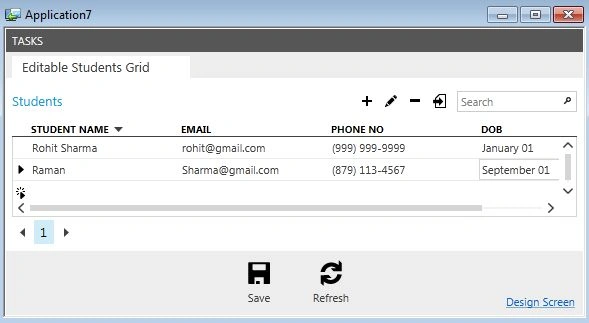
Step 4
Stop debugging the application.
Once again go to the Property window of "DOB" in the Table Designer and this time enter "G" in the Format Pattern of the property window. 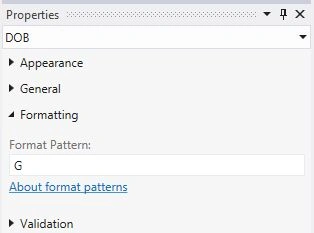
Step 5
Once again press F5 to run the application. This time we will see the date in the following pattern as shown below.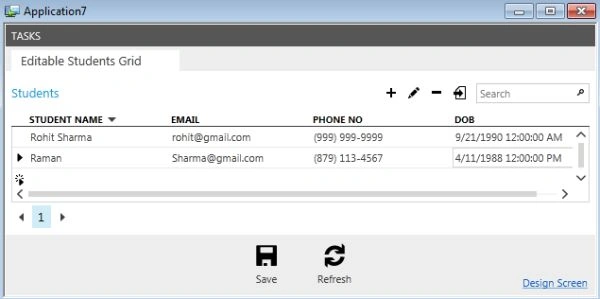
Note that the Date Time Picker and the Date Time Viewer control will ignore the Format Pattern property. Only the TextBox and the Label control will follow this property.
To learn more Format Pattern, see Date and Time Format Pattern.

Date and Time Format Pattern in LightSwitch 2012
Join the conversation! Your thoughts help the community grow.
Sign in to leave a comment
It is the same account you read, post and publish with — and you will come straight back to this page.
Seth MorrisPosted Feb 16, 2015, 1:09 AM
I am looking to make calculations and use 24 hour times in my application but this seems to be an issue in Lightswitch. Any suggestions? Thank you for the great simple tutorials here