
Introduction
Translate animation is a subclass of Animation that controls the position of an object. In this, you will create the object of translate animation and that object to the startAnimation() method.
Rotate animation is a subclass of Animation that controls the rotation of an object. In this you will create the object of rotate animation and that object to the startAnimation() method.
is a subclass of Animation that controls the alpha level of an object. It is used to fade things in and out. In this you will create the object of alpha animation and that object to the startAnimation() method.
Step 1
Create an XML file and write this:
- <?xml version="1.0" encoding="utf-8" ?>
- <LinearLayout
- android:orientation="vertical"
- android:layout_width="fill_parent"
- android:layout_height="fill_parent"
- xmlns:android="http://schemas.android.com/apk/res/android"
- android:background="#80BFFF">
- <ImageView
- android:layout_width="wrap_content"
- android:layout_height="wrap_content"
- android:id="@+id/imageView"
- android:layout_gravity="center"
- android:src="@drawable/ic_launcher"/>
- <LinearLayout
- android:layout_width="wrap_content"
- android:layout_height="wrap_content"
- android:layout_marginTop="200dp">
- <Button
- android:layout_width="80dp"
- android:layout_height="40dp"
- android:text="Scale"
- android:id="@+id/button1"
- />
- <Button
- android:layout_width="80dp"
- android:layout_height="fill_parent"
- android:text="Translate"
- android:id="@+id/button2"
- />
- <Button
- android:layout_width="80dp"
- android:layout_height="40dp"
- android:text="Rotate"
- android:id="@+id/button3"
- />
- <Button
- android:layout_width="80dp"
- android:layout_height="40dp"
- android:text="Alpha"
- android:id="@+id/button4"
- />
- </LinearLayout>
- </LinearLayout>
Step 2
Create a Java file and write this:
- package com.androidanimation;
- import android.content.DialogInterface;
- import android.os.Bundle;
- import android.app.Activity;
- import android.view.Menu;
- import android.view.View;
- import android.view.animation.AlphaAnimation;
- import android.view.animation.RotateAnimation;
- import android.view.animation.ScaleAnimation;
- import android.view.animation.TranslateAnimation;
- import android.widget.Button;
- import android.widget.ImageView;
- public class MainActivity extends Activity implements View.OnClickListener {
- Button btn1, btn2, btn3, btn4;
- ImageView img_view;
- ScaleAnimation scale;
- TranslateAnimation trans;
- RotateAnimation rotate;
- AlphaAnimation alpha;
- @Override
- protected void onCreate(Bundle savedInstanceState) {
- super.onCreate(savedInstanceState);
- setContentView(R.layout.activity_main);
- btn1 = (Button) findViewById(R.id.button1);
- btn2 = (Button) findViewById(R.id.button2);
- btn3 = (Button) findViewById(R.id.button3);
- btn4 = (Button) findViewById(R.id.button4);
- img_view = (ImageView) findViewById(R.id.imageView);
- btn1.setOnClickListener(this);
- btn2.setOnClickListener(this);
- btn3.setOnClickListener(this);
- btn4.setOnClickListener(this);
- }
- @Override
- public void onClick(View v) {
- switch (v.getId()) {
- case R.id.button1:
- scale = new ScaleAnimation(0, 2, 0, 2);
- scale.setDuration(500);
- img_view.startAnimation(scale);
- break;
- case R.id.button2:
- trans = new TranslateAnimation(0, 100, 0, 100);
- trans.setDuration(500);
- img_view.startAnimation(trans);
- break;
- case R.id.button3:
- rotate = new RotateAnimation(0, 300);
- rotate.setDuration(500);
- img_view.startAnimation(rotate);
- break;
- case R.id.button4:
- alpha = new AlphaAnimation(0, 100);
- alpha.setDuration(500);
- img_view.startAnimation(alpha);
- break;
- }
- }
- }
Step 3
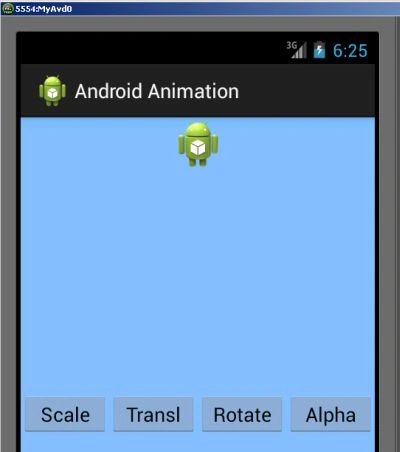
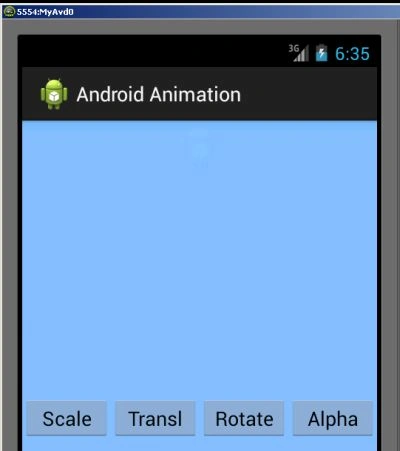
Output screen:
Step 4
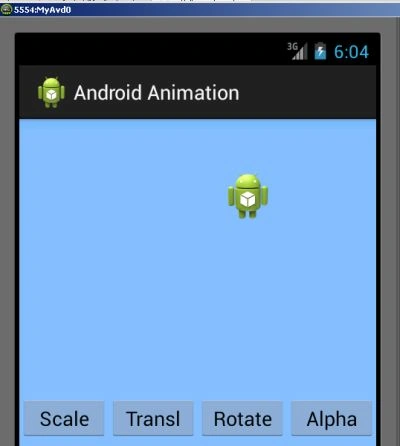
When you click on the scale button:
 Step 5
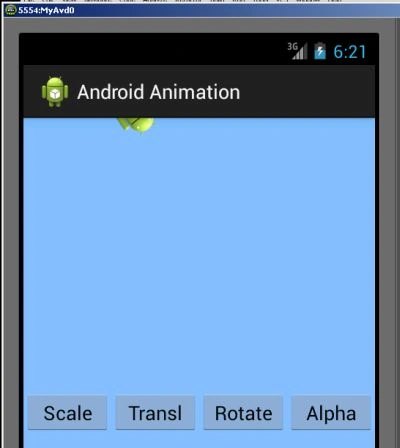
When you click on the rotate button:
Step 5
When you click on the rotate button:
 Step 6
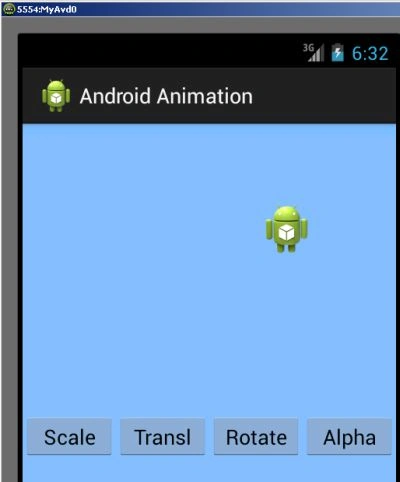
When you click on the Translate button:
Step 6
When you click on the Translate button:
Join the conversation! Your thoughts help the community grow.