

Introduction
This article shows Form Authentication in ASP.NET MVC applications. There are many web applications that restrict access to specific resources; those resources are only accessible by the authenticated users. Form Authentication authenticates the user for accessing the resources when the user is logged onto the site.
We create a web application project template for the ASP.NET MVC application that provides the controller, model class and views for adding the ASP.NET Form Authentication to the application. There are many functions, they are Logon, Logoff and Change Password.
Now create the MVC application..
Step 1
Open Visual Studio 2010 then use the following procedure:
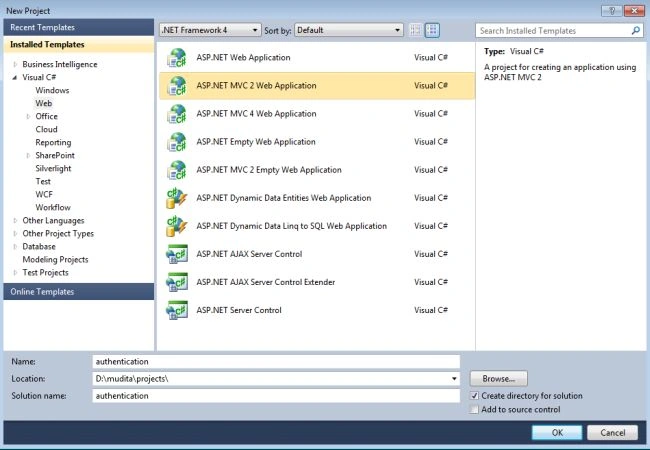
- From the start page select "New Project".
- Select "Visual C#" -> "Web".
- Select "MVC2 Web application".
- Change the name of the application and click on the "OK" button.
After creating this project the Solution Explorer looks like this:
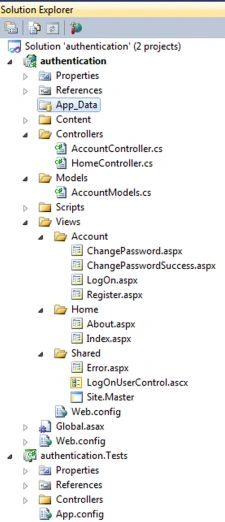
The Controllers folder has the "AccountController" that contains the "Action" method that can register the new user login and logout of the user of the application. We can change the password of the existing user. the the "view folder" contains the "Account folder" that has the views for supporting these actions. The "Model Folder" contains the "AccountModels.cs " class, this class defines the data objects, services and validation that supports Form Authentication.
Step 2
Now we register the user.
- Execute the application by pressing F5.
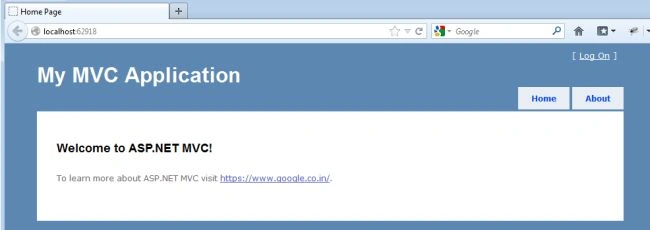
- At the top right corner click on "Log On".
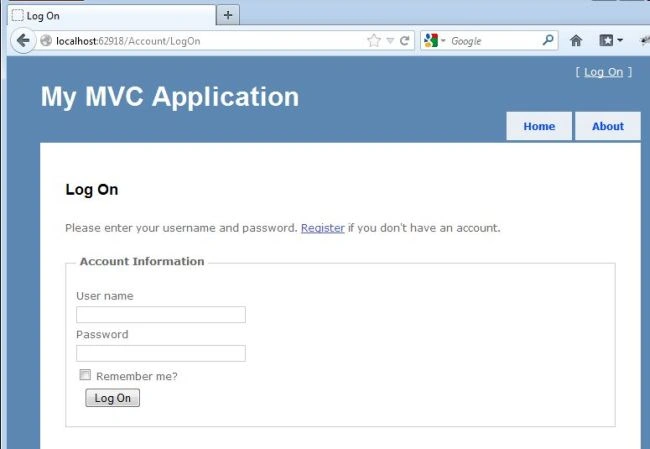
- Now click on "Register".
- Enter the Username, Email address, Password and Confirm Password.
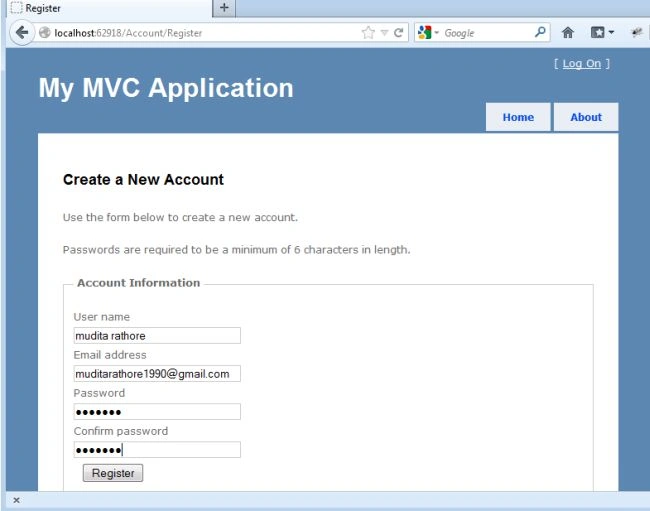
- Now click on "Register" button.
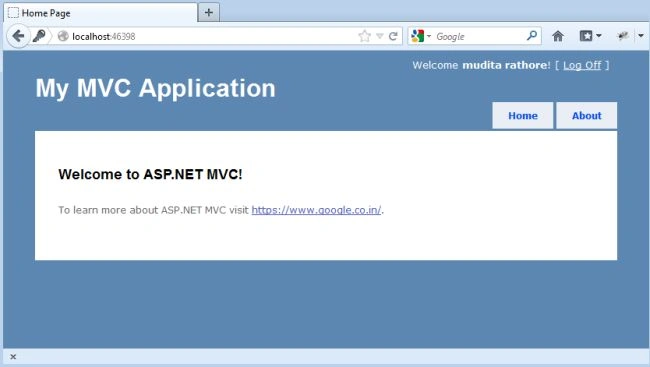
- You are successfully registered.
- When we click on the link "http://www.google.com" it opens the Google page.
Step 3
For changing the password, we apply some changes to the application.
- In the "view folder" -> "shared folder" -> "LogOnUserControl.cs" class.
- Now write this line of code after the logOff action link.
[ <%: Html.ActionLink("Change Password", "ChangePassword", "Account") %> ]
<%
The entire code looks like this:
- <%@ Control Language="C#" Inherits="System.Web.Mvc.ViewUserControl" %>
- <%
- if (Request.IsAuthenticated) {
- %>
- Welcome <b><%: Page.User.Identity.Name %></b>!
- [ <%: Html.ActionLink("Log Off", "LogOff", "Account") %> ]
- [ <%: Html.ActionLink("Change Password", "ChangePassword", "Account") %> ]
- <%
- }
- else {
- %>
- [ <%: Html.ActionLink("Log On", "LogOn", "Account") %> ]
- <%
- }
- %>
- Now save the file and again execute the application.
-
After "Log On".
-
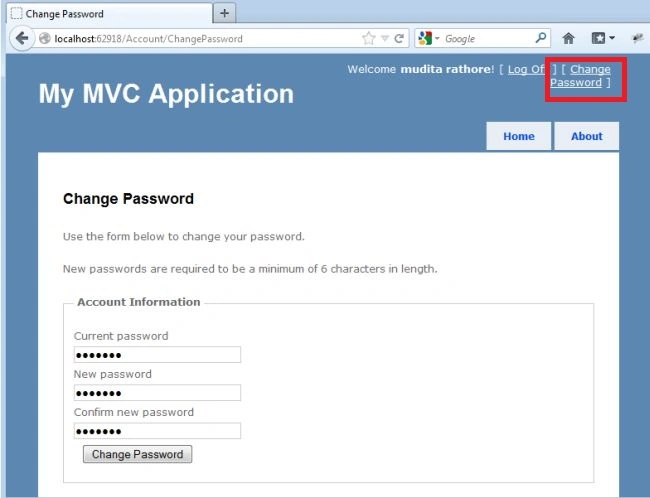
Click on the "change password" tab on the upper-right corner.
-
Write the "old password" and "Current Password".
-
Click on the "Change Password" button.
-
The Password is successfully changed.
Step 4
After performing the three steps above, we can specify the part of the application to be restricted by the authentication of the user. We can do that using the [Authorized] attribute.
-
Open the "HomeController" class .
-
And add the [Authorized] attribute to the "About" action.
-
The code looks like this:
- using System;
- using System.Collections.Generic;
- using System.Linq;
- using System.Web;
- using System.Web.Mvc;
- namespace authentication.Controllers
- {
- [HandleError]
- public class HomeController : Controller
- {
- public ActionResult Index()
- {
- ViewData["Message"] = "Welcome to ASP.NET MVC!";
- return View();
- }
- [Authorize]
- public ActionResult About()
- {
- return View();
- }
- }
- }
-
Save the file.
-
Execute the application.
-
When we click on the "About" tab without "Log On".
-
It opens the "Log On" page.
-
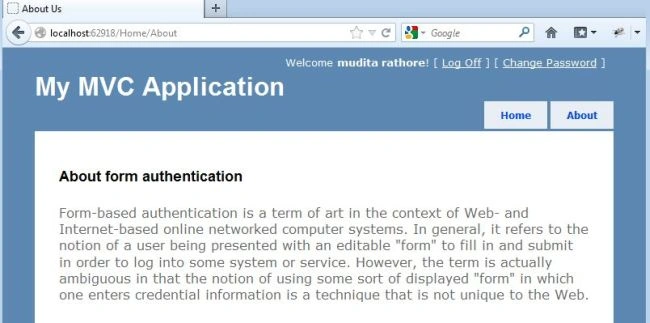
After "Log On" click on the "About" tab then open the "About us" page.
Join the conversation! Your thoughts help the community grow.