

NLayers tries to provide a Layering solution to a typical ASP.NET application. This article is a continuation of the previous one about NLayers Introduction and Installation.
Intended Audience
This project framework is targeted for Architects or Developers with a good grip of ASP.NET and the Entity Framework.
Creating Solution
You can create a NLayers solution using the template as shown below. (You need to install the NLayers framework to see the following template.)
(For installation of NLayers please refer to the previous article.)
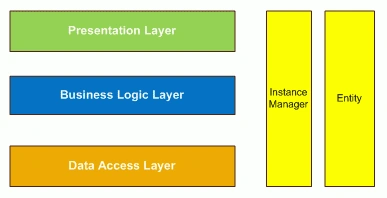
Projects in NLayers
After creating a new project from the NLayers ASP.NET Application template you can see the Solution Explorer as shown below:
|
Project |
Description |
|
NLayers.BusinessLogic |
Business Logic part of the solution. Least expected to be changing the implementation classes throughout the lifetime of project. |
|
NLayers.DataAccess.Interface |
Decoupled design for Data Access. |
|
NLayers.DataAccess.Implemenation |
Implementation of Data Access Interface projet. |
|
NLayers.Entity |
Project containing the EDMX file of Entity Framework. It contains the entity classes. |
|
NLayers.InstanceManager |
Project providing instance management for Business Logic and Data Access classes. |
|
NLayers.Web |
ASP.NET Web Application. This project uses the WebApp class of InstanceManager to access Business Logic and Data Access instances. |

Chiheb ChebbiPosted Jun 29, 2015, 10:18 AM
this is really a good article
Santhakumar MunuswamyPosted May 4, 2015, 2:50 PM
Thanks for nice article