
Introduction:
This article describes a simple way to create web services and use services
in web applications. I have created a simple web service which returns a string
message. In my web application, I have taken a Button which show the message
from service on click event. Follow given steps for doing this.
Step 1: Open Visual Studio 2010 and create a new web site.->Select .Net Framework 3.5. ->Select ASP.NET Web Service
page -> Then, you have to give the name of your service. In this example I am giving it's
name "mywebservice". Then Click the ok Button. A screen-shot of these
activity is given below.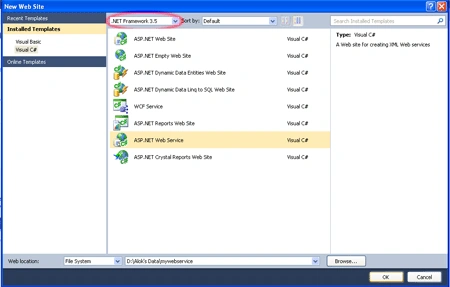
Step 2: A code window will open after Clicking the Ok Button which is
given below.
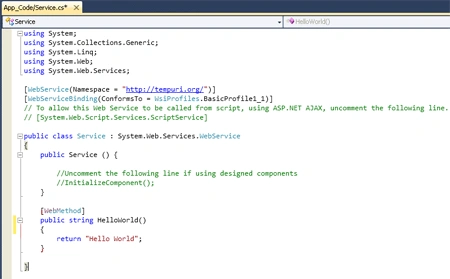
Here (In the above figure), you will note that there is predefined method "HelloWorld"
which returns the string "Hello World". You can use your own method and
can perform different operation. Here, I am only describing the process for
creating web services so I am using the same.
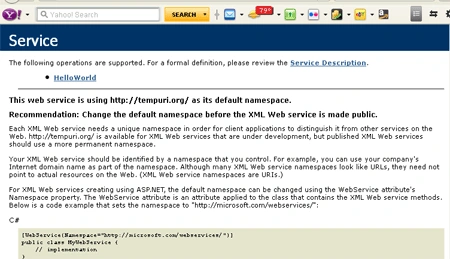
Step 3: Run this application.
Step 4: Now take a new web site to consume web service. For doing this,
take a ASP.NET Empty Web Site, give it a name and Click the ok Button. 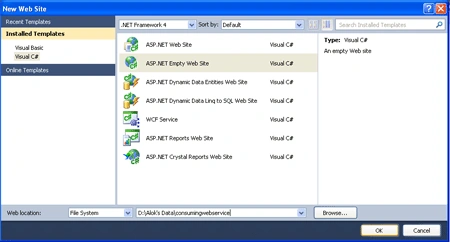
Step 5: Add New Item and select web form then click the Add Button. Now
right click at your project in Solution Explorer. After doing this a pop - up
menu will be appeared. -> select Add Web Reference.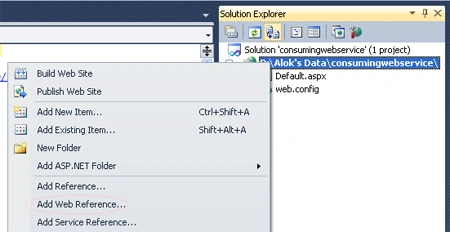
Step 6: After clicking on Add Web Reference, a new window is
appeared: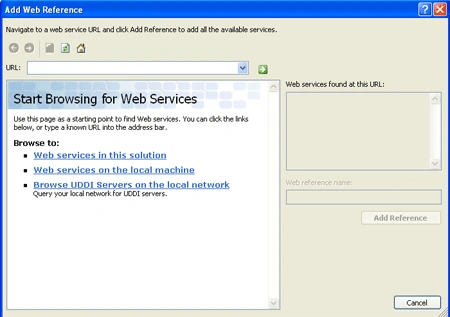
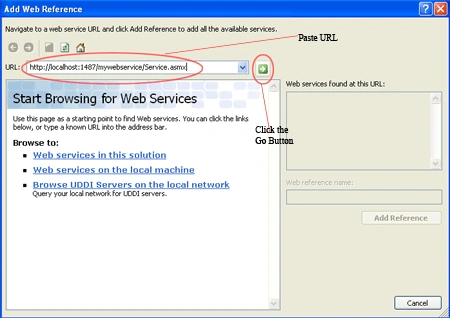
Step 7: Copy the URL of your web service application (Which is
mywebservice in my example) and paste to it at place of URL and Click the
(Go) Button.
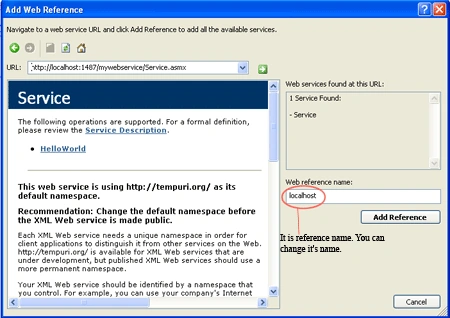
Step 8: Click the Add Reference Button. Now reference has been
added to your application.
Now, write the code. I am simply adding a Button
control on design window of web page. Write the following code on Button Click
event. This code is written for showing the output on the window screen. 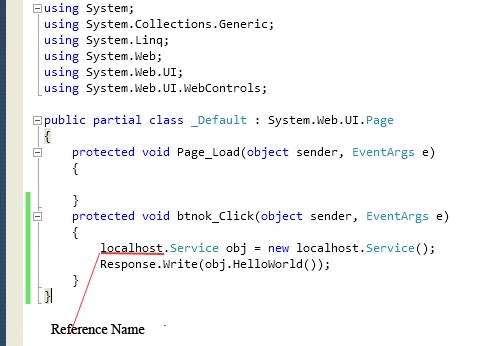
Step 9: Run the web application.
Output:
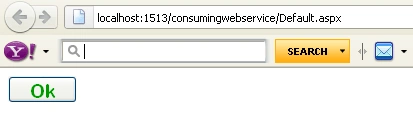
Now Click the Ok Button. The string "Hello World" is displayed at screen
which is defined in HelloWorld method of Service.
Output: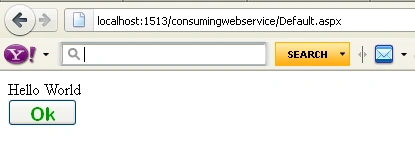
gaurav sainiPosted Mar 12, 2013, 10:39 AM
Thanks for this ............... Good for startes Gaurav Saini
Ajendra PrasadPosted Jun 14, 2012, 1:14 AM
nice article :)
divya ganeshPosted Jan 28, 2012, 9:26 AM
wonderful
selva rajuPosted Dec 1, 2011, 1:21 PM
nice..
Pradip PandeyPosted Nov 20, 2011, 11:38 PM
Good start for beginner.