

To Start
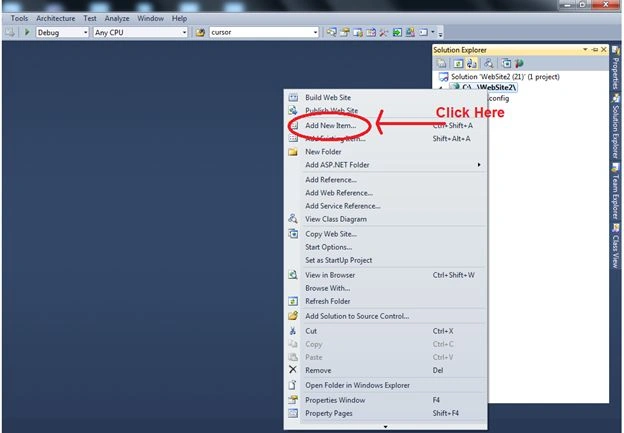
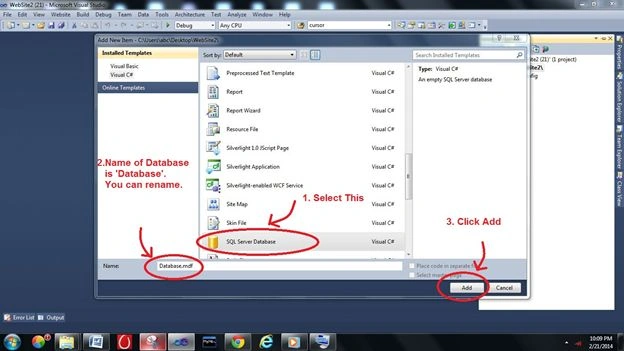
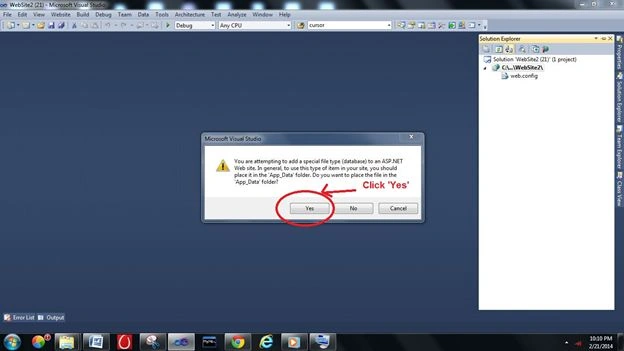
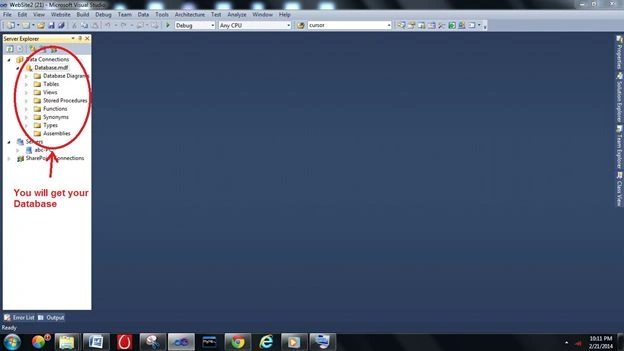
1. Create database with the name Database.mdf.
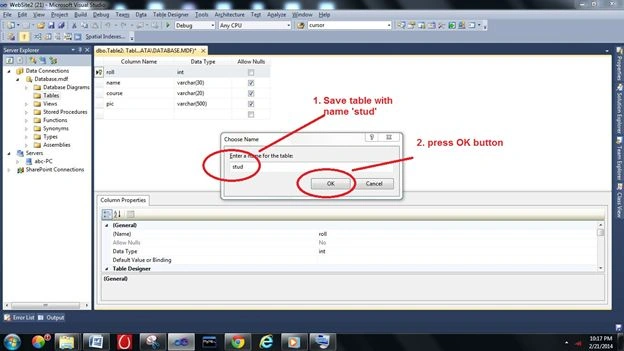
2. Create a table with the name "stud".
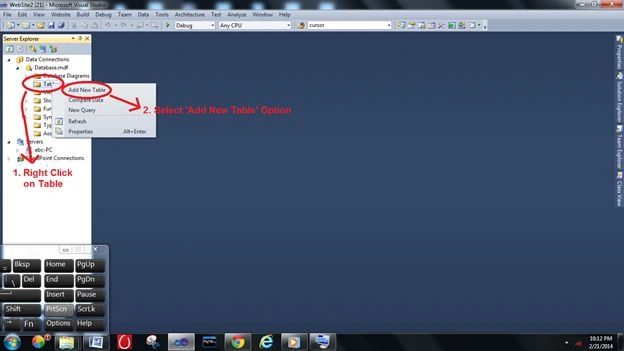
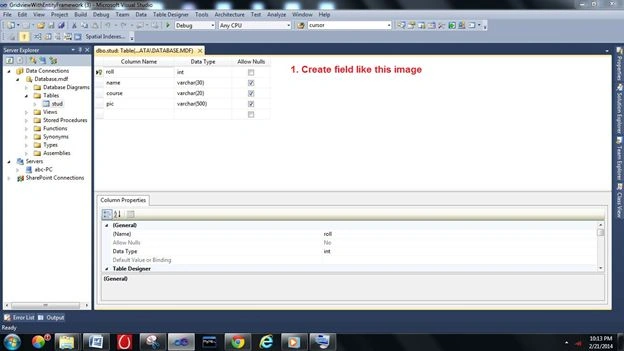
3. Create the fields in the table roll, name, course and pic (like image).
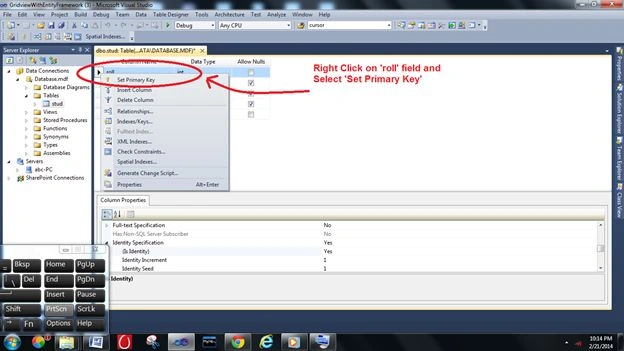
4. Set "roll" as the primary key.
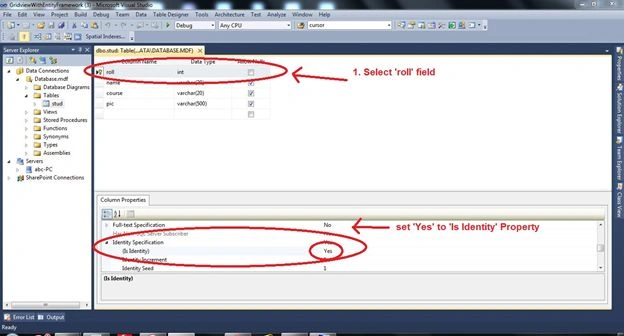
5. Now set "roll" as an auto-increment column (we don't insert a roll value, it will be inserted automatically).
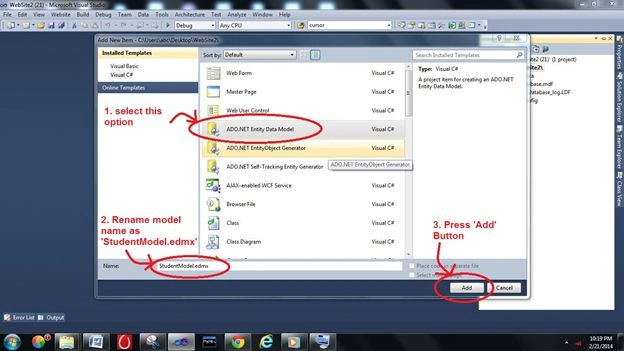
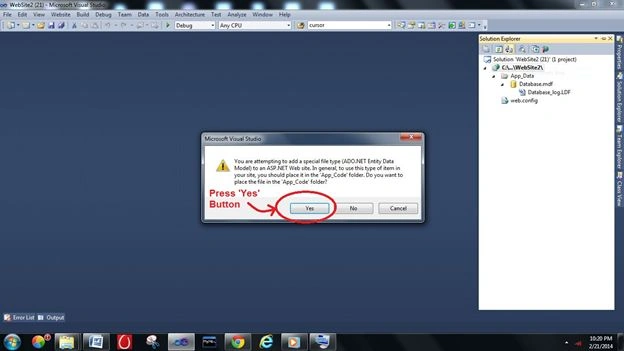
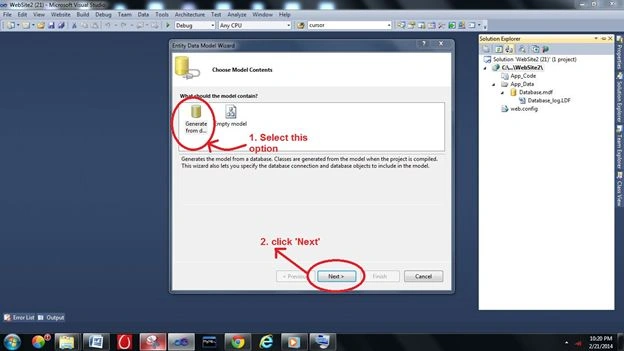
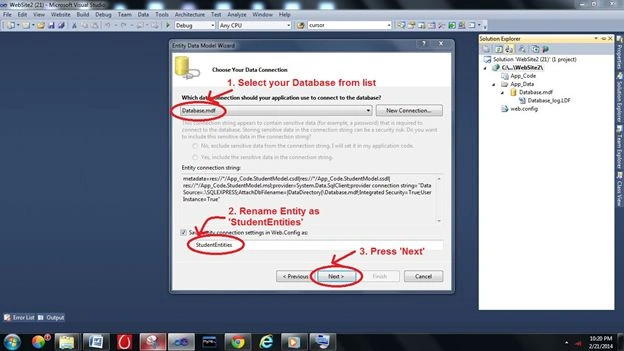
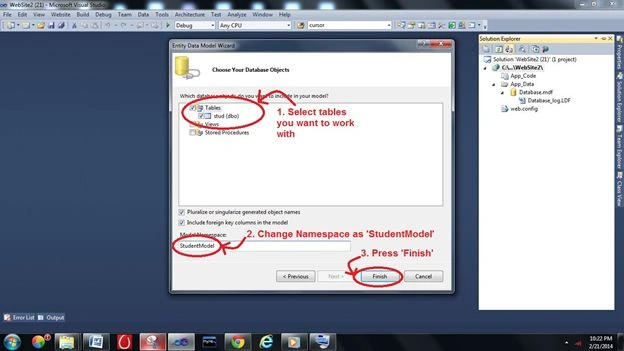
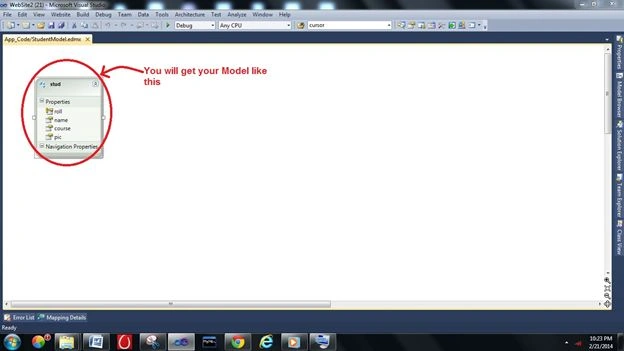
6. Now create an Entity Model (right-click in the Solution Explorer then select Add New Item).
7. The preceding tutorial is about how to start with GridView, for a complete GridView example please download the sample (all the code can't be put here).
Saineshwar BageriPosted Feb 25, 2014, 2:37 AM
Ok Gagan
Gagan BansalPosted Feb 25, 2014, 1:31 AM
@Saineshwar : i can't put end result here because i have 5-6 pages in source code. So pls download to check
Saineshwar BageriPosted Feb 24, 2014, 11:37 PM
but show the end result here