

Introduction
Before reading further, read the following articles.
Now let's move forward to our current topic.
The tag <circle> is used to draw the circle with a center point and radius.
It includes cx, cy, and r as main attributes that are described as:
SVG Circle
- The cx and cy attributes define the x and y coordinates of the center of the circle. The default center value is (0, 0).
- The r attribute defines the radius of the circle.
Let's see a few examples to understand SVG Circle.
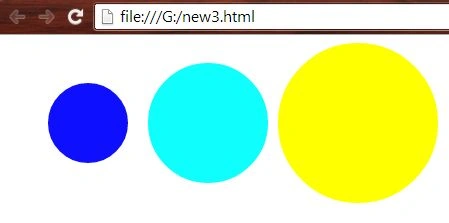
Example 1: Simple circle
- <html>
- <body>
- <svg height="500" width="500">
- <circle cx="80" cy="80" r="40" fill="#0f0fff";/>
- <circle cx="200" cy="80" r="60" fill="#0fffff";/>
- <circle cx="350" cy="80" r="80" fill="#ffff00";/>
- </svg>
- </body>
- </html>
- <html>
- <body>
- <svg height="500" width="500">
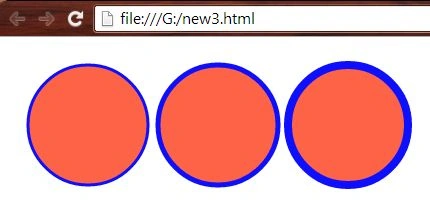
- <circle cx="80" cy="80" r="60" fill="tomato" stroke="#0f0fff" stroke-width="3"/>
- <circle cx="210" cy="80" r="60" fill="tomato" stroke="#0f0fff" stroke-width="5"/>
- <circle cx="340" cy="80" r="60" fill="tomato" stroke="#0f0fff" stroke-width="8"/>
- </svg>
- </body>
- </html>
- <html>
- <body>
- <svg height="500" width="500">
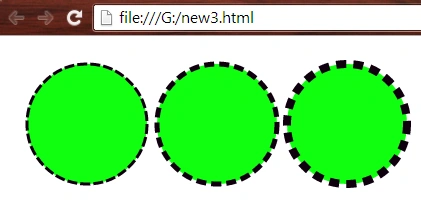
- <circle cx="80" cy="80" r="60" fill="#0fff0f" stroke="#0f000f" stroke-width="3" stroke-dasharray="10 3";/>
- <circle cx="210" cy="80" r="60" fill="#0fff0f" stroke="#0f000f" stroke-width="5" stroke-dasharray="10 5";/>
- <circle cx="340" cy="80" r="60" fill="#0fff0f" stroke="#0f000f" stroke-width="8" stroke-dasharray="10 7";/>
- </svg>
- </body>
- </html>
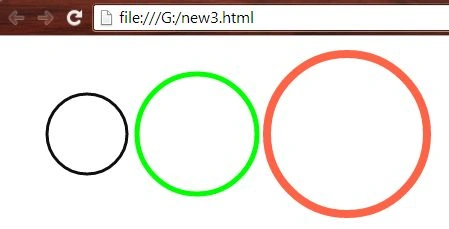
Example 4: Circle with multiple strokes only.
- <html>
- <body>
- <svg height="500" width="500">
- <circle cx="80" cy="90" r="40" fill="none" stroke="#0f0f0f" stroke-width="3";/>
- <circle cx="190" cy="90" r="60" fill="none" stroke="#00ff00" stroke-width="5";/>
- <circle cx="340" cy="90" r="80" fill="none" stroke="tomato" stroke-width="8";/>
- </svg>
- </body>
- </html>
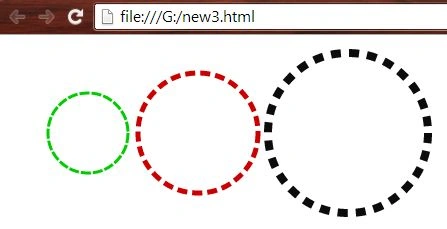
- <html>
- <body>
- <svg height="500" width="500">
- <circle cx="80" cy="90" r="40" fill="none" stroke="#00cc00" stroke-width="3" stroke-dasharray="10 2";/>
- <circle cx="190" cy="90" r="60" fill="none" stroke="#cc0000" stroke-width="5" stroke-dasharray="10 5";/>
- <circle cx="340" cy="90" r="80" fill="none" stroke="#0c0c0c" stroke-width="8" stroke-dasharray="10 8";/>
- </svg>
- </body>
- </html>
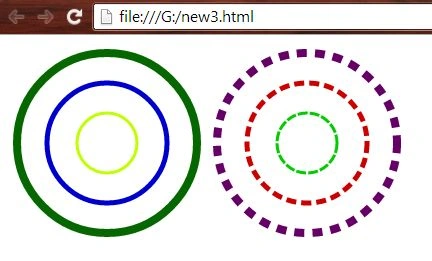
- <html>
- <body>
- <svg height="500" width="500">
- <circle cx="100" cy="100" r="30" fill="none" stroke="#c0ff00" stroke-width="3";/>
- <circle cx="100" cy="100" r="60" fill="none" stroke="#0000cc" stroke-width="5";/>
- <circle cx="100" cy="100" r="90" fill="none" stroke="#066600" stroke-width="8";/>
- <circle cx="300" cy="100" r="30" fill="none" stroke="#00cc00" stroke-width="3" stroke-dasharray="10 2";/>
- <circle cx="300" cy="100" r="60" fill="none" stroke="#cc0000" stroke-width="5" stroke-dasharray="10 5";/>
- <circle cx="300" cy="100" r="90" fill="none" stroke="#660066" stroke-width="8" stroke-dasharray="10 8";/>
- </svg>
- </body>
- </html>
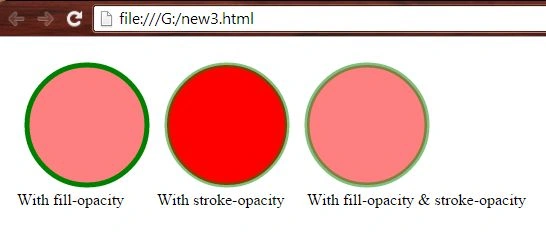
- <html>
- <body>
- <svg height="600" width="600">
- <circle cx="80" cy="80" r="60" fill="red" stroke="green" stroke-width="5" fill-opacity="0.5"/>
- <text x="10" y="160" fill="black">With fill-opacity</text>
- <circle cx="220" cy="80" r="60" fill="red" stroke="green" stroke-width="5" stroke-opacity="0.5"/>
- <text x="150" y="160" fill="black">With stroke-opacity</text>
- <circle cx="360" cy="80" r="60" fill="red" stroke="green" stroke-width="5" fill-opacity="0.5" stroke-opacity="0.5"/>
- <text x="300" y="160" fill="black">With fill-opacity & stroke-opacity</text>
- </svg>
- </body>
- </html>
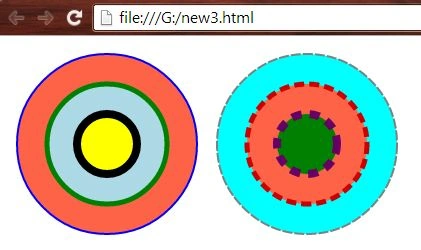
- <html>
- <body>
- <svg height="500" width="500">
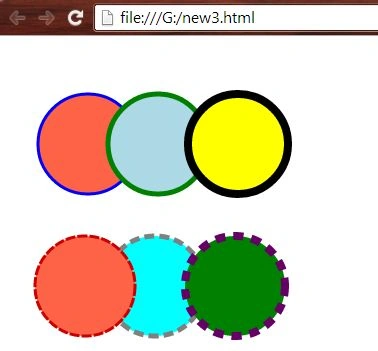
- <circle cx="100" cy="100" r="90" fill="tomato" stroke="blue" stroke-width="2";/>
- <circle cx="100" cy="100" r="60" fill="lightblue" stroke="green" stroke-width="5";/>
- <circle cx="100" cy="100" r="30" fill="yellow" stroke="black" stroke-width="8";/>
- <circle cx="300" cy="100" r="90" fill="cyan" stroke="grey" stroke-width="2" stroke-dasharray="10 2";/>
- <circle cx="300" cy="100" r="60" fill="tomato" stroke="#cc0000" stroke-width="5" stroke-dasharray="10 5";/>
- <circle cx="300" cy="100" r="30" fill="green" stroke="#660066" stroke-width="8" stroke-dasharray="10 8";/>
- </svg>
- </body>
- </html>
- <html>
- <body>
- <svg height="500" width="500">
- <circle cx="80" cy="100" r="50" fill="tomato" stroke="blue" stroke-width="3";/>
- <circle cx="150" cy="100" r="50" fill="lightblue" stroke="green" stroke-width="5";/>
- <circle cx="230" cy="100" r="50" fill="yellow" stroke="black" stroke-width="8";/>
- </svg>
- <br>
- <svg>
- <circle cx="150" cy="60" r="50" fill="cyan" stroke="grey" stroke-width="5" stroke-dasharray="10 5";/>
- <circle cx="80" cy="60" r="50" fill="tomato" stroke="#cc0000" stroke-width="3" stroke-dasharray="10 2";/>
- <circle cx="230" cy="60" r="50" fill="green" stroke="#660066" stroke-width="8" stroke-dasharray="10 8";/>
- </svg>
- </br>
- </body>
- </html>
- <html>
- <body>
- <svg height="1200" width="1200">
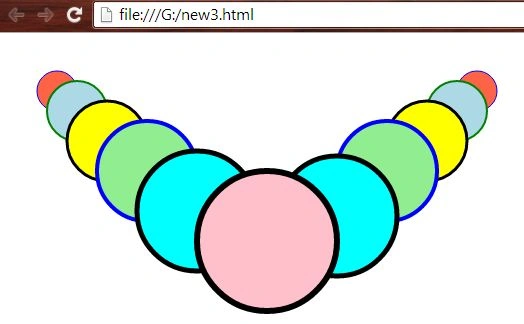
- <circle cx="50" cy="50" r="20" fill="tomato" stroke="blue" stroke-width="1";/>
- <circle cx="470" cy="50" r="20" fill="tomato" stroke="blue" stroke-width="1";/>
- <circle cx="70" cy="70" r="30" fill="lightblue" stroke="green" stroke-width="2";/>
- <circle cx="450" cy="70" r="30" fill="lightblue" stroke="green" stroke-width="2";/>
- <circle cx="100" cy="100" r="40" fill="yellow" stroke="black" stroke-width="3";/>
- <circle cx="140" cy="130" r="50" fill="lightgreen" stroke="blue" stroke-width="4";/>
- <circle cx="420" cy="100" r="40" fill="yellow" stroke="black" stroke-width="3";/>
- <circle cx="190" cy="170" r="60" fill="cyan" stroke="black" stroke-width="5";/>
- <circle cx="380" cy="130" r="50" fill="lightgreen" stroke="blue" stroke-width="4";/>
- <circle cx="330" cy="175" r="60" fill="cyan" stroke="black" stroke-width="5";/>
- <circle cx="260" cy="200" r="70" fill="pink" stroke="black" stroke-width="6";/>
- </svg>
- </body>
- </html>
Want to read more...
Thank you, keep learning and sharing.
Gopi ChandPosted Aug 19, 2015, 6:43 AM
Thank you so much every one :)
Gowtham RajamanickamPosted Jul 20, 2015, 6:52 AM
great
Gowtham RajamanickamPosted Jul 20, 2015, 6:52 AM
wow..
Sibeesh VenuPosted Jul 18, 2015, 10:46 AM
Nice Share
Debasis SahaPosted Jul 18, 2015, 6:13 AM
Nice article..
Gopi ChandPosted Jul 18, 2015, 1:04 AM
Very glad to here...but please don't call me sir as I am not senior among you all... :)
RakeshPosted Jul 18, 2015, 12:44 AM
Good Explain Sir
Nilesh JadavPosted Jul 18, 2015, 12:01 AM
This is very nice article sir, Thank you for sharing
Pankaj Kumar ChoudharyPosted Jul 17, 2015, 11:44 PM
Really Nice Article Sir.........
SharadPosted Jul 17, 2015, 11:37 PM
really cool...