

In this article you are going to learn all about the jQuery Accordion Widget.
The jQuery Accordion Widget is a jQuery based expandable and collapsable content holder that is broken into sections and probably looks like tabs. Look at the animated screen below:
If you are going to use the Accordion Widget, there are some semantic requirements and limitations you need to know.
The markup of your accordion container needs pairs of header and its content.
If you use a different element for the header, then don't forget to specify the header option with an appropriate selector. For example, "a.header".
If you have a link in an accordion content and you want to use it as a header (navigator), then you need to add a class to it for example "a.header".
If you want to change the active content programmaticly then use "activate(Number)".
An Accordion is not for multiple sections open at once.
Fundamental Markup of Accordion:
<html xmlns="http://www.w3.org/1999/xhtml">
<head runat="server">
<title>Exploring jQuery</title>
<link type="text/css" href="Scripts/css/ui-lightness/jquery-ui-1.8.21.custom.css" rel="stylesheet" />
<script type="text/javascript" src="Scripts/js/jquery-1.7.2.min.js"></script>
<script type="text/javascript" src="Scripts/js/jquery-ui-1.8.21.custom.min.js"></script>
<style type="text/css">
#draggableDIV { width: 100px; height: 100px; padding: 0.5em; }
</style>
<script type="text/javascript">
$(function () {
$("#accordion").accordion();
});
</script>
</head>
<body>
<form id="form1" runat="server">
<div id="accordion">
<h3><a href="#">Section 1</a></h3>
<div>
<p>
I'm from section 1 Body.
</p>
</div>
<h3><a href="#">Section 2</a></h3>
<div>
<p>
I'm from section 2 Body.<br />
<a href="#">Go to Section 3</a>
</p>
</div>
<h3><a href="#">Section 3</a></h3>
<div>
<p>
I'm from section 3 Body.
</p>
</div>
<h3><a href="#">Section 4</a></h3>
<div>
<p>
I'm from section 4 Body.
</p>
</div>
</div>
</form>
</body>
</html>
1. To allow all sections to be collapsible, add the following jQuery code: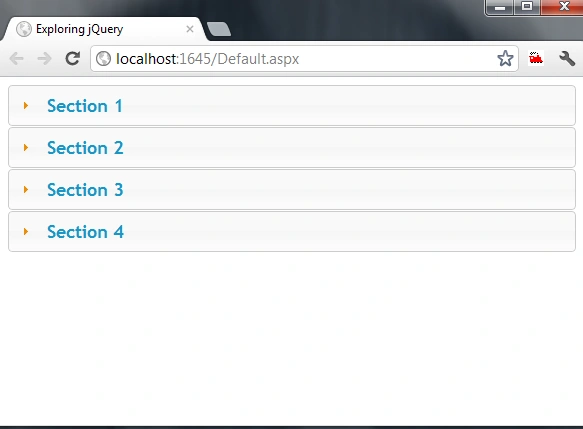
jQuery Code:
$("#accordion").accordion({ collapsible: true });
2. If you want to update the header text dynamically, use the following code: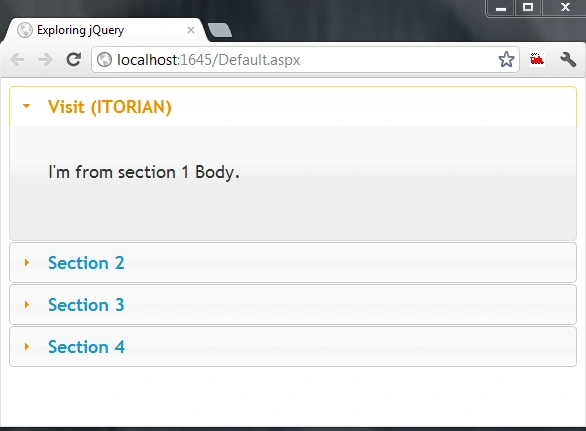
jQuery Code:
$(function () {
$("#accordion").accordion();
var Dtitle = "ITORIAN";
$('#firstSection a').text("Visit (" + Dtitle + ")");
});
HTML Markup:
<div id="accordion">
<h3 id="firstSection"><a href="#">Section 1</a></h3>
<div>
<p>
I'm from section 1 Body.
</p>
</div>
::::::::::::::::::::::::
3. If you want to activate Section 2 when the page opens then use the following code: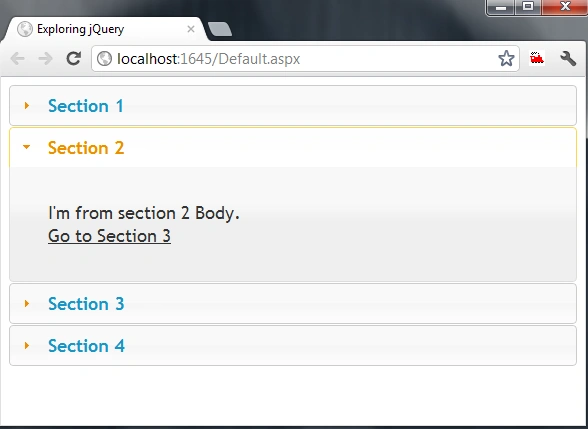
jQuery Code:
$(function () {
$("#accordion").accordion();
$('#accordion').accordion('activate', "#activateMe");
});
HTML Markup:
<div id="accordion">
<h3><a href="#">Section 1</a></h3>
<div>
<p>
I'm from section 1 Body.
</p>
</div>
<h3 id="activateMe"><a href="#">Section 2</a></h3>
<div>
<p>
I'm from section 2 Body.<br />
<a href="#">Go to Section 3</a>
</p>
</div>
<h3><a href="#">Section 3</a></h3>
4. If you want to activate the last head when the page opens then use the following code: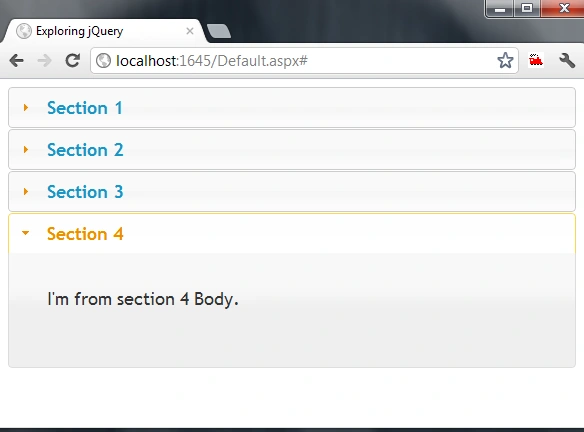
jQuery Code:
$(function () {
$("#accordion").accordion();
$("#accordion").accordion({ active: "h3:last" });
});
If you want to learn more about the jQuery Accordion Widget then the following URLs will help you:
http://docs.jquery.com/UI/Accordion
http://jqueryui.com/demos/accordion/
The you can do the same thing with the Ajax Control Toolkit, visit here.
I hope you like it. Thanks.
arjuna abhiPosted Apr 29, 2013, 6:55 AM
Hai I added accordion widget to my sharepoint page. I would like to add some css style for better looking. The above one is look good. Could you please send me the script of it. Thank you [email protected]
Mohammad MirshahiPosted Jul 6, 2012, 3:24 PM
hi thanks... please give me more source about jquery with this email: [email protected] ver thanks...