

Set MySQL user id and password in WampServer
If you want to create a new WampServer database in MySQL then you should have the user id and password. If you do not have the uid and password and try to create a database then an error will occur.
For example
|
<?php $con=mysql_connect("localhost","",""); if (!$con) { die('Could not connect: ' . mysql_error()); }
if (mysql_query("CREATEDATABASEC_sharp_emp",$con)) { echo "Databasecreated"; } else { echo "Errorcreatingdatabase:" . mysql_error(); }
mysql_close($con); |
The following error will be generated.
Output
To solve this problem or if you want to create a user id and password, you can use the following steps.
Step 1
Click on the WampServer icon, a pop up window is opened. Then click on phpMyAdmin.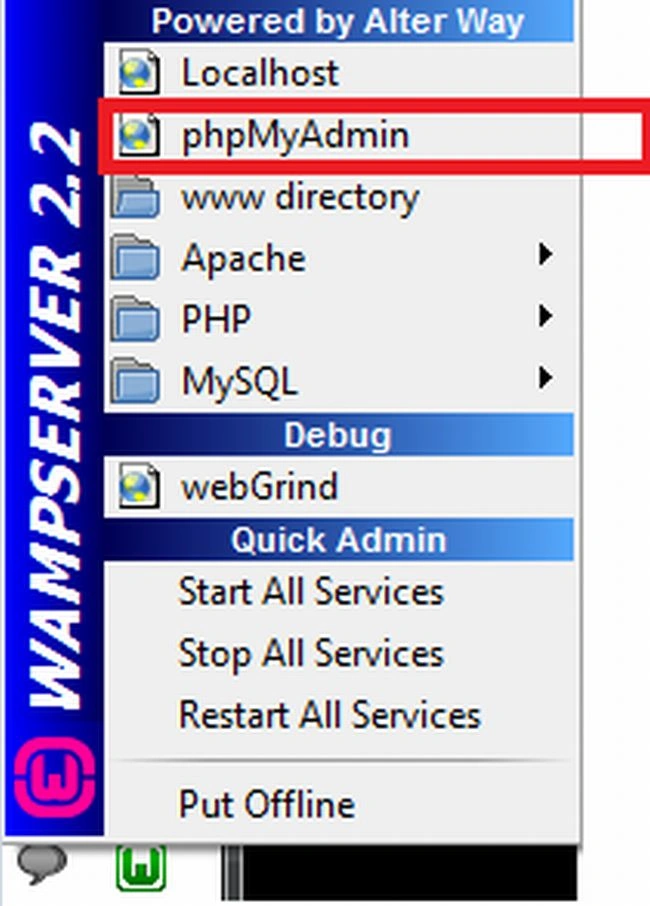
Step 2
A new phpadmin window is opened as given below.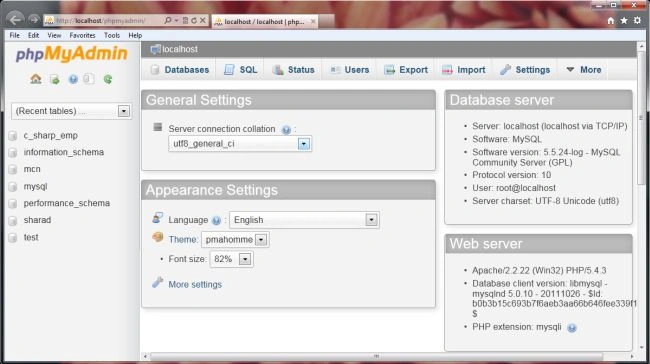
Step 3
After step 2, click on MySQL option which is at the right side of phpadmin window.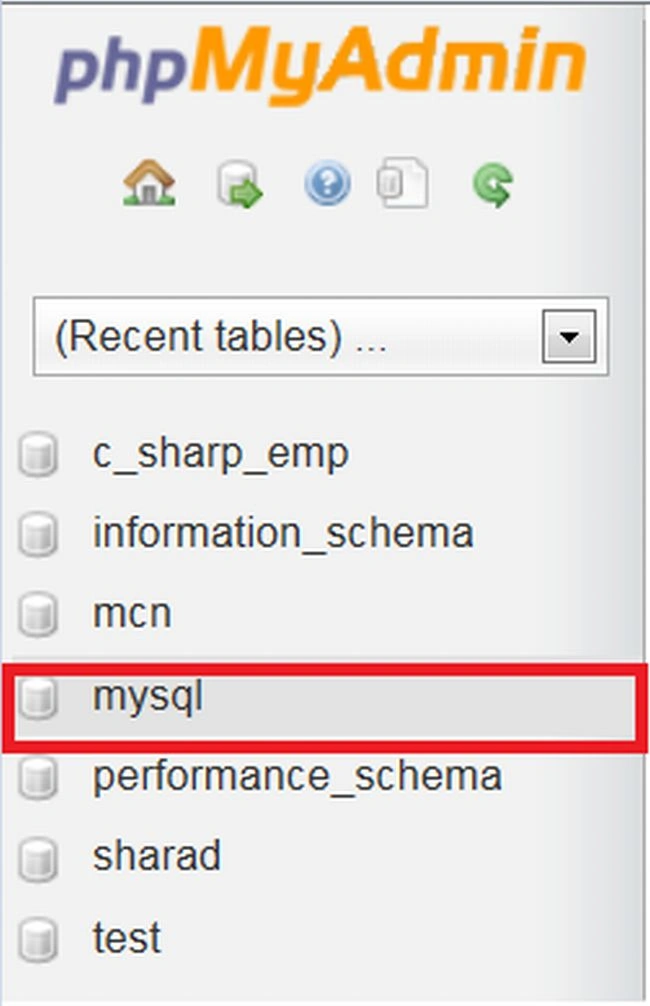
Step 4
After performing Step 3, again a new window is opened. In it you can click on the Privileges menu, which is at the upper-left side of this window.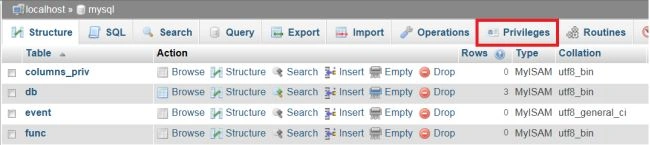
Step 5
After completing Step 5, again a new window is opened, in it you can click on the Add user icon or Add user text. 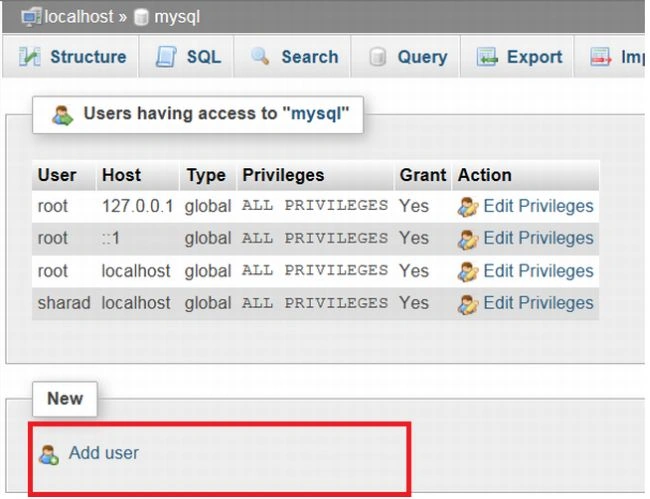
Step 6
After doing step 5, again a new pop up window is opened. In it provide all necessary information according to your requirements and then click on the Add user button.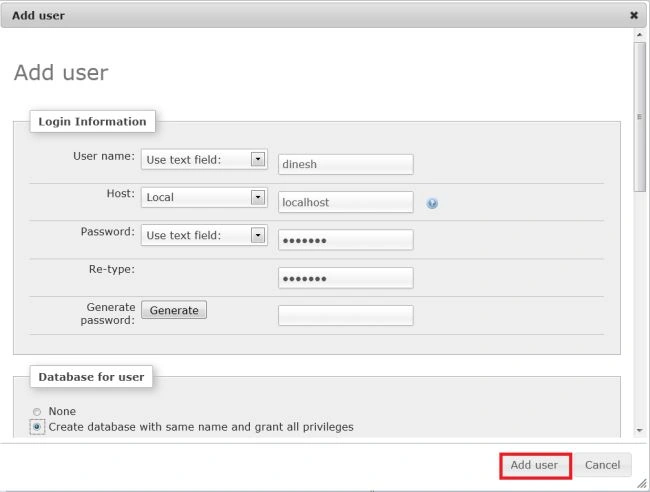
Step 7
After completing all the preceding steps you have added a new user.
After performing all the preceding steps you have a user id and password. You can easily create a database in MySQL and can perform operations on it.
|
<?php $con=mysql_connect("localhost","sharad","gupta"); if (!$con) { die('Could not connect: ' . mysql_error()); }
if (mysql_query("CREATEDATABASEC_sharp_data",$con)) { echo "Databasecreated"; } else { echo "Errorcreatingdatabase:" . mysql_error(); }
mysql_close($con); ?> |
Output
Join the conversation! Your thoughts help the community grow.