

Introduction : A extension methods is an important method of c#. An extension method is always used in a static class. It is
parametric type. If you want to not create the object of a class and invoke the
methods without a class object in this type situation we have to used the
extension methods. In a extension methods we have invoke methods of a
class to it's variable. The first variable of extension methods is always
used of "this" keywords. The benefit of extension
methods you have no need to create the object of a class and invoke of methods
of class to it's variable.
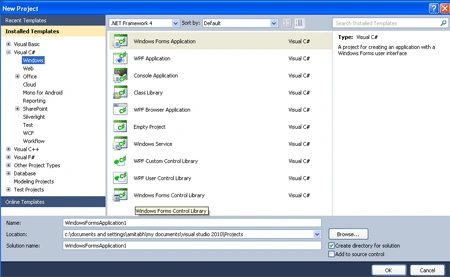
Step 1 : Open Visual Studio 2010.
- Go to file -> New->Projects.
- Open Windows Application Form.
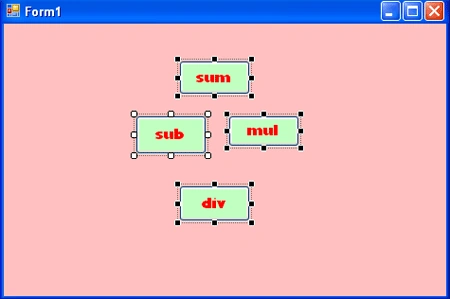
Step 2 : In a window form add four buttons.
- Add
- Sub
- Mul
- Div
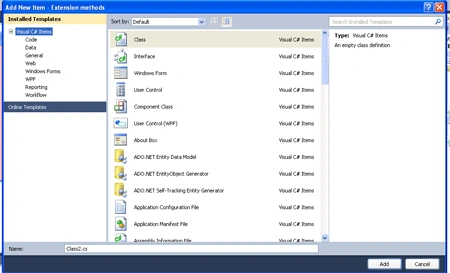
Step 3 : In Solution Explorer right click and add a new class.
- Solution Explorer->Right Click->Add ->New
Item's-> add class.
code :
using System;
using System.Collections.Generic;
using System.Linq;
using System.Text;
namespace Extension_methods
{
static
class manish
{
public static
int sum(this
int a, int b)
{
int c = a + b;
return c;
}
public static
int mul(this
int a, int b)
{
int c = a * b;
return c;
}
public static
int sub(this
int a, int b)
{
int c = a - b;
return c;
}
public static
int div(this
int a, int b)
{
int c = a / b;
return c;
}
}
}
Step 5 : In window form Invoke a
methods on button click event.
Code :
using
System;
using
System.Collections.Generic;
using
System.ComponentModel;
using
System.Data;
using
System.Drawing;
using
System.Linq;
using
System.Text;
using
System.Windows.Forms;
namespace
Extension_methods
{
public partial
class Form1 :
Form
{
public Form1()
{
InitializeComponent();
}
private void
button1_Click(object sender,
EventArgs e)
{ int a = 10, b = 20;
int c= b.sum(a);
MessageBox.Show(c.ToString());
}
private
void button2_Click(object
sender, EventArgs e)
{
int a=20, b=30;
int c=b.sub(a);
MessageBox.Show(c.ToString());
}
private void
button3_Click(object sender,
EventArgs e)
{
int a = 100, b = 200;
int c = b.mul(a);
MessageBox.Show(c.ToString());
}
private void
button4_Click(object sender,
EventArgs e)
{
int a =5, b = 100;
int c = b.div(a);
MessageBox.Show(c.ToString());
}
}
}
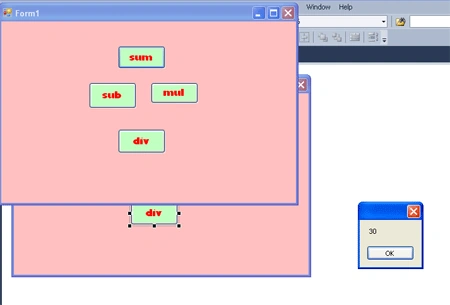
Step 6 : Now Press F5 and run the application.
Step 7 : Now we click in Button and find the output for all operation.
Join the conversation! Your thoughts help the community grow.