

Introduction
This article explains how to show an alert and set the focus on a TextBox if it is empty using Knockout.
We often need to create applications where we don't want our user to leave some important Textboxes empty, at that time we need to show an error or an alert message to the user to notify them to fill in the entries and we also need to focus on the TextBox that is empty.
You may have done this using JavaScript, jQuery, Ajax or something else, but these things provide very hacky code that is not easy to understand and may also make our application heavy. We can use Knockout to solve these problems and get a very simple way to get these things done.
In this article I provide a simple example of how this can be done using Knockoutjs.
Step 1
First of all you need to add an external Knockout js file into your application, you can either download it from the internet or download my application that is available at the start of this article in Zip Format and then can the file attached with this Zip file.
After downloading the file you need to call it in the head section of your application as in the following:
<head runat="server">
<title></title>
<script src="knockout-2.3.0.js"></script>
</head>
Step 2
Now we can work on our application. First we will work on the ViewModel. To do that you need to add a Script tag under the Body Section and then add this code:
<script type="text/javascript">
function x() {
this.getFocused = ko.observable();
this.text = ko.observable();
this.setFocus= function () {;
if (this.text().length == 0) {
this.getFocused(true);
alert("Provide Your Name");
}
else {
this.getFocused(false)
}
}
};
ko.applyBindings(new x());
</script>
As always first I had created a function "x()."
In this function I declared two Observables named "getFocused" and "text". After that I declared another function named as "setFocus".
This function "setFocus" is the main function that will make our application work. In this function I check the length of text() that was Observable, if the function finds this length equal to zero then the TextBox will have the focus on it and also an alert message will be shown to the user about providing his name in the TextBox.
If the function finds the length greater than zero then the focus will not be applied to the TextBox.
In the end I applied binding to the function x().
Until now our work on the View Model is complete so now we can work on the View of our application.
Step 3
Write this code in the View part of your application:
<div>
<input data-bind="value: text, hasFocus: getFocused" />
<button data-bind="click: setFocus">Submit</button>
<div>
<br />
<label data-bind="text:text"></label>
</div>
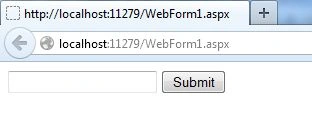
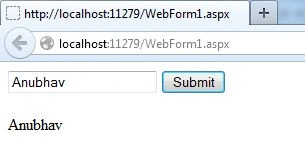
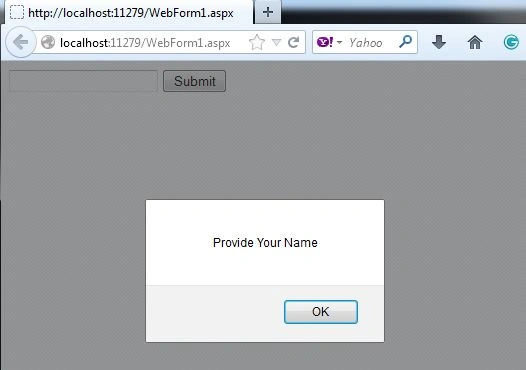
Manav PandyaPosted Jul 22, 2017, 1:03 AM
Nice .............