

Introduction
In this article, you will learn about mouse events. There are seven types of mouse event; they are:
- Onclick
- 2.Ondblclick
- Onmousedoen
- Onmousemove
- Onmouseover
- Onmouseout
- Onmouseup
I have divided the mouse events into three parts.
Second Part
Today you will learn OnMouseover and OnMouseout,
OnMouseOver
The
mouseover event occurs when the user moves the mouse pointer into the object.OnMouseout
The
onmouseout event occurs when the user moves the mouse pointer out of the object.Example
In the following example, I have defined two divs, maim and main2. In the main div, the text will be changed and in the main2 the image will be changed for the OnMouseover and OnMouseOut.
- <html>
- <head>
- <style>
- body
- {
- font-family: Arial, Helvetica, sans-serif;
- font-size: 18px;
- font-weight: bold;
- background: #006699;
- text-align: center;
- color: #FFFFFF;
- }
- #main
- {
- background: red;
- height: 100px;
- width: 200px;
- padding: 55px;
- }
- #main2
- {
- background: red;
- height: 300px;
- width: 300px;
- }
- </style>
- <script type="text/javascript">
- function hover(asd) {
- asd.innerHTML = "fnish Mouseoveer"
- }
- function out(asd) {
- asd.innerHTML = "Mouseout"
- }
- function ima(x) {
- document.getElementById("img1").style.display = "block";
- document.getElementById("img2").style.display = "none";
- }
- function image(x) {
- document.getElementById("img2").style.display = "block";
- document.getElementById("img1").style.display = "none";
- }
- </script>
- </head>
- <body>
- <div onmouseover="hover(this)" onmouseout="out(this)" onmouseover="out(this)" onmouseout="hover(this)"
- id="main">
- Mouseover Me</div>
- Next
- <div onmouseover="ima(this)" onmouseout="image(this)" id="main2">
- Mouseover Me
- <img src="download (1).jpg" id="img1" style="display: none" />
- <img src="download.jpg" id="img2" style="display: none" />
- </div>
- </body>
- </html>
Output
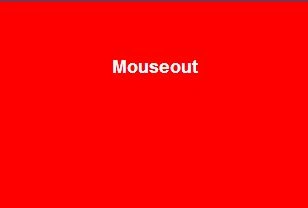
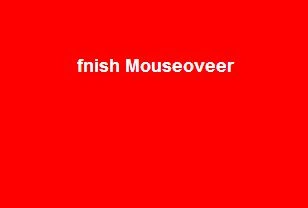
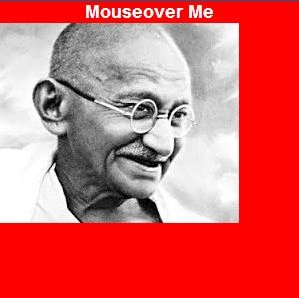
OnMouseout shows this image:
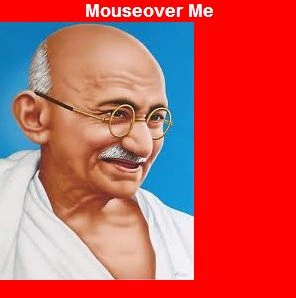
OnMouseover shows this image:
Join the conversation! Your thoughts help the community grow.