
Making Timeline Control for DataGrid In WPF
Introduction
In this article we will see how we can make a Timeline control in WPF.
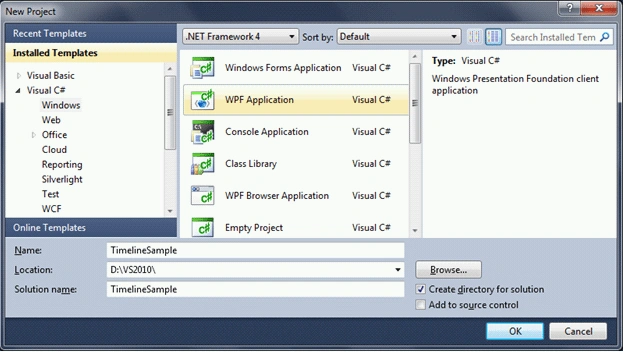
Creating A WPF Project
Fire up Visual Studio 2010, create a WPF Application, and name it as
TimelineSample.
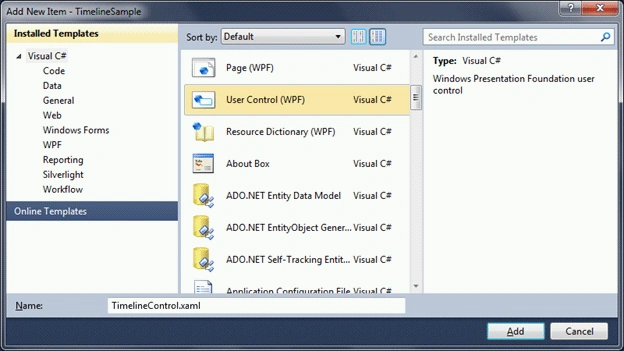
Here is the thing, we should build a user control that would display time or
times for a partcular hour. Let's say we have 6:30am, 6:35am and 6:55am as times
for a particular hour 6am. So we should diplay as the following pictorial
notations.
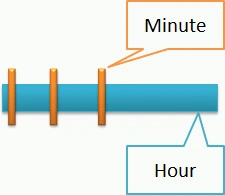
To do the above control, we need to use rectangles for the representation of
Hour and Minute(s). The following is the xaml for doing so.
We have created the following two Brushes to be used respectively.
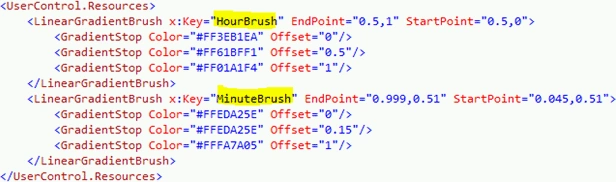
Now that we have the brushes we can draw the rectangles. The horizontal
rectangle is for Hour and the vertical rectangle(s) for minute(s).
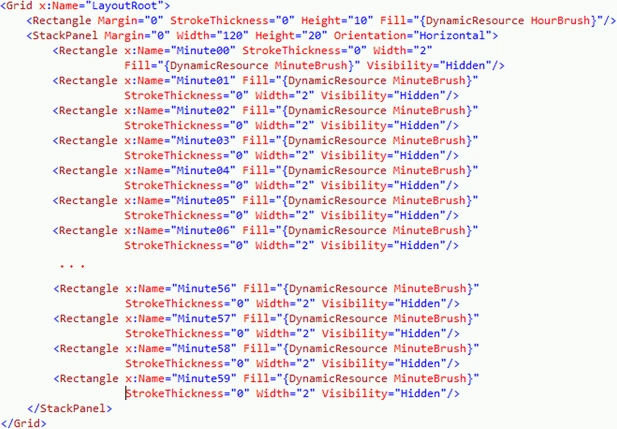
As you see from the above xaml display, we have Minute rectangles Visibility
made as Hidden. Here is the trick for visibility; if we use visibility as
collapsed the space taken by the rectangle is gone and the next rectangle would
take it's place. In order to do that we need a Dependency Property which would
contain the minute(s) as user has to give.
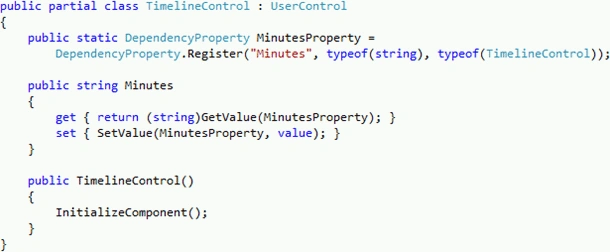
As you see in the above code display, the MinutesProperty is created as a
Dependency Property. It is a type of TimelineControl and it would have the value
as string.
Let's have the Loaded event of the User Control, where we will make the minute
rectangles visible based on the minute list provided.
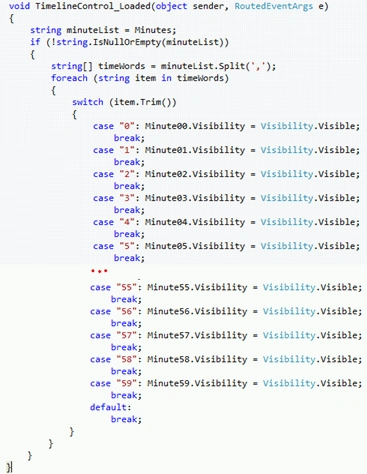
The User Control is ready. Now let's add a datagrid or listbox to display the
user control.
The issue that we are going to face is the Time Scale, that means when we add
hour columns based on some criteria, if it changes the Time Scale should be
fixed or flexible. It should not repeat the Hours columns that already added to
the data grid.
To solve that issue let's create a custom datagrid control and add two
Dependency Properties, such as Start Time and End Time.
Add a class named TimelineDatagrid and add it to the project.
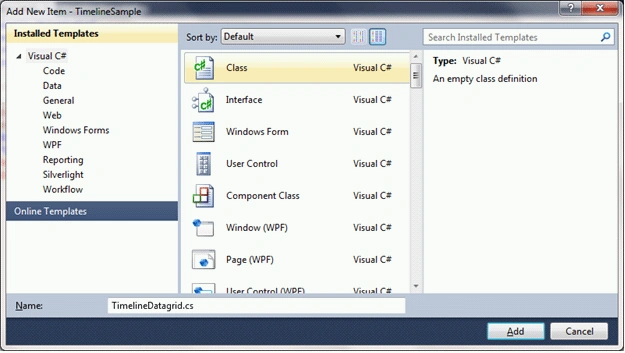
Use the namespaces displayed below:

Now inherit the DataGrid class and then create two Dependency Properties as
displayed below.
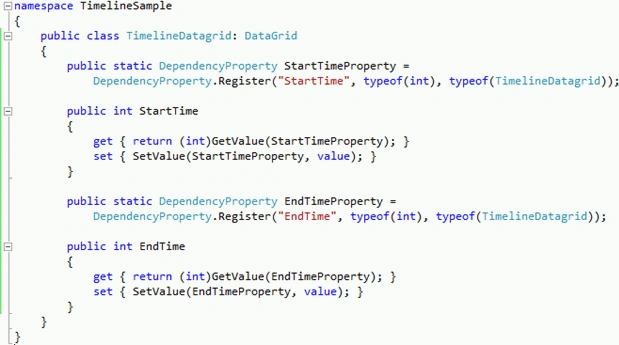
Now, let's add this custom datagrid to the MainWindow by referencing the
Namespace.

And add the DataGrid also customize it's properties as required.

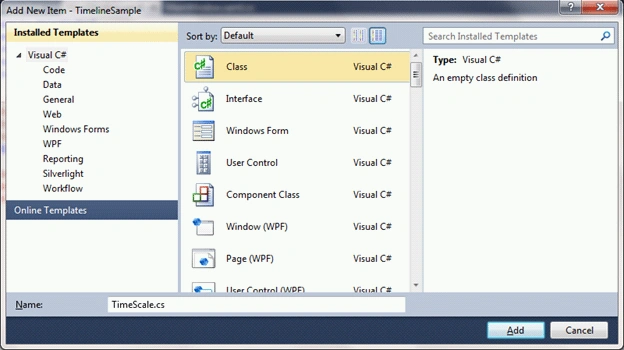
Let's add a class and name it as TimeScale, which would have the properties
required to bind to the DataGrid.
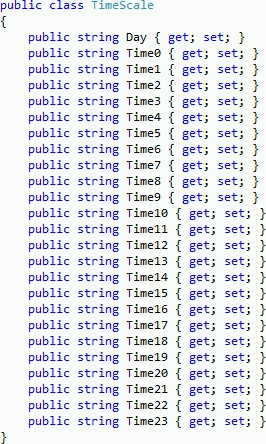
As you see in the above code display, we have the TimeScale class which has the
properties as Day and the Hours in 24Hour format.
As soon as you proceed through this article, you would understand why we have
taken the 24Hour format instead the normal time (am/pm) format.
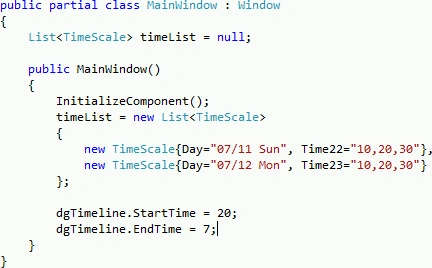
In the above code display, you could see we are initializing the StartTime and
EndTime of the DataGrid and then we have a List of TimeScale for sample data
purpose.
Now we need to subscribe the Loaded event of the DataGrid to load the customized
columns.
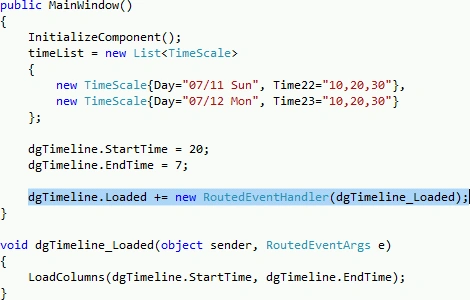
As you see in the above code display, we have subscribed to the Loaded event of
the DataGrid and in the handler, we are passing the StartTime and EndTime values
to a method called LoadColumns.
We have to add DatagridTemplateColumn as the TimelineControl and the First
column for Date as DatagridTextColumn.
Inside the method add the following lines of code to add the DataGridTextColumn.
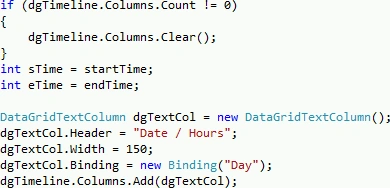
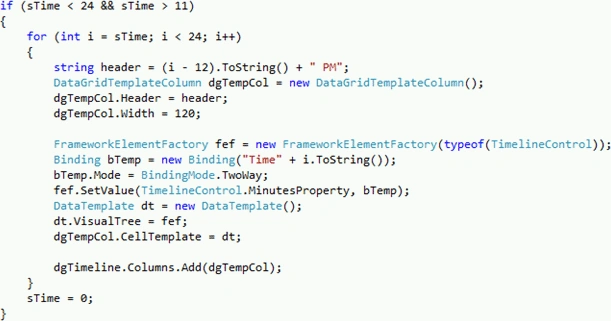
Add the below condition for StartTime for the timeScale of 12pm to 11pm.
Add the below condition for EndTime is Greater than StartTime.
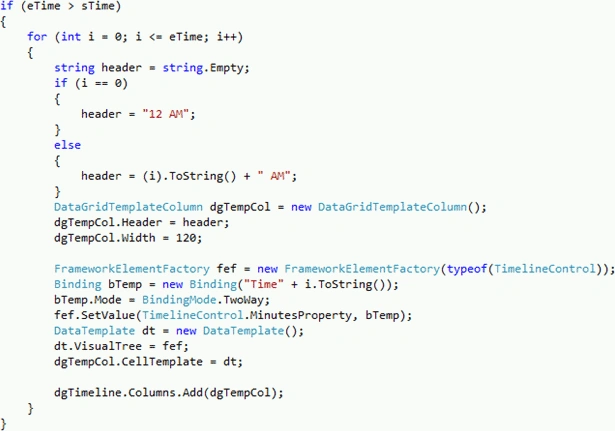
That's it. Run the application to see the Datagrid Control as TimeLine control.
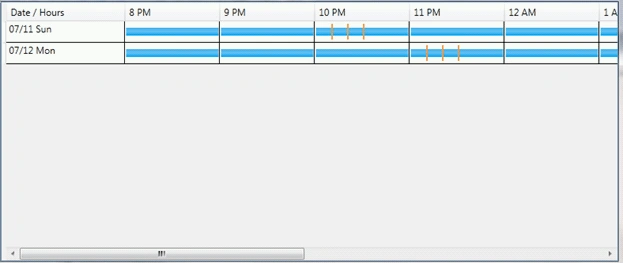
Hope this article helps.

Making Timeline Control for DataGrid in WPF
Join the conversation! Your thoughts help the community grow.
Sign in to leave a comment
It is the same account you read, post and publish with — and you will come straight back to this page.
baris_bicereditedPosted May 2, 2011, 4:06 AMEdited May 2, 2011, 4:08 AM
hello thank you for share code. i have question about this code and i want to add date colun and add 1 more date how can i make that
Soluwex CompanyPosted Oct 10, 2010, 7:25 PM
Hi, How can i add a handler to pick up the mouseover over a minute rectangle? I added an event (mouseenter) but it doesn't work and i don't see why. Plz help me, thank you very much!!! Regards, Geert