
ARTICLE

Minify CSS before deploying Web Project

Posted by Deepak Kumar Verma Articles | JavaScript, CSS August 09, 2012
This article demonstrates how to use YSlow to minfy CSS.
Reader Level:

It's a good idea to use the minfied version of CSS (Cascading Style Sheets). It'll minimize the page load and thus result in performance grow up.

What do you need?

Installation order : Mozilla Firefox > Firebug > YSlow

When you will have completed installation. Open a website and press "F12"
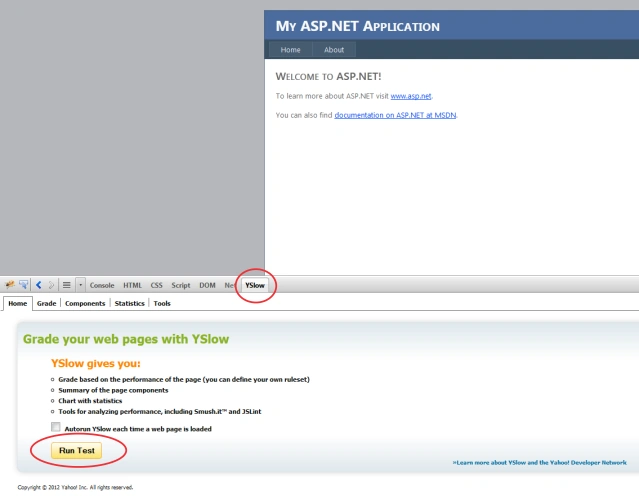
minifycss1.png

Click on "Run Test"

You will see a well detailed result of web page performance test

minifycss2.png

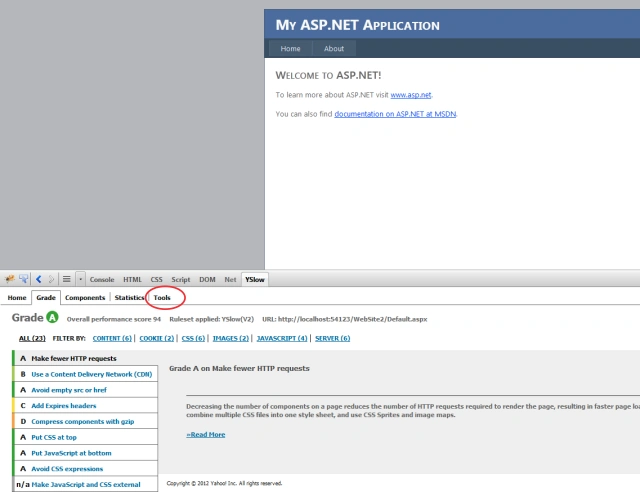
Click on "Tools"

You'll see all available tools

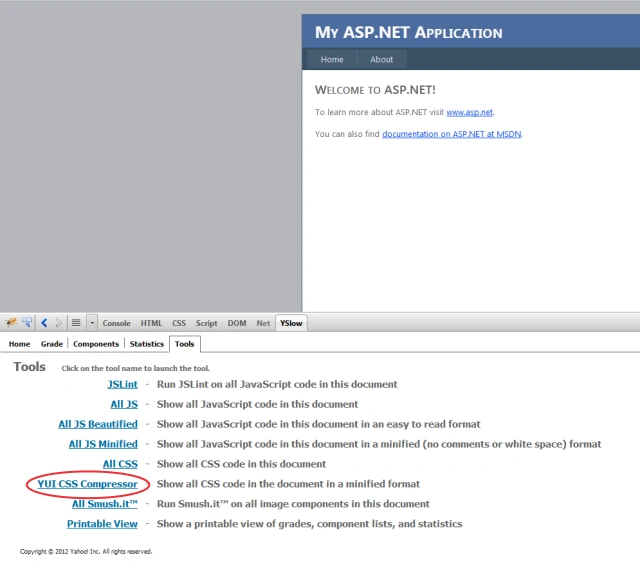
minifycss3.png

Click on YUI CSS Compressor, it'll open a new tab and you will get the minified CSS

minifycss4.png

Login to add your contents and source code to this article
post comment
     
COMMENT USING
PREMIUM SPONSORS
Over-C is a holistic consortium of communications and technology specialists. We build, deploy and market both business as well as consumer products and solutions.
SPONSORED BY
  • PDF reports have never been easier to create. With our included WYSIWYG Designer, you can layout your reports, set up your data source and let DynamicPDF ReportWriter do the rest.