

Introduction
AngularJS provides a built-in simple logging service. It default implementation to write log/ error/warning/information into the browser console. Mainly this service is used to debug and troubleshoot the code error. By default, it is log "debug" messages.
This service has the following method.
log
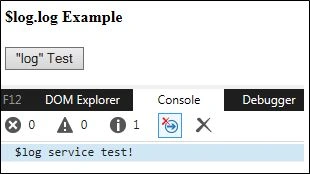
This method is used to write a log message in the browser console.
Example
HTML
<h4>$log.log Example</h4>
<div ng-controller="HelloController">
    <button ng-click="logMessage()">"log" Test</button>
</div>
Controller
var app = angular.module("app", []);
app.controller("HelloController", function($scope, $log) {
    $scope.message = "$log service test!";
    $scope.logMessage = function() {
        $log.log($scope.message);
    }
});
Output
Info
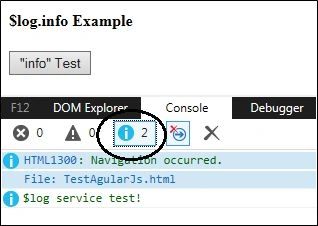
This method is used to write an information message in the browser console.
Example
HTML
<h4>$log.info Example</h4>
<div ng-controller="HelloController">
    <button ng-click="infoMessage()">"info" Test</button>
</div>
Controller
var app = angular.module("app", []);
app.controller("HelloController", function($scope, $log) {
    $scope.message = "$log service test!";
    $scope.infoMessage = function() {
        $log.info($scope.message);
    };
});
Output
Warn
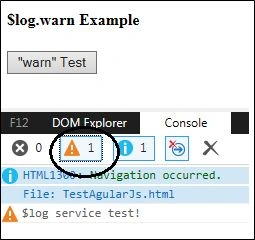
This method is used to write a warning message in the browser console.
Example
HTML
<h4>$log.warn Example</h4>
<div ng-controller="HelloController">
    <button ng-click="warnMessage()">"warn" Test</button>
</div>
Controller
var app = angular.module("app", []);
app.controller("HelloController", function($scope, $log) {
    $scope.message = "$log service test!";
    $scope.warnMessage = function() {
        $log.warn($scope.message);
    };
});
Output
Error
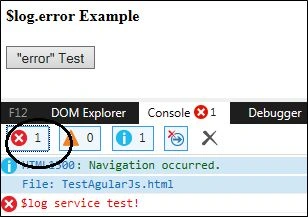
This method is used to write an error message in the browser console.
Example
HTML
<h4>$log.error Example</h4>
<div ng-controller="HelloController">
    <button ng-click="errorMessage()">"error" Test</button>
</div>
Controller
var app = angular.module("app", []);
app.controller("HelloController", function($scope, $log) {
    $scope.message = "$log service test!";
    $scope.errorMessage = function() {
        $log.error($scope.message);
    };
});
Output
Debug
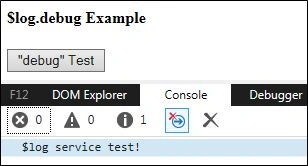
This method is used to write a debug message in the browser console.
Example
HTML
<h4>$log.debug Example</h4>
<div ng-controller="HelloController">
    <button ng-click="debugMessage()">"debug" Test</button>
</div>
Controller
var app = angular.module("app", []);
app.controller("HelloController", function($scope, $log) {
    $scope.message = "$log service test!";
    $scope.debugMessage = function() {
        $log.debug($scope.message)
    }
});
Output
Summary
This article will help you to understand log services in AngularJS.
Rupesh KahanePosted Dec 30, 2015, 12:47 PM
good one
Santhakumar MunuswamyPosted Dec 29, 2015, 10:43 AM
Thanks for nice article.
Ranjan DailataPosted Dec 29, 2015, 9:21 AM
Nice.. did you take a look into custom notification - https://github.com/jirikavi/AngularJS-Toaster It's exciting :)
Sibeesh VenuPosted Dec 29, 2015, 6:41 AM
Nice Share
Akash VarshneyPosted Dec 29, 2015, 6:37 AM
Nice .. easy to Understand