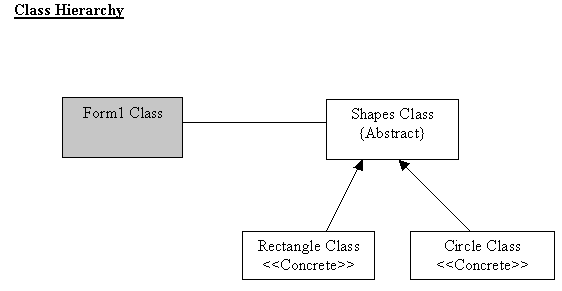
This is simple multi-threading program that draws circles and rectangles. Each shape is handle by individual thread that created every time you press start button. Using sleep method on each thread we can change the speed of each shape.
I have used VS.NET to implement this program. Double click on Thread_Example.Zip and extract all the files and folders to a folder in C drive.
Run the project using VS.NET:
Double click on ThreadTester.sln (Prject file). Then run the project (press F5). The Form1 will appear as shown below.
Run using command-line prompt.
Copy all the .cs files (From1.cs, Rectangle.cs, Circle.cs and Shapes.cs) in to a folder in C drive and comple it using
C:\FolderName> csc *.cs
This will create a Form1.exe file inside the folder. Then double click it run it.
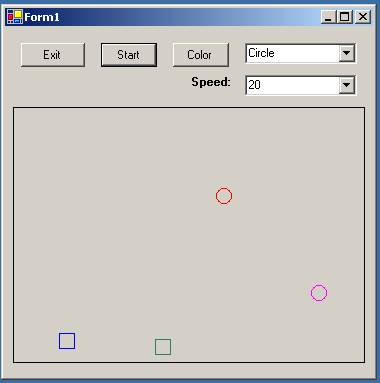
- Select the shape from the drop down list: Rectangle or Circle
- Then choose the speed from the drop down list.
- Then choose a colour by clicking the colour button.
- Then press start, which will start the relevant shape.
- Press exit when you want to exit.