

Of course we are missing the Start button in Windows 8 and that means, there is no simple way to shutdown Windows 8.
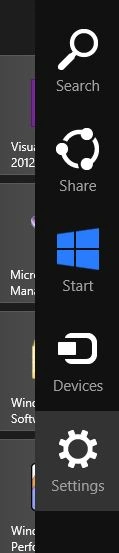
To shutdown Windows 8, we open Charms bar by hitting WIN+C and select Settings.
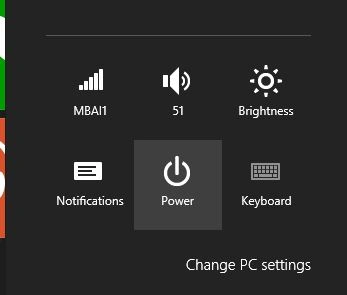
Then select Power button.
It will launch a menu bar with Sleep, Shut down, and Restart menu items.
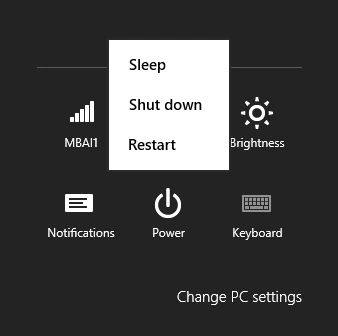
Select on Shut down will shut down Windows 8.
Alternatively, you can hit CTRL+ALT+DEL and select the Shut down button at the bottom right corner.
Summary
In this article, we learned about How to Shutdown Windows 8.
Mahesh ChandPosted Oct 28, 2013, 5:18 PM
Dang .. I had to come look for this article after I could not find the Power button. I just could not see it.