Introduction
Today the I faced a strange problem when I started my Windows 8 system. Drag-Drop was not working. I was unable to move desktop icons, emails in outlook, files from one folder to another, etc.
I would like to share the solution here in case someone else faces the same problem:
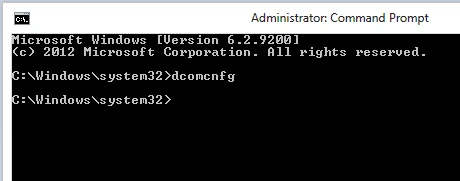
Run the command prompt as administrator
Step 1
type dcomcnfg and press enter
Step 2
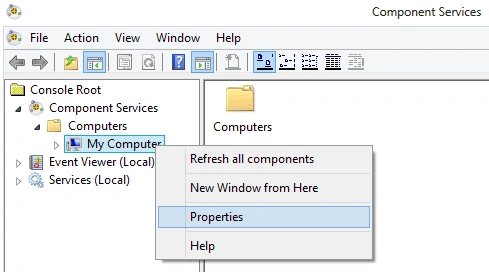
Expand Console Root -> Component Services -> Computers -> My Computer.
Right-click My Computer and choose Properties; see:
Step 3
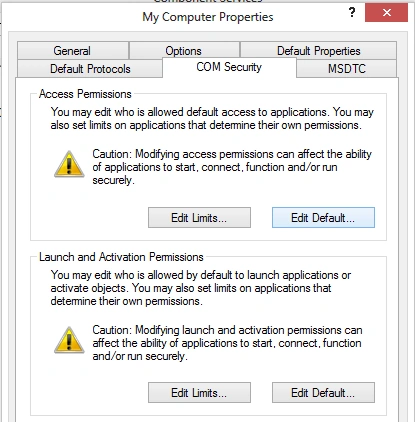
Go to the COM Security tab -> Access Permissions click Edit Default; as in:
Step 4
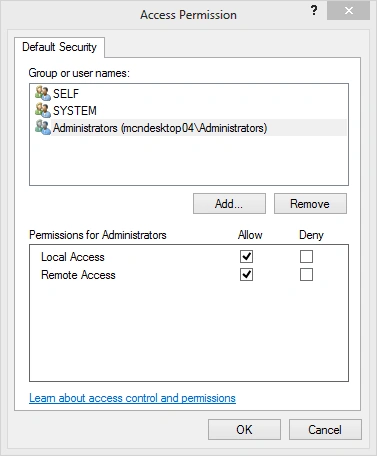
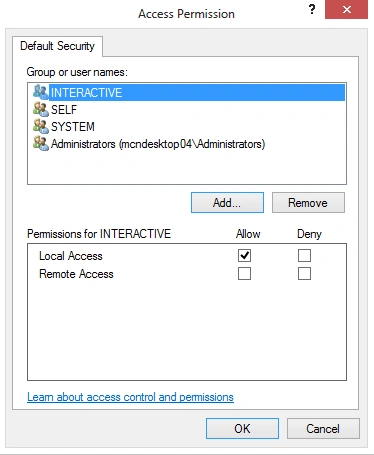
Both System and Interactive should be listed with Allow Access. If either is missing, add them by clicking Add. See:
Step 5
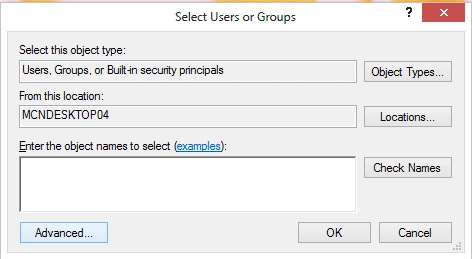
The location should have the local computer name and click advanced; as in:
Step 6
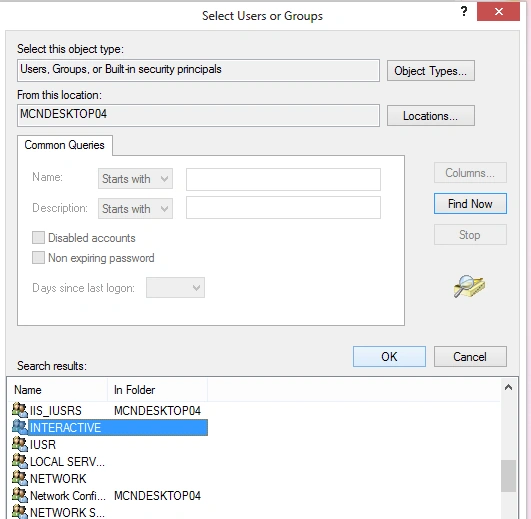
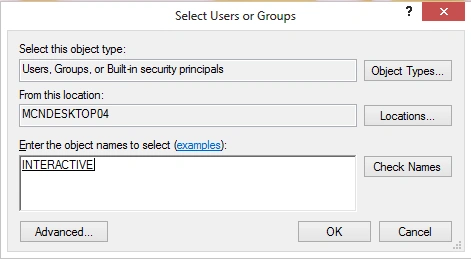
Click "Find Now" and select "Interactive" or "System" as appropriate, as in:
Step 7
Click OK.
Step 8
Allow must be checked on Local Access for both users and click OK, as in:
Step 9
And you are done. Now you can drag and drop.
Summary
In this article, we learned about Drag Drop Not Working in Windows 8.


Sourabh SomaniPosted Nov 6, 2013, 11:28 PM
not working bro
lassePosted Jul 24, 2013, 8:29 PM
Simply hitting the Esc key helped me.
BeneditedPosted Dec 20, 2012, 10:05 AMEdited Dec 20, 2012, 10:06 AM
It has worked... After the Install of Office 2013 RTM, problem get back. Any other tips ?
Gregg LebovitzPosted Nov 30, 2012, 4:43 PM
This was very helpful. Thank you.
Marin KnezeviceditedPosted Nov 23, 2012, 3:04 PMEdited Nov 23, 2012, 3:05 PM
Problem solved - I made a mistake when choosing "Run as an Administrator" option first time I ran Fireworks after upgrade to Win8. The Fireworks (or Adobe) proposed that as a warning that I will not be able to share projects with Dreamweaver if I skip the "Run as an Admin" option. Blah what a nightmare... I don't even use Dreamweaver.
Marin KnezevicPosted Nov 23, 2012, 1:40 PM
UPDATE 2: with Photoshop everything works just fine, I can drag & drop from whatever I want as long as Ps can show it, and even stranger I'm able to select and copy from PS and paste into Fireworks (?!).
Marin KnezevicPosted Nov 23, 2012, 1:33 PM
UPDATE: it works with text (?!), it just doesn't allow me to paste image files (.png. jpeg. gif whatever).
Marin KnezevicPosted Nov 23, 2012, 1:30 PM
Hi, thak you for your efforts, but my problem is a bit different as once I updated to win8 I cannot drag/drop image from xy software which shows gallery to my Adobe Fireworks opened document which is frustrating. The solution you provided didn't change anything. I cannot even do "manual" context menu copy and than paste into Fireworks even the image is in the clipboard. However it doesn't work only if I try to drop/paste into Adobe Fireworks! Can you help me please.