

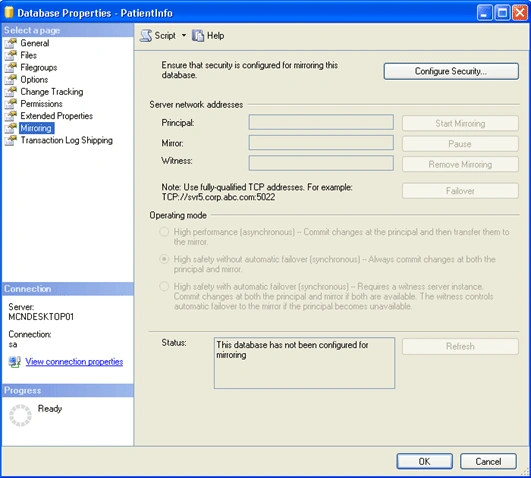
Select the principal database. Right click on the database name and select Properties and then click on "Mirroring" the following window will appear
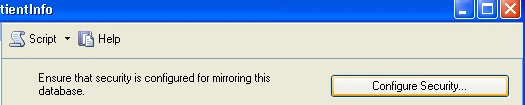
- Click on the "Configure Security. . ." button.
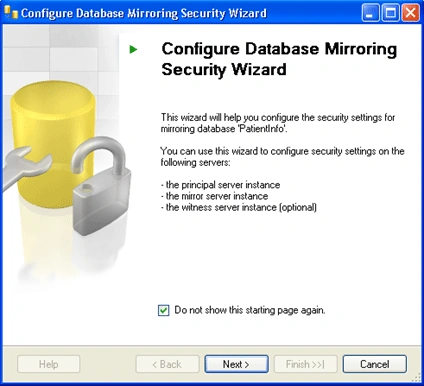
- From the following window Click Next to get started.
- Here we have the option that if we want to use a witness server or not, select yes and click Next.
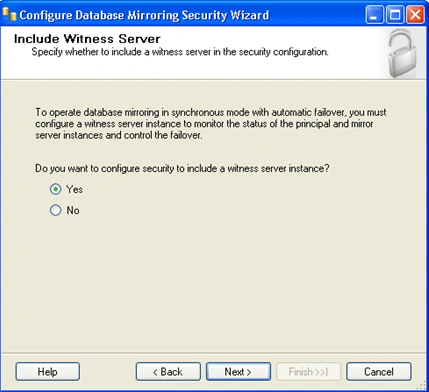
- Again select if there is a need to use a witness server and Click Next.
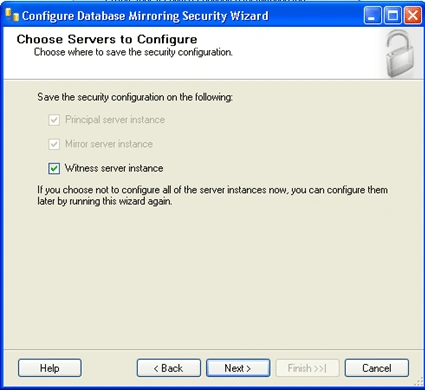
- Now First of all set up the principal Server.
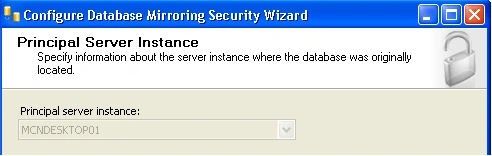
- Select the instance, Click on the checkbox if we want to encrypt the data and define the listener port, which Database Mirroring will use to communicate with the other instances in the mirror. Also select the endpoint name. Click Next.
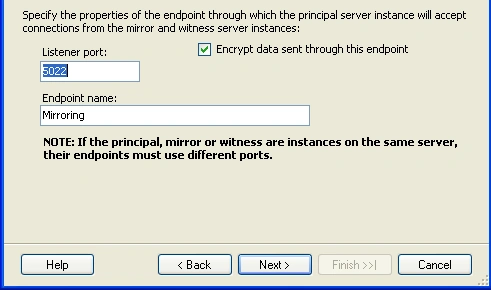
Note: We can use the default number/Name or specify our own for both: Port, Endpoint.
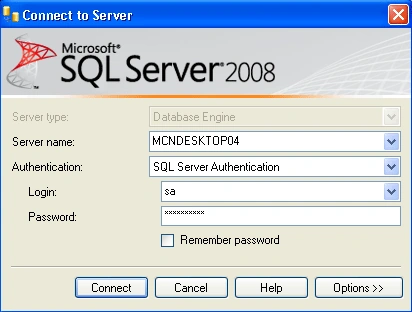
- Secondly, set up the Mirror Server similarly as we have done for Principal Server: select the instance; select encrypt the data; define the listener port and select the endpoint name and connect to it. After connecting successfully Click Next.
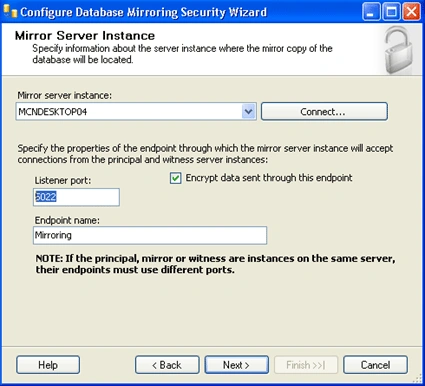
Note: We can use the default number/Name or specify our own for both: Port, Endpoint.
- Thirdly, it's time to set up the Witness Server as we have decided to use a witness previously. So for this also select the instance; click to encrypt the data; define the listener port and lastly select the endpoint name. Again Connect to it and Click Next.
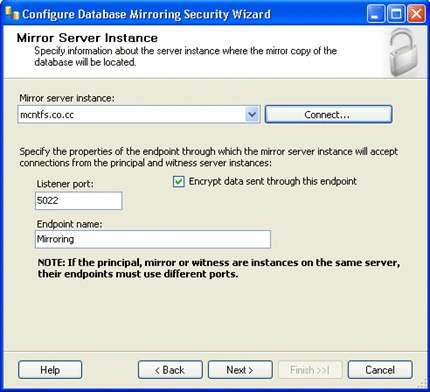
Note: For witness server also we can use the default number/Name or specify our own for both: Port, Endpoint.
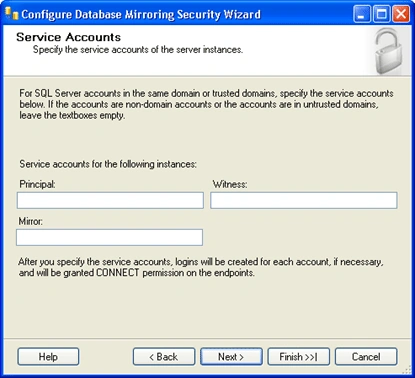
- Here we can set up special security credentials if we want to do (not Compulsory). Because all of the instances for this Demo are on the same server using the same accounts, they have been left blank. So directly Click Next.
- Last but not the least Click on "Finish".
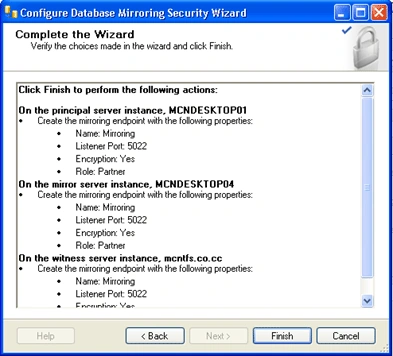
- When we click on finish the following window configure the endpoints and shows its status means that it will show whether the process was successful setup or not.
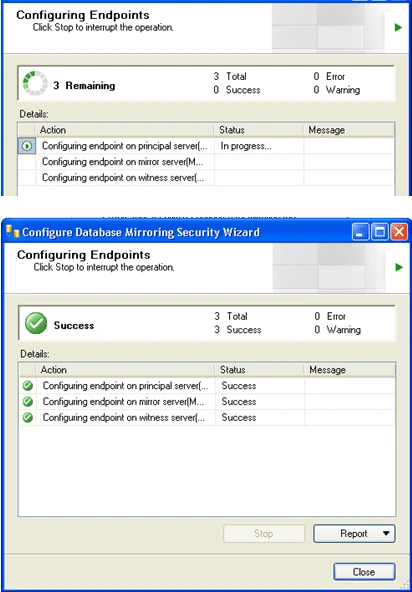
Note: We can also see the reports if we want to see.
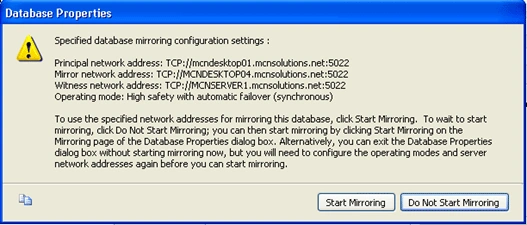
- Click on close button and we will the following window on our desktop. To begin mirroring select "Start Mirroring" and the mirroring process will begin. And if we want to make the changes than click on "Do Not Start Mirroring"
- Finally our mirroring will starts as shown below. And we can see in Status box that the data has been synchronized between the principal and the mirror.
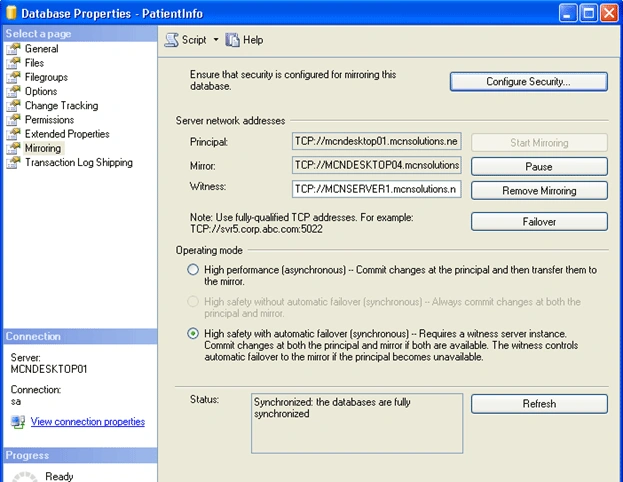
Note: We have some more options on this window which are as under:
Pause: This will stop transactions from being sent to our mirror.
Remove Mirroring: This will remove the mirroring configuration.
Failover: This will allow us to manually fail over to our mirrored copy. Once we fail over the current principal becomes the mirror and the current mirror becomes the principal.
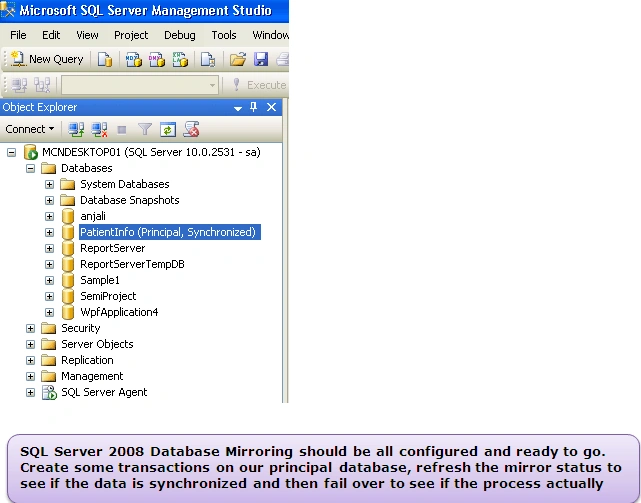
Now we can see the status on our MSSQL window, the database is showing like this:
SQL Server Database Mirroring Errors
Problem 1
Error msg 1416, Level 16, State 31, Line 3. Database is not configured for database mirroring:
Solution 1
Restore the Full backup from principal server using with NORECOVERY option and also one transactional log backup from principal server using with NoRecovery option and then start configuring mirroring.
Problem 2
Error msg 1418, Level 16, State 1, Line 1. The server network address cannot be reached or does not exist. Check the network address name and reissue the command.
Solution 2
- Restore a fairly recent full backup to the planned mirror server, with NORECOVERY
- Then restore a transaction log, also with NORECOVERY
- Configure endpoints correctly.
- Check if the ports that selected are valid or not.
- Is there a firewall (hardware or software)?
Problem 3
Error msg. (Microsoft SQL Server, Error 1475): "Database Mirroring cannot be enabled because the database may have bulk logged changes that have not been backed up. The last log backup on the principal must be restored on the mirror"
Problem 4
Error msg: (Microsoft SQL Server, Error 1478): The mirror database has insufficient transaction log data to preserve the log backup chain of the principal database. This may happen if a log backup from the principal database has not been restored on the mirror database.
Problem 5
Error msg: (Microsoft SQL Server, Error 1412): The remote copy of database has not been rolled forwarded to a point in time that is encompassed in the local copy of the transactional log.
Solution 3, 4, 5
We got the above mentioned error when we start the synchronization for database mirroring. To start the synchronization successfully follow these steps:
- Principal Instance - Take a full backup and a log backup as well
- Copy the full/log backups from Principal Instance to Mirror instance
- Mirror Instance - Restore with NORECOVERY option the full backup
- Mirror Instance - Apply the log backup
- Principal Instance - Start synchronization
Hadshana KamalanathanPosted Sep 3, 2018, 1:24 PM
Thank you for sharing...