

Ajax Rounded Corners control is a very good control to make rounded type shape.
Here by using Corners property of Ajax Rounded Corner property we can design shape in many form.
Here is the ASPX code.
<%@ Page Language="C#" AutoEventWireup="true"
CodeFile="Default.aspx.cs" Inherits="_Default" %>
<!DOCTYPE html PUBLIC "-//W3C//DTD XHTML 1.0 Transitional//EN"
"http://www.w3.org/TR/xhtml1/DTD/xhtml1-transitional.dtd">
<html xmlns="http://www.w3.org/1999/xhtml">
<head runat="server">
<title>AJAX: RoundedCorners</title>
</head>
<body>
<form id="form1" runat="server">
<asp:ScriptManager ID="ScriptManager1" runat="server">
</asp:ScriptManager>
<div>
<table cellpadding="0" cellspacing="0" width="50%" align="center">
<tr>
<td>
<asp:Panel ID="PanelLogin" runat="server" Height="190px" Width="395px" BackColor="#00AEEF">
<div>
<table cellspacing="3" width="98%" align="center" style="margin: 0px 5px 0px 5px;">
<tr>
<td align="center" style="font-weight: bold;">
AJAX: A Good Control To Make rounded Corner
</td>
</tr>
</table>
</div>
</asp:Panel>
</td>
</tr>
</table>
</div>
<div>
<ajaxToolkit:RoundedCornersExtender ID="rce" runat="server" TargetControlID="PanelLogin"
Corners="Top" Radius="6" />
</div>
</form>
</body>
</html>
When I run the Application and I set Corners="None" Then 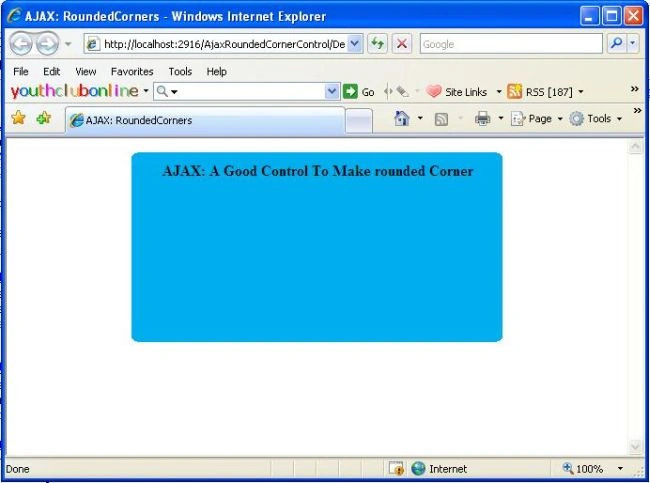
When I run the Application and I set Corners="Bottom" Then
When I run the Application and I set Corners="BottomLeft" Then
When I run the Application and I set Corners="Right" Then
When I run the Application and I set Corners="Top" Then
Gowtham RajamanickamPosted Apr 19, 2016, 6:47 AM
awesome article
Rahul Kumar SaxenaPosted Feb 27, 2015, 1:56 PM
thanks 2 all
suleiman jamaPosted Apr 29, 2010, 8:42 AM
Hi thanks for the tutorial, but I dont know how to use this control in my project? please explain?
Shailendra TiwariPosted Nov 19, 2008, 12:48 AM
This is great and very nice to me.
Abdul AjeesPosted Nov 18, 2008, 11:18 PM
ITS REALLY GOOD
Shuaib RamehPosted Nov 18, 2008, 9:24 PM
Very nice job! Thanks man
Nilesh BankarPosted Oct 24, 2008, 1:50 AM
Actually i want a round corner for each web control like text,list,labels is it possible if so plz reply me. Thanx Nilesh.
ravi chandraPosted Oct 3, 2008, 2:35 PM
this is very great help for new developers like me