

What is Scaffolding?
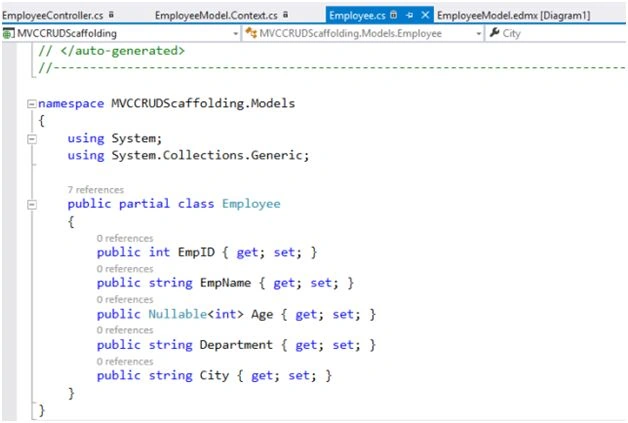
ASP.NET MVC gives us this feature to automatically generate the code for CRUD (Create, Read, Update and Delete) operations. The models and context class are auto generated, along with the controllers and the corresponding views. It is very easy to do scaffolding in MVC.
However, we need to do modifications in the code to match the exact requirement of the Application. Let us create a MVC Application to understand more about scaffolding in ASP.NET MVC 5.
Creating MVC Application
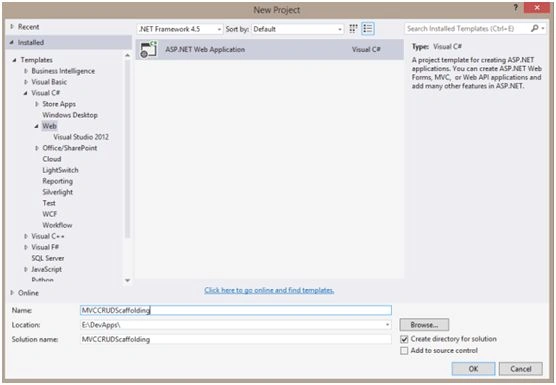
Let us implement these in a sample Application. Open Visual Studio. Go to File->New->Project. Give a suitable name to the Application. Click OK.
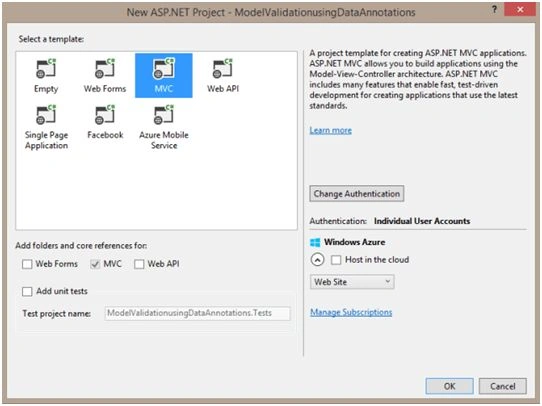
Select MVC Template. Click OK.
Adding Model to Application
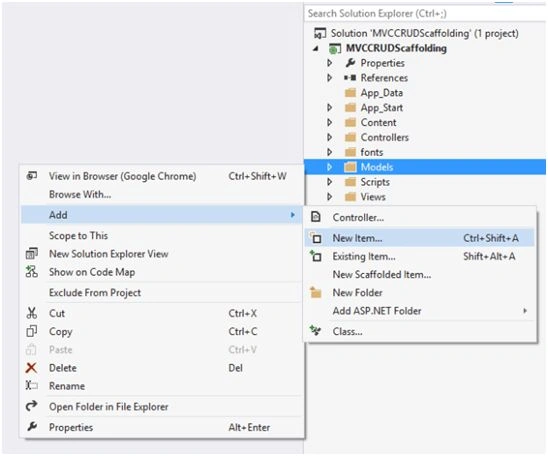
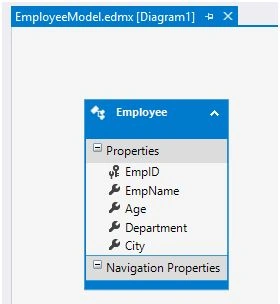
Let us create a model in the Models folder. We will be using entity framework, so we will be using a Data Entity Model in the Models folder. Right click on the Models folder->Add->New Item->Data Entity Model.
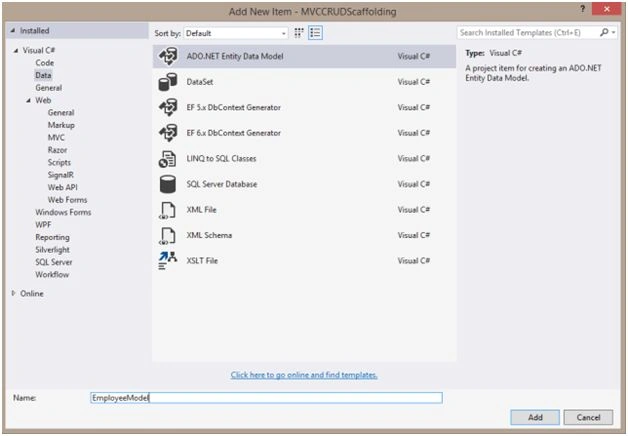
Give a suitable name to the Entity Model. Click Add.
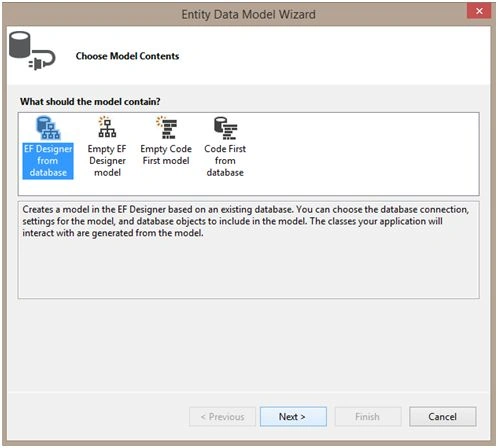
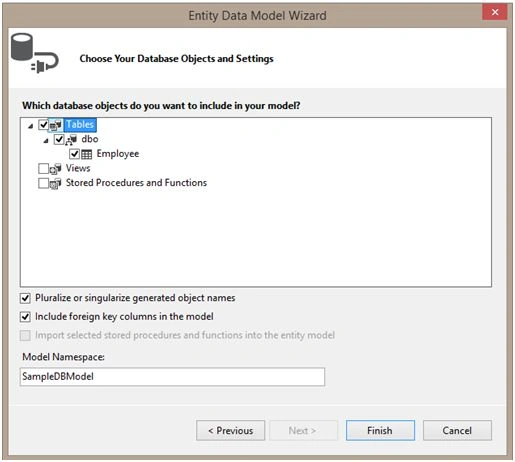
Choose EF Designer from the database option, as it would generate the necessary class files. Click Next.
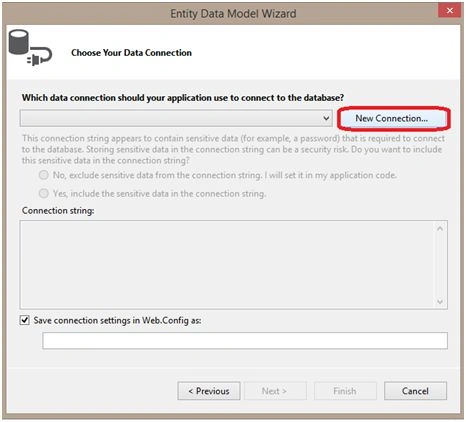
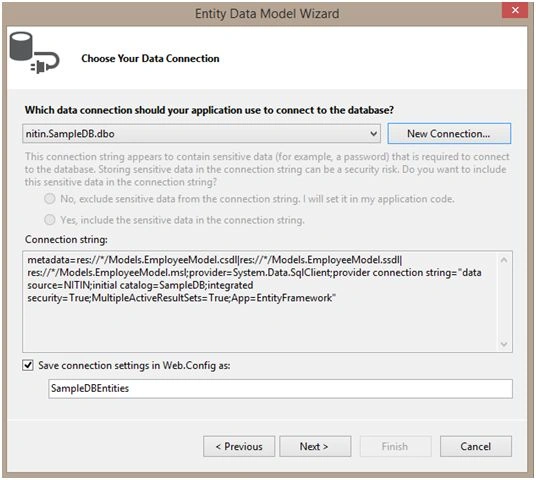
Click on the New Connection and a screen will appear next, asking for the Data Source.
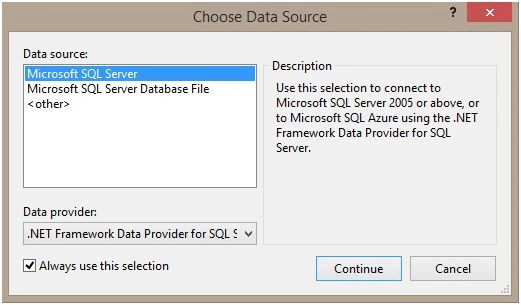
Select Microsoft SQL Server and click Continue.
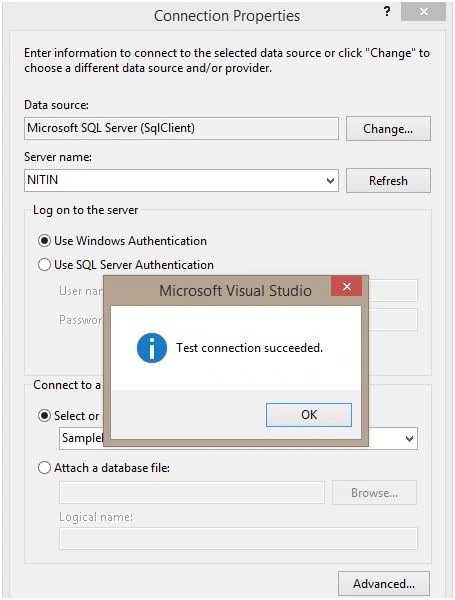
Enter the Server name in the following screen and choose the appropriate database. You can test the connection to verify. We have specified the correct Server name and the database. Click OK.
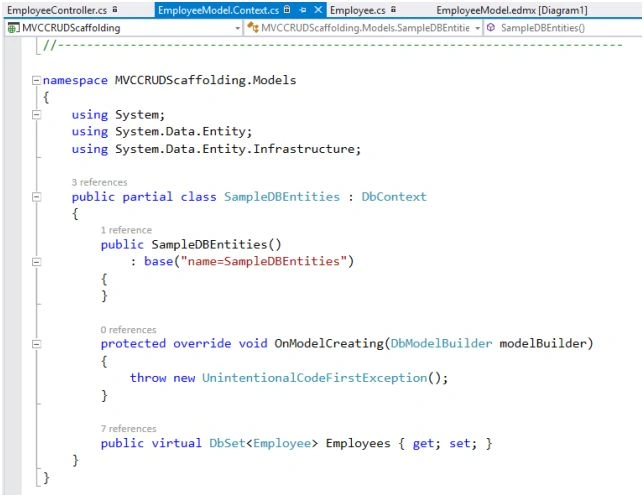
Adding Controller
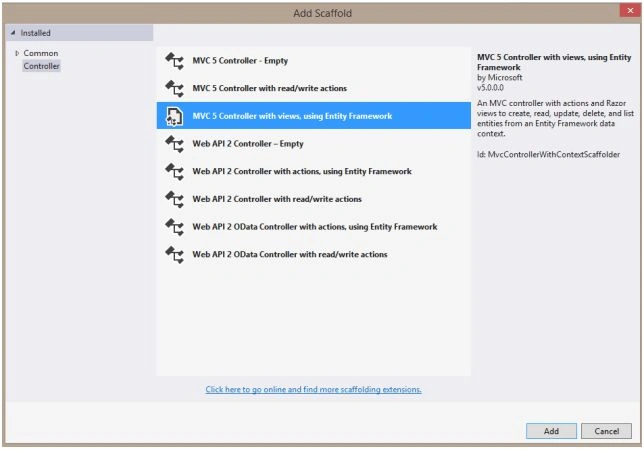
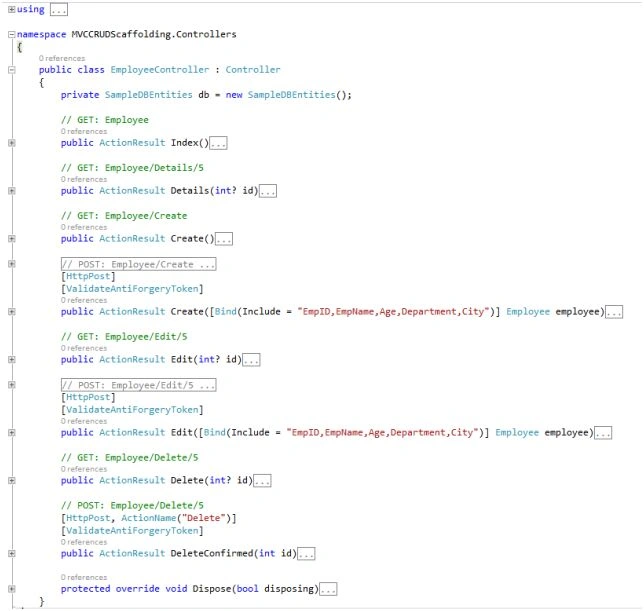
Let us add the controller. Right click on the controller. Add->Controller. Select MVC 5 Controller with the views, using entity framework. Click Add.
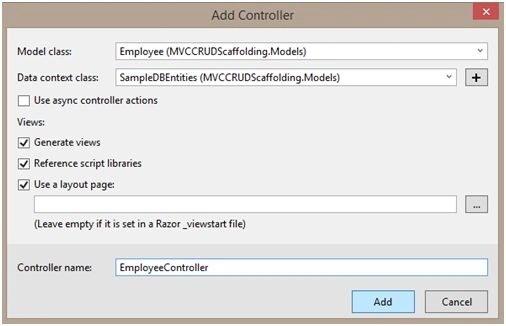
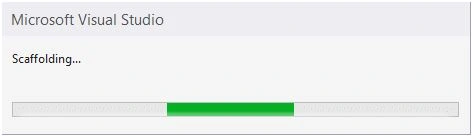
Browse the Application
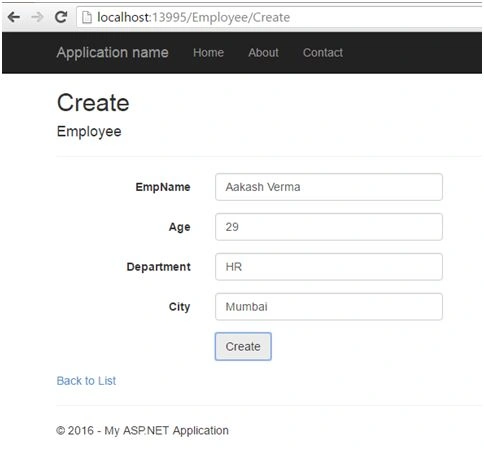
It has created all the methods to perform CRUD operations. Let us now run the Application and check if it is working fine or not. Browse the Application. Use Employee controller and create action, as it is a default action to create new records (Refer to controller code). Add sample data and click create.
Creating New Record
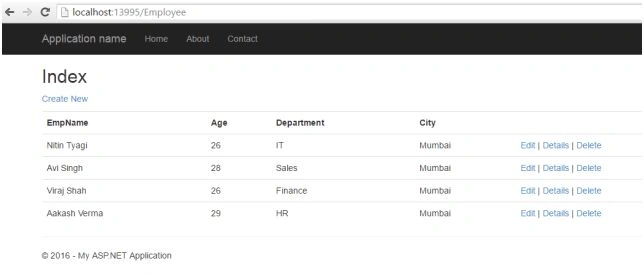
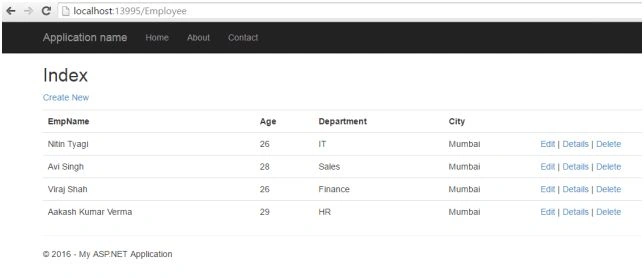
List of all Employees
We can see the newly added record in the list. Hence, the insert functionality is working fine. Let us check other CRUD operations as well. Click Edit.
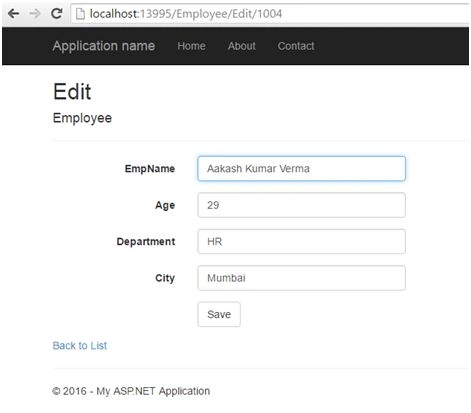
Editing Employee
We will update the name of the employee that we have just created and hit Save.
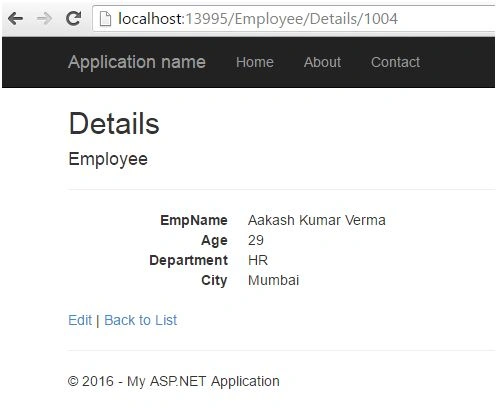
Employee Details
Employee name gets updated successfully. To see the details of the employee, click Details link.
Deleting Employee
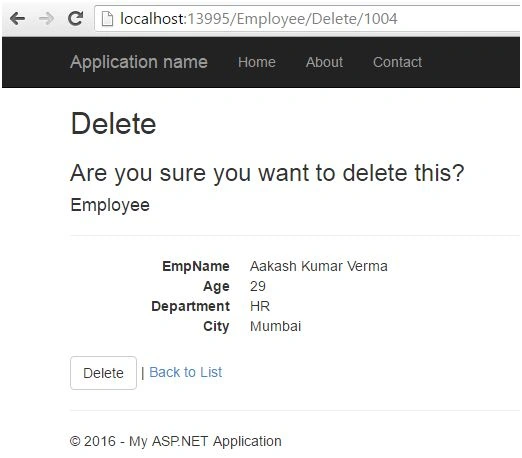
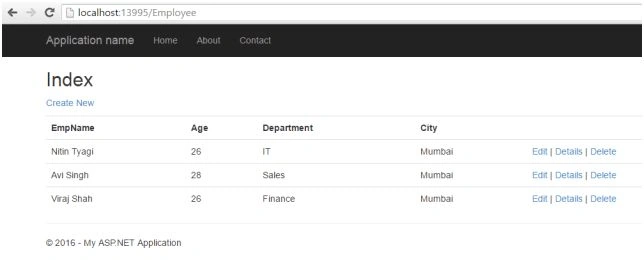
Let us check the delete functionality. Go back to the list and click delete. We get the following screen. Click Delete.
Summary
Hence, we have CRUD operations working perfectly in the Application. This is how we can implement scaffold template using the entity framework in ASP.NET MVC 5.
fernando martinezPosted Aug 24, 2018, 4:58 AM
Gracias, fue de excelente ayuda!!!!!
Manikandan SekarPosted Nov 23, 2017, 11:44 PM
Nice Article, step by step approach with screenshot is a great kick start to begineers.
Santhakumar MunuswamyPosted Jun 25, 2016, 2:19 AM
Thank you for nice article
Rajeev PunhaniPosted Jun 22, 2016, 1:05 AM
Nice.
Vignesh ManiPosted Jun 18, 2016, 3:19 PM
nice
Humayun Kabir MamunPosted Jun 18, 2016, 12:49 PM
Nice...