This client application shows you how to access Authenticate Web service.
Create an instance of a proxy object.
Execute method calls on the proxy objects.
Capture the XML formatted data returned from the Web service.
Write client-specific controls to display the results.
Create a new Windows Application.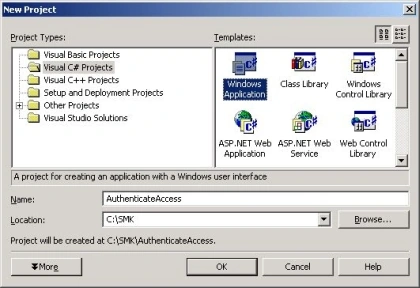
Click on the Add Reference item in Solution Explorer.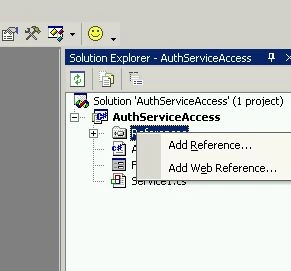
From the NET Tab select the System.Web.Service.dll Option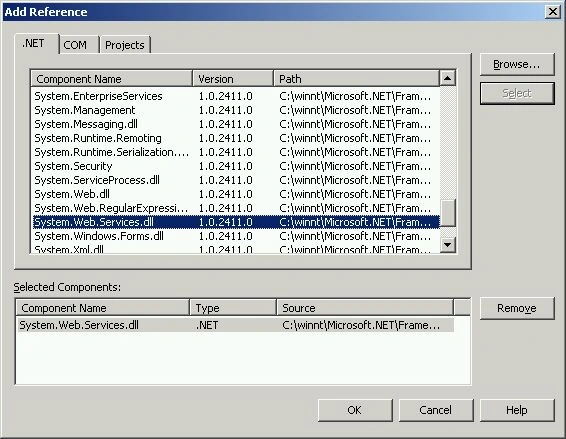
From the Projects Tab select the Authenticate.DLL ( click Browse Button ) created using the CSC.EXE command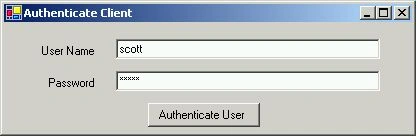
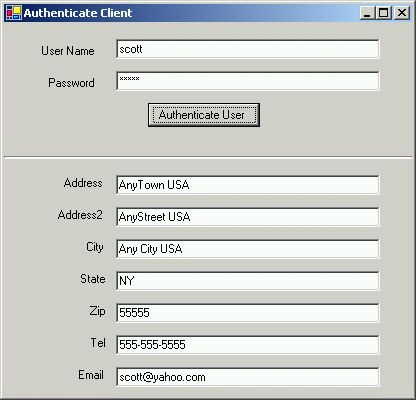
Here is your data from the database , returned by the Web Service.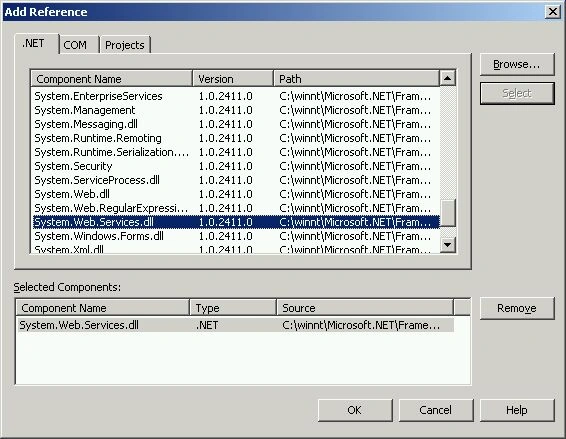
In your C# source code...
Include the Namespace in your code
using System;
using System.Drawing;
using System.Collections;
using System.ComponentModel;
using System.Windows.Forms;
using AuthNameSpace;
using System.Data;
using System.IO ;
using System.Xml;
namespace AuthServiceAccess
{
/// <summary>
/// Summary description for Form1.
/// </summary>
public class Form
//Create an instance of the exposed class and call the remote method
private void button1_Click(object sender, System.EventArgs e)
{
Service1 svc1 = new Service1() ;
XmlTextReader reader = null;
string obj = svc1.GetUserInfo(NAME.Text , PASSWORD.Text);
}
Thats it !!!
You are all set.
The string Obj returned is in XML format. Extract the data and display the data in your application.

Join the conversation! Your thoughts help the community grow.