

Microsoft has announced a lot of new useful features that make C# development so easy and reusable. Also, Microsoft recently announced many new features in C# 7.0 along with Visual Studio 2017.
To know more about Visual Studio 2017, follow my last article Getting Started with Visual Studio 2017 Enterprise RC.
In this article, we will learn about Tuples, a new cool feature of C# 7.0, which, according to me, is the best among all of the new features.
Q. What is Tuples in C# 7.0?
Answer -
“When we want to return more than one value from a method anonymously, we can use Tuples in C# 7.0.”
Accordingly, Microsoft Official blogs.
Answer -
“When we want to return more than one value from a method anonymously, we can use Tuples in C# 7.0.”
Accordingly, Microsoft Official blogs.
- Out parameters: Use is clunky (even with the improvements described above), and they don’t work with async methods.
- System.Tuple<...> return types: Verbose to use and require an allocation of a tuple object.
- Custom-built transport type for every method: A lot of code overhead for a type whose purpose is just to temporarily group a few values.
- Anonymous types returned through a dynamic return type: High performance overhead and no static type checking.
Let’s have an example.
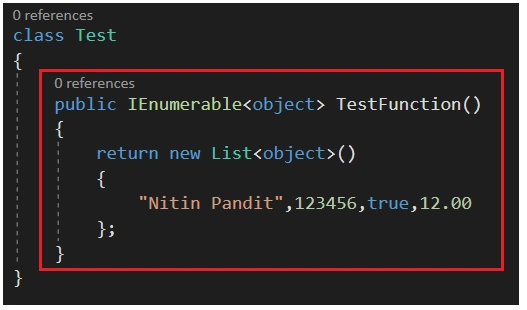
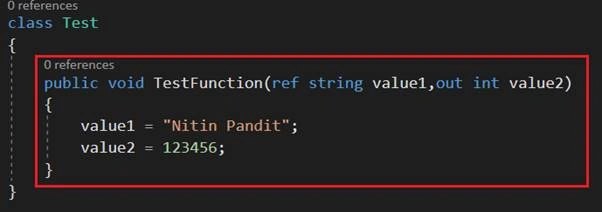
If you have to get more than one value outside from a function, then you had two options until C# 6.0.
- Return type should be a collection type like Array, List<>, ArrayList or Dictionary.
- We can use out or ref keyword with function arguments to get the changed value outside from function block.
Now, let’s see how we can use Tuples Type in C# 7.0 using Visual Studio 2017.
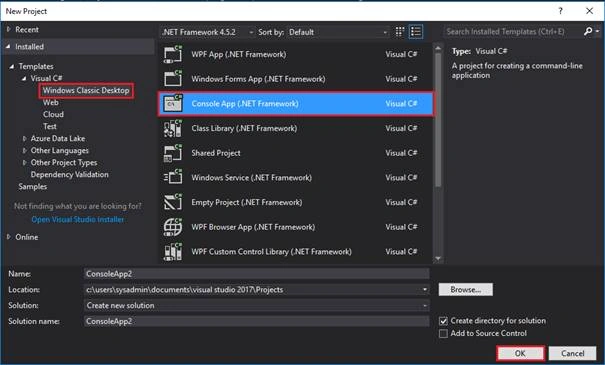
Start Visual Studio 2017.

Create New Project Console App->
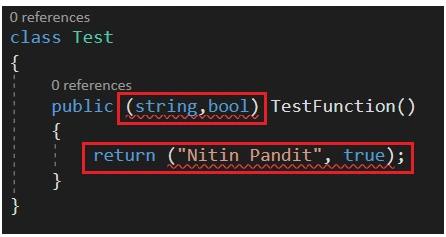
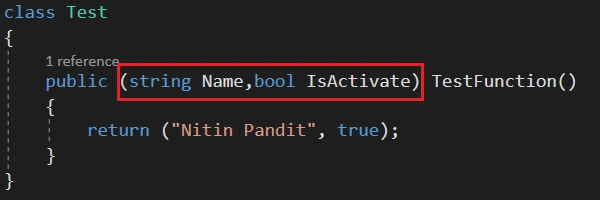
After creating a project file (.cs), I am just trying to create a function in Test class, which is returning more than one value. But, here comes an issue - It shows me an error. Since we know that C# 7.0 allows us to return more than one value, there must be some solution. Well, here it is. If you want to use that behavior of C# 7.0, then you need to add a package from NuGet which is System.ValueTuple.
Create New Project Console App->
After creating a project file (.cs), I am just trying to create a function in Test class, which is returning more than one value. But, here comes an issue - It shows me an error. Since we know that C# 7.0 allows us to return more than one value, there must be some solution. Well, here it is. If you want to use that behavior of C# 7.0, then you need to add a package from NuGet which is System.ValueTuple.
So, let’s go to use Value Tuple.
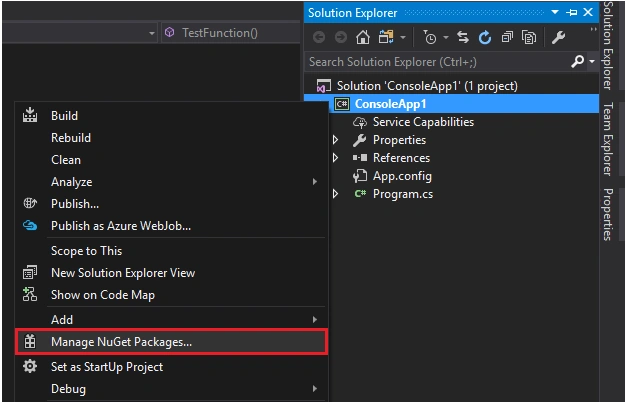
Right click on the project name into Solution Explorer and find "Manage NuGet Packages".
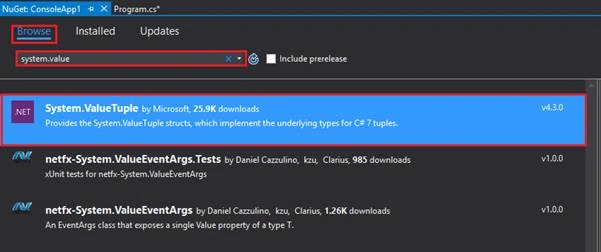
Now, select Browse for more online packages and find “System.ValueTuple” and install it.
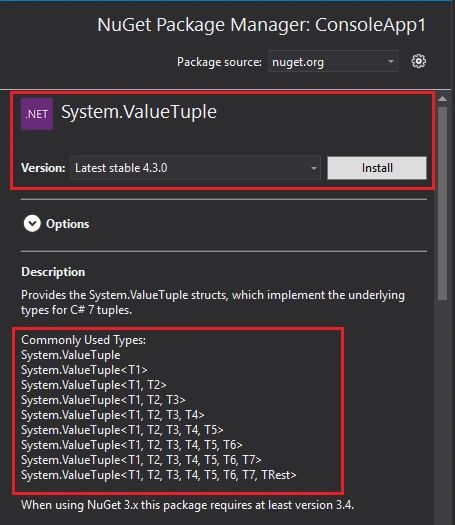
Click to Install.
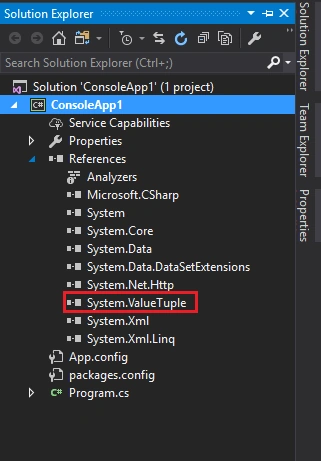
After installing System.ValueTuple, go to all references and see that you have a new reference.
Now, build your existing code. You will see that your code is now built successfully.
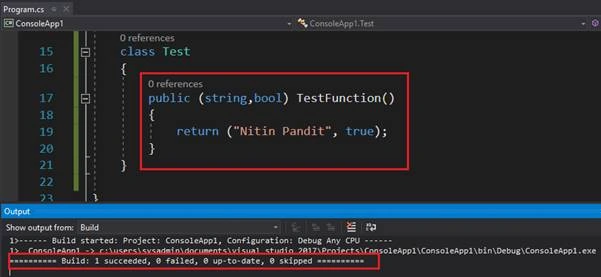
That means, you just need to add System.ValueTuple into your project and you are able to use Tuple as Value type data type. Let’s see now, how to call that function and get these values.
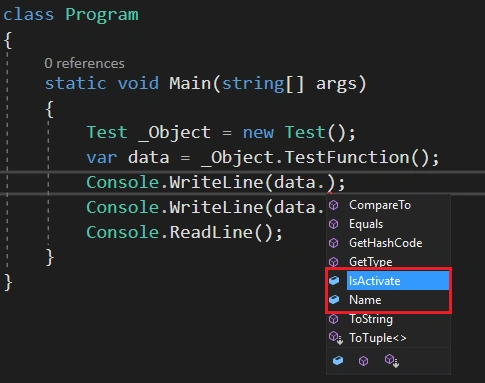
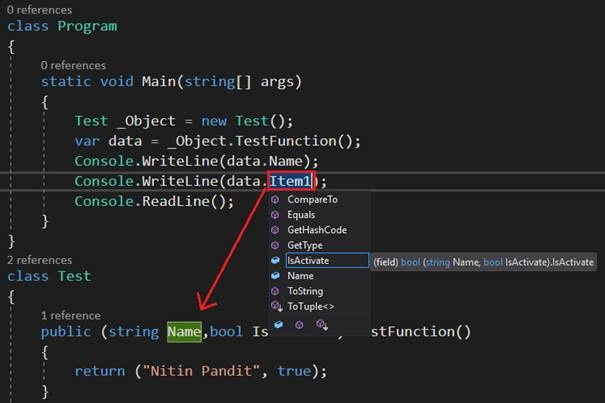
When you try to call this function that is returning Tuple type, just create a normal object of your class and call that function when you want to call it. So, in the Visual Studio intelliSense, you can see that function gives more than one value.
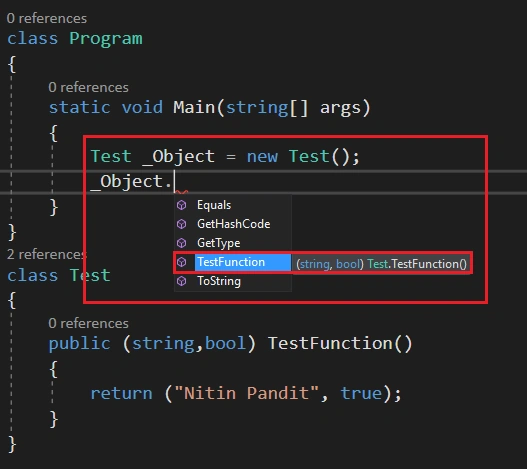
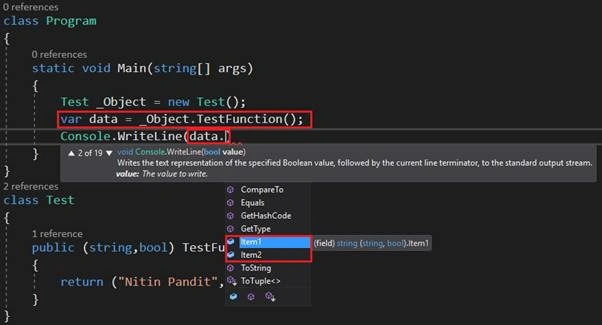
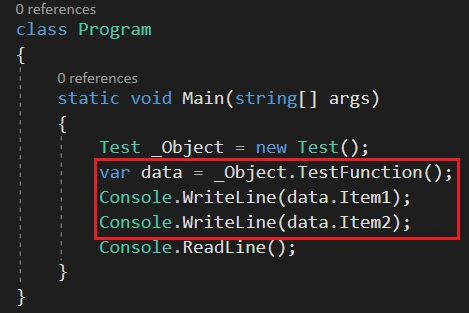
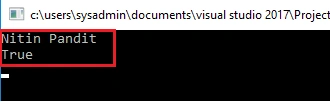
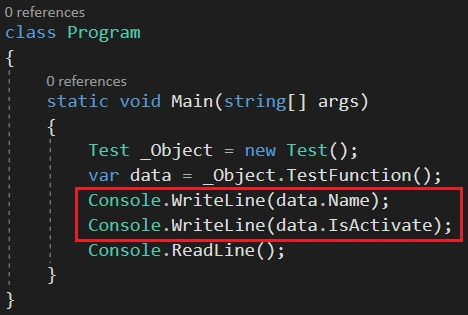
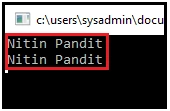
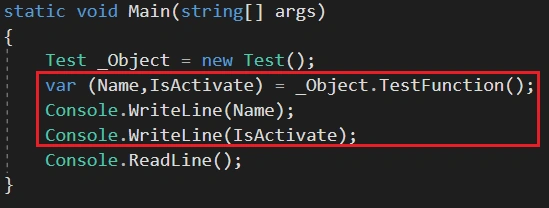
I just called that function and held the return value into a var type variable. You have many ways to use it.
Right click on the project name into Solution Explorer and find "Manage NuGet Packages".
Now, select Browse for more online packages and find “System.ValueTuple” and install it.
Click to Install.
After installing System.ValueTuple, go to all references and see that you have a new reference.
Now, build your existing code. You will see that your code is now built successfully.
That means, you just need to add System.ValueTuple into your project and you are able to use Tuple as Value type data type. Let’s see now, how to call that function and get these values.
When you try to call this function that is returning Tuple type, just create a normal object of your class and call that function when you want to call it. So, in the Visual Studio intelliSense, you can see that function gives more than one value.
I just called that function and held the return value into a var type variable. You have many ways to use it.
Vipin MittalPosted Jan 20, 2018, 12:38 AM
Very nice article...its help me a lot..thank u so mch...
Mahesh ChandPosted Nov 28, 2016, 12:47 PM
Title was misleading. Updated.