

Azure Automation
Azure Automation is an advanced feature which helps us a lot in managing the cloud and integrating our services. Azure Automation helps us in saving time and money, eliminating repetitive tasks, and improving reliability as well as efficiency.
Understand what Runbook is
- Runbook holds a set of work that will be automated and processed in Azure Automation.
- Runbook can do all sorts of processes that a PowerShell can do.
- You can use the Runbooks from the community which will help you to work with the same Runbook as you need. You can even manipulate or modify it as per the need of the automation process.
- You can also create Runbook from scratch with the required work modules, on your own.
Example for a Runbook
Let's take an example. Suppose the Runbook is holding a set of instructions which are the operations to be performed. Let's make a set of work as follows.
- Connect to a database.
- Add data towards the database.
- Specify the size of the database.
All the above instructions can be added to a Runbook. You can just start the Runbook, specify the SQL Server name, database name, and sit back until the process gets completed automatically, with help of Azure Automation handled with Runbook.
Creating a Runbook for Azure Automation
Over here, we will be working with creating a Runbook for Azure Automation. This Runbook will be just as simple as creating basic work and we will be moving with critical difficult tasks to be done with the help of this Runbook on Azure Automation.
Requirement
- Azure account – Click here to get a temporary Azure account.
- Azure running as account
- Azure Virtual Machine
Follow the below steps now.
Step 1
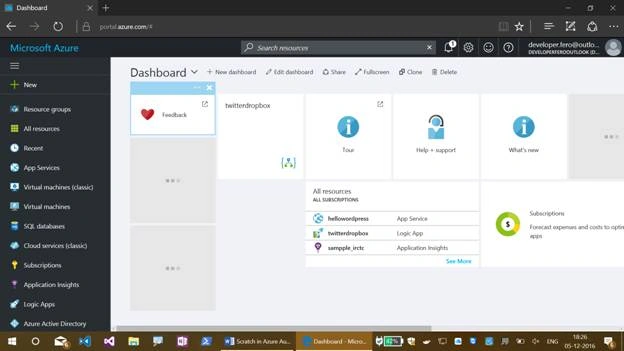
Open your Azure portal account now or Click here.
Step 2
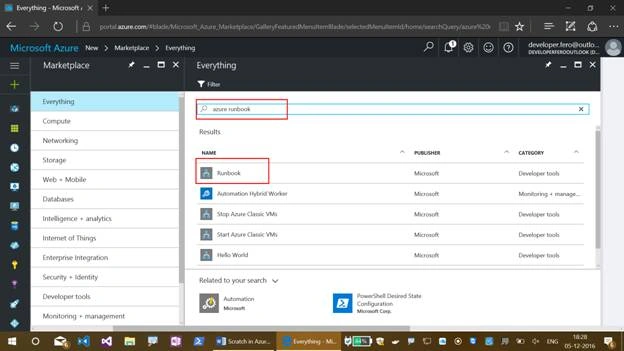
Search for Azure Runbook from the Azure marketplace and select the Runbook whose publisher is Microsoft.
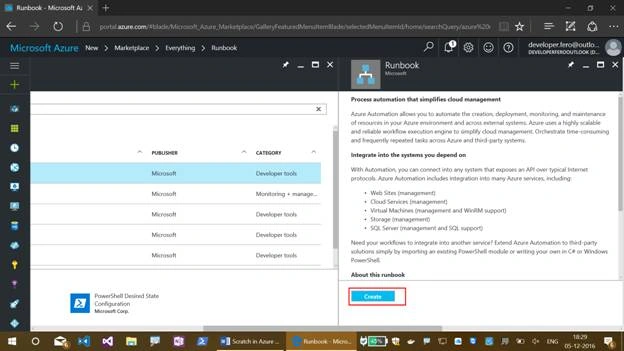
Click on "Create" now.
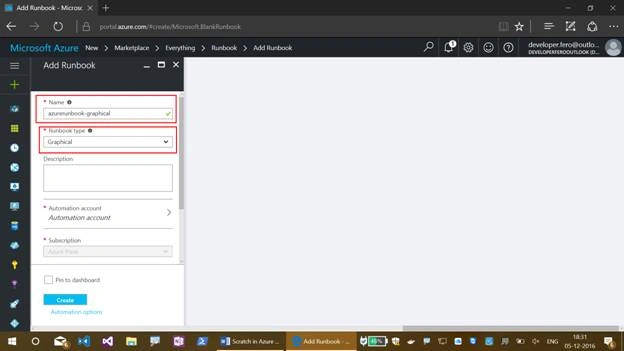
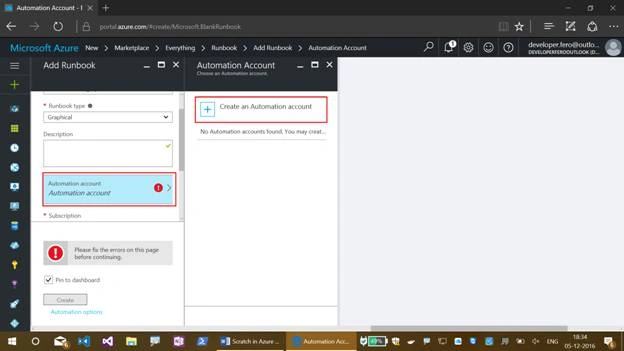
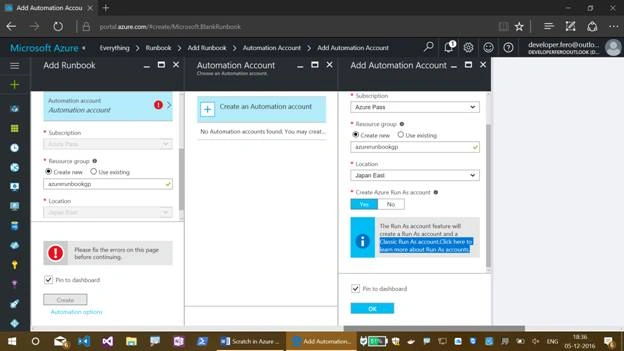
Fill in the fields that show up on the next blade, as shown below.
- Name the Azure Runbook.
- Here, we will be creating a graphical Runbook, so let’s select it as graphical.
- Select the subscription.
- Create an Azure Automation account over here.
- Create a new resource group.
- Select the location.
- Click on "Create".
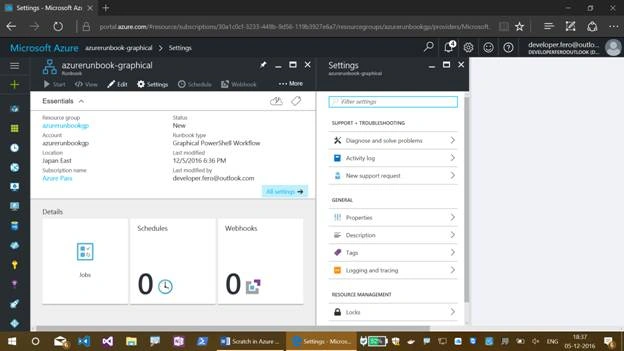
Here goes your deployment of the Runbook.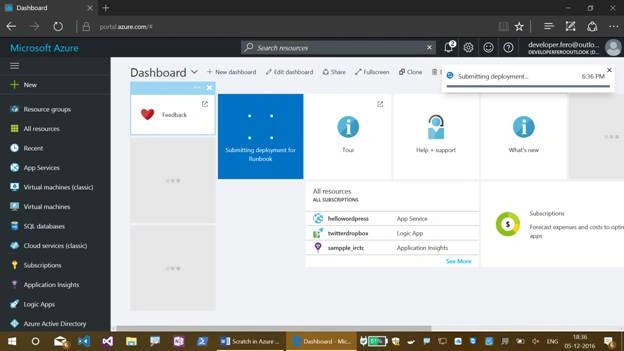
Join the conversation! Your thoughts help the community grow.