

Overview
As we all know we are develop/design 3-Tier architecture, N-tier architecture and so on. We all use stored procedures to map queries, so let’s see n-tier architecture. The typical architecture is web clients to business logic layer to Data access layer to data storage.
Introduction
In the above overview I had talked about n-tier architecture and will diagrammatically represent it in this.
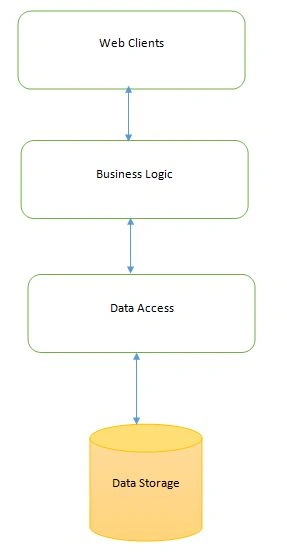
The Data access layer is nothing but the client codes that are written in various languages such as c#, Java and So on. The data storage consists of database like SQL server, Oracle and so on. The DAL (Data access layer) communicates with data storage to perform CRUD operation. Here CRUD stands for:
- C – CREATE
- R – READ
- U – UPDATE
- D-DELETE
The operations here are generally insert, update and delete. Lets start,
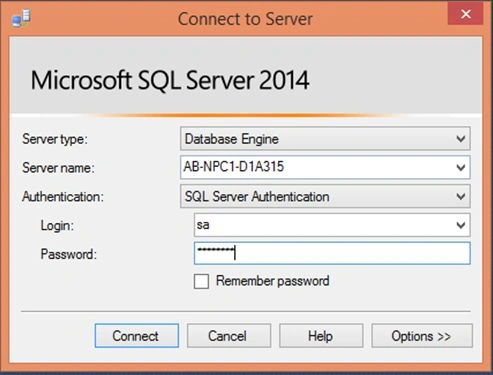
Open SSMS.
Let’s create a table, Customer Info.
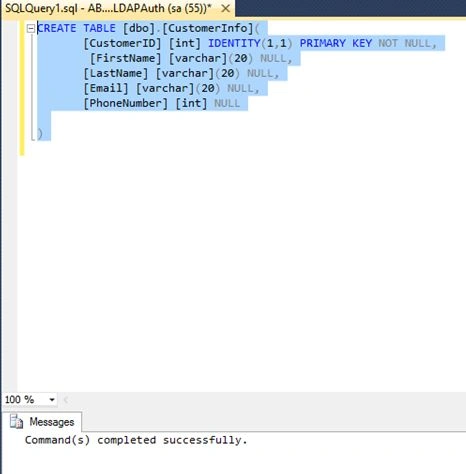
- CREATE TABLE [dbo].[CustomerInfo](
- [CustomerID] [int] IDENTITY(1,1) PRIMARY KEY NOT NULL,
- [FirstName] [varchar](20) NULL,
- [LastName] [varchar](20) NULL,
- [Email] [varchar](20) NULL,
- [PhoneNumber] [int] NULL
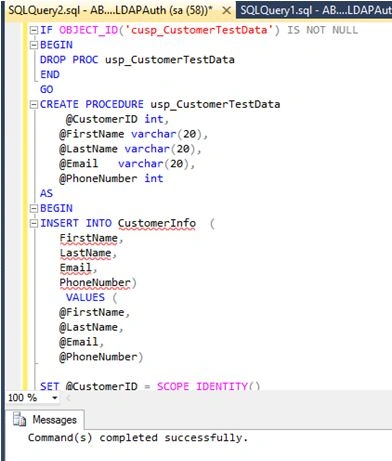
- IF OBJECT_ID('cusp_CustomerTestData') IS NOT NULL
- BEGIN
- DROP PROC usp_CustomerTestData
- END
- GO
- CREATE PROCEDURE usp_CustomerTestData
- @CustomerID int,
- @FirstName varchar(20),
- @LastName varchar(20),
- @Email varchar(20),
- @PhoneNumber int
- AS
- BEGIN
- INSERT INTO CustomerInfo (
- FirstName,
- LastName,
- Email,
- PhoneNumber)
- VALUES (
- @FirstName,
- @LastName,
- @Email,
- @PhoneNumber)
- SET @CustomerID = SCOPE_IDENTITY()
- SELECT
- FirstName = @FirstName,
- LastName = @LastName,
- Email = @Email,
- PhoneNumber =@PhoneNumber
- FROM CustomerInfo
- WHERE CustomerID = @CustomerID
- END
SCOPE_IDENTITY() returns the last value inserted.
Let's insert a record.
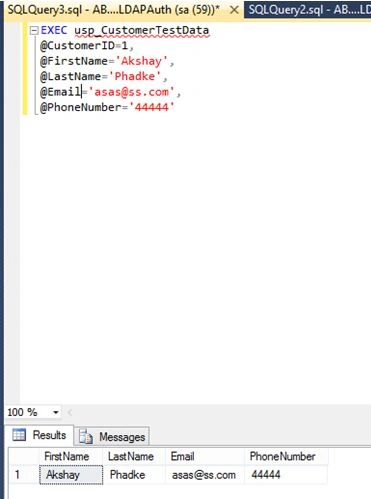
- EXEC usp_CustomerTestData
- @CustomerID=1,
- @FirstName='Akshay',
- @LastName='Phadke',
- @Email='[email protected]',
- @PhoneNumber='44444'
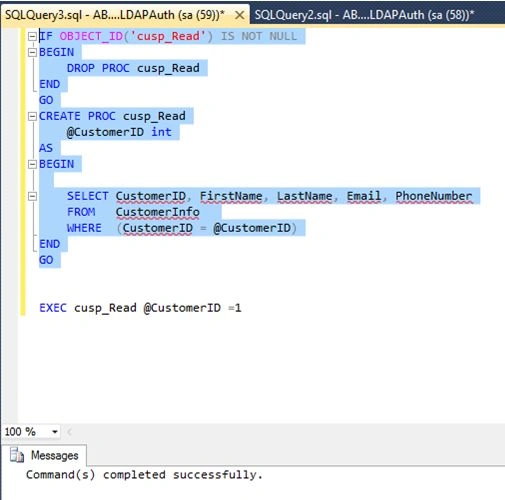
- IFOBJECT_ID('cusp_Read')ISNOTNULL
- BEGIN
- DROPPROC cusp_Read
- END
- GO
- CREATEPROC cusp_Read
- @CustomerID int
- AS
- BEGIN
- SELECT CustomerID, FirstName, LastName, Email, PhoneNumber
- FROM CustomerInfo
- WHERE (CustomerID = @CustomerID)
- END
- GO
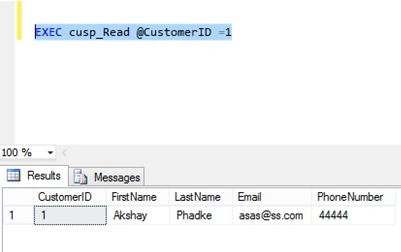
- EXEC cusp_Read@CustomerID =1
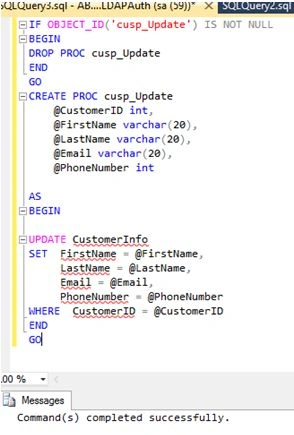
- IFOBJECT_ID('cusp_Update')ISNOTNULL
- BEGIN
- DROPPROC cusp_Update
- END
- GO
- CREATEPROC cusp_Update
- @CustomerID int,
- @FirstName varchar(20),
- @LastName varchar(20),
- @Email varchar(20),
- @PhoneNumber int
- AS
- BEGIN
- UPDATE CustomerInfo
- SET FirstName= @FirstName,
- LastName = @LastName,
- Email = @Email,
- PhoneNumber = @PhoneNumber
- WHERE CustomerID= @CustomerID
- END
- GO
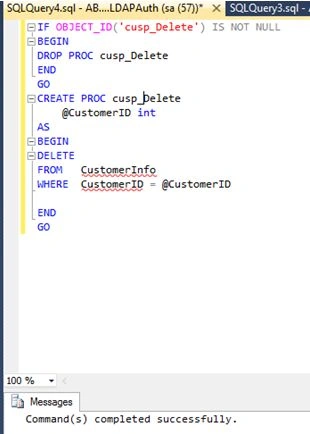
- IFOBJECT_ID('cusp_Delete')ISNOTNULL
- BEGIN
- DROPPROC cusp_Delete
- END
- GO
- CREATEPROC cusp_Delete
- @CustomerID int
- AS
- BEGIN
- DELETE
- FROM CustomerInfo
- WHERE CustomerID= @CustomerID
- END
- GO
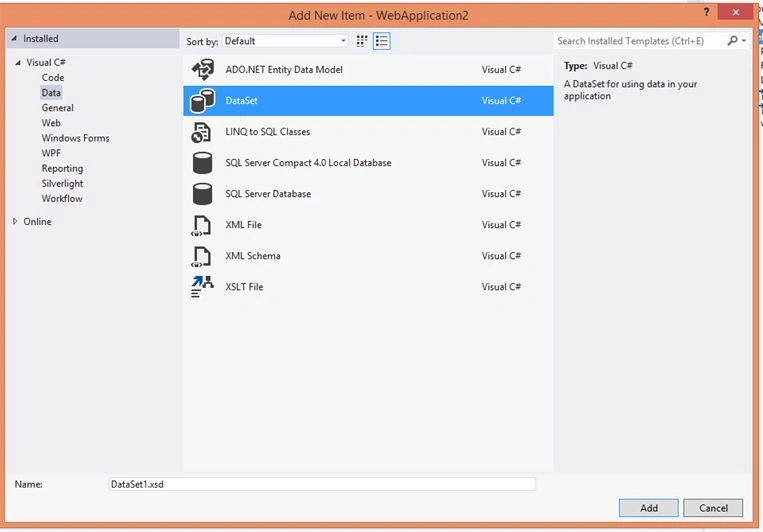
Right Click on your solution folder and Add Item.
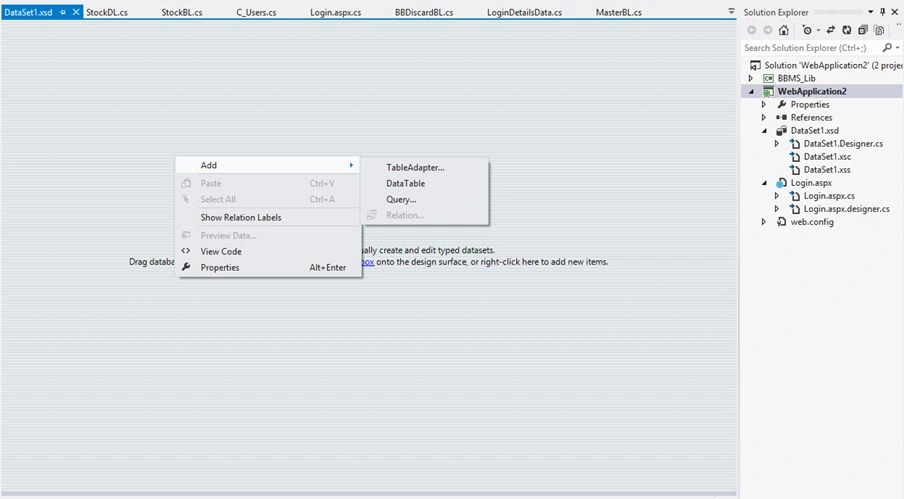
Now add table adapter option.
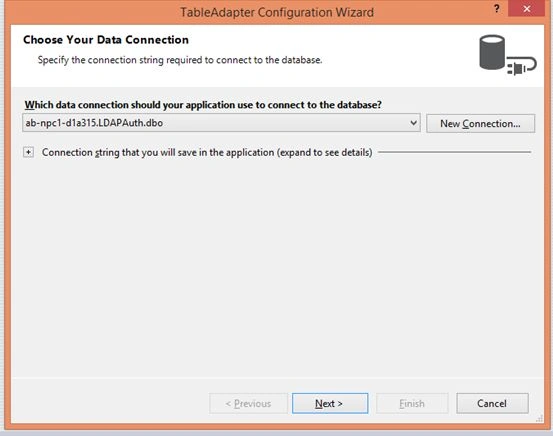
Create a new stored procedure.
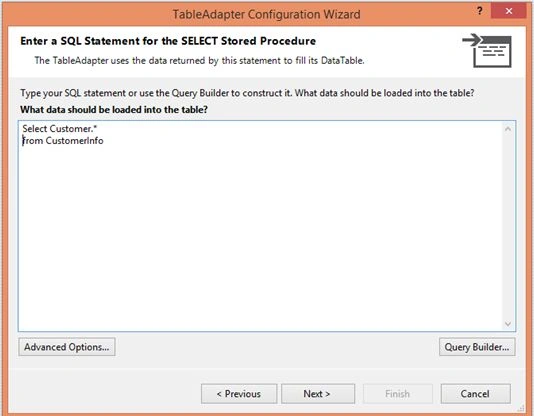
Click on Advanced options.
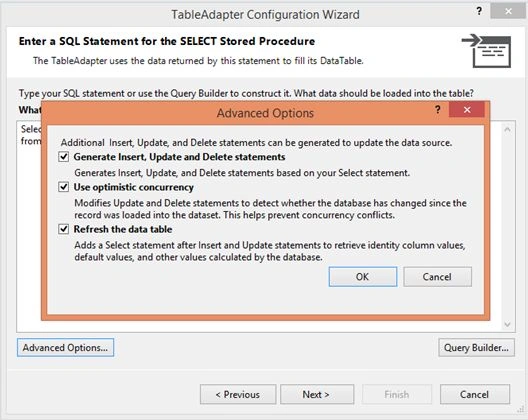
Preview the script.
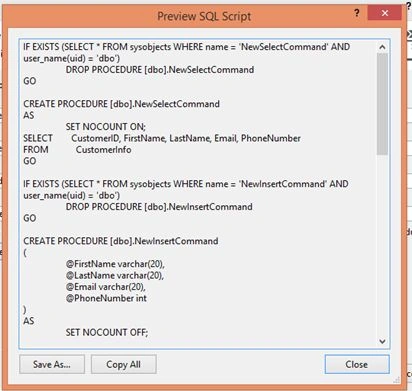
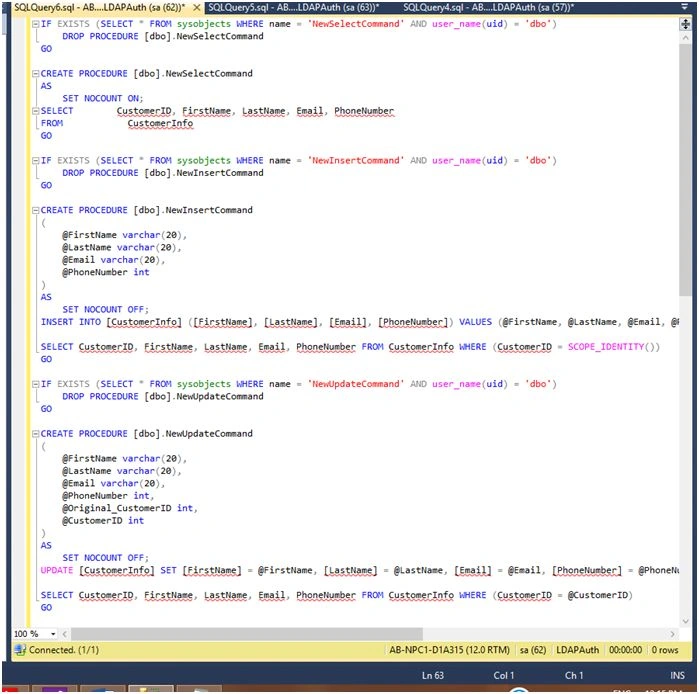
You will see.
Advantages of CRUD using stored Procedures
- Performance isthe main thing after successful completion of a stored procedure its execution plan gets stored in cache and hence it is reused.
- Prevent SQL injection attacks everything is placed in parameter rather than string.
Conclusion
That’s all from CRUD in SQL and VS. Hope this article was helpful. If you have any doubts regarding this article feel free to ask.
Ravi KandelPosted Jul 14, 2016, 11:40 AM
Thanks for share
Michael GriffithsPosted Jul 2, 2016, 9:19 AM
Nicely written piece
Santhakumar MunuswamyPosted Jun 9, 2016, 12:42 AM
Thank you for nice share
Kuppurasu NagarajPosted Jun 6, 2016, 12:13 PM
Nice Sharing..
Praveen SreeramPosted Jun 6, 2016, 5:44 AM
Cool.. Thanks @nagaraj for pointing it out
Akshay PhadkePosted Jun 6, 2016, 5:41 AM
Praveen Kumar Sreeram Nagaraj S Corrected !! Cheers !!
Praveen SreeramPosted Jun 6, 2016, 3:08 AM
Akshay Phadke It's just below the Code Snippet of the "usp_CustomerTestData" stored Procedure
Praveen SreeramPosted Jun 6, 2016, 3:08 AM
Akshay Phadke Please search for "SCOPE_IDEBTITY()"
Akshay PhadkePosted Jun 6, 2016, 2:56 AM
Praveen Kumar Sreeram Nagaraj S Kindly point it out i didnt findy any ..
Praveen SreeramPosted Jun 6, 2016, 1:47 AM
Thank you Akshay Phadke. Also, please fix the typo as Nagaraj S suggesd :-)
Akshay PhadkePosted Jun 6, 2016, 1:43 AM
Praveen Kumar Sreeram Yes yes i understood why you said that .. Sure buddy :)
Akshay PhadkePosted Jun 6, 2016, 1:43 AM
Nagaraj S I didnt found out any kindly point it out ..
Nagaraj SPosted Jun 6, 2016, 1:16 AM
@Akshay Phadke ..It would have been nice if you have avoided spelling mistake for the KeyWord "SCOPE_IDENTITY()"..Please check and correct it..
RajaPosted Jun 6, 2016, 12:34 AM
Great...
Praveen SreeramPosted Jun 6, 2016, 12:18 AM
Thanks Akshay Phadke. The reason for suggesting is..it's the most used one and many people directly write "Select * from TableName" without knowing the implications.. So, It's better to update with the Listing SP along with Custom Paging :-)
Debasis SahaPosted Jun 6, 2016, 12:18 AM
Good One..
Akshay PhadkePosted Jun 5, 2016, 11:58 PM
Praveen Kumar Sreeram Sure :) Bhavik Patel Thankyou
Praveen SreeramPosted Jun 5, 2016, 1:15 AM
It will be very nice if you also add the stored procedure that could be used to pull multiple records along with CRUD operations..
Bhavik PatelPosted Jun 4, 2016, 11:18 PM
nice