

Introduction
- Project name, CustomClass
- Minimum SDK API 19
- Choose Blank Activity
Refer to the article series below
- Creating A Toolbar In Android - Day One
- Activity Preference In Android - Day Two
- Activity Preference In Android - Day Three
- Android Studio And Git Configuration - Day Four
Step 1
Make a simple project with empty activity and then in the main activity design one button and add one layout and one activity for showing a product list.
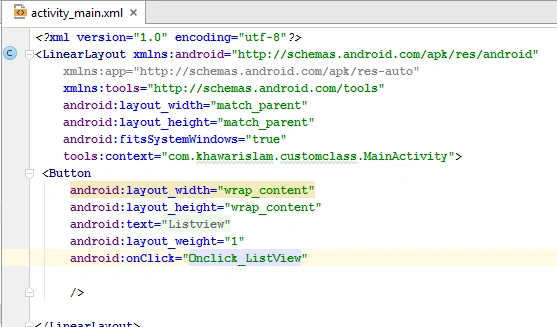
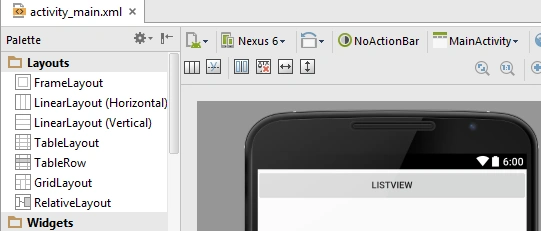 Here you see the code of the listview button.
 Step 2
Then create the following classes into a Java folder and add one layout in the layout section.
Step 2
Then create the following classes into a Java folder and add one layout in the layout section.
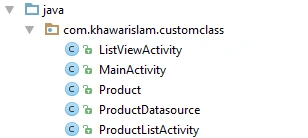 Layout Section
 Step 3
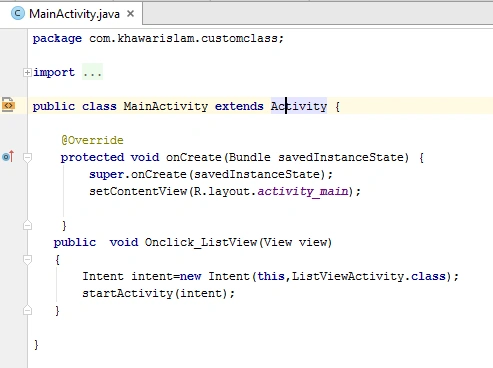
Now add one method in MainActivity.Class because when the user clicks on the listview button then it moves on second activity and the name of the second activity is ListViewActivity.Class
Step 3
Now add one method in MainActivity.Class because when the user clicks on the listview button then it moves on second activity and the name of the second activity is ListViewActivity.Class
 Step 4
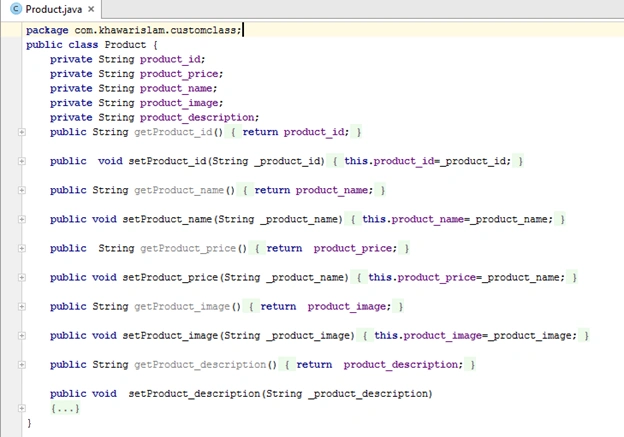
Now In Product. The class adds some attributes like product name, price, image, and description and then make a getter and setter methods of those attributes.
Step 4
Now In Product. The class adds some attributes like product name, price, image, and description and then make a getter and setter methods of those attributes.
 Step 5
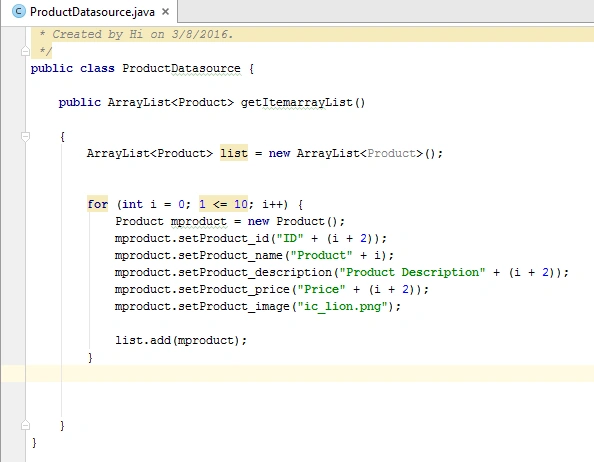
In ProductDatasource.java class we make an arraylist because the benefit of arraylist is that it makes an array size at runtime and in arraylist we declare a loop because we show multiple items in the listview, not one, in this way we declare loop.
Step 5
In ProductDatasource.java class we make an arraylist because the benefit of arraylist is that it makes an array size at runtime and in arraylist we declare a loop because we show multiple items in the listview, not one, in this way we declare loop.
Why data source?
- All data related functions.
- Separate data manipulation class.
- All business logics present here.
Its important functions
- get List ()
- Insert ()
- Update ()
- Delete ()
What is ArrayList?
- Supports dynamic arrays that can grow as needed.
- Standard Java arrays are of a fixed length. After arrays are created, they cannot grow or shrink, which means that you must know in advance how many elements an array will hold.
- Array lists are created with an initial size. When this size is exceeded, the collection is automatically enlarged. When objects are removed, the array may be shrunk.
Items can add by
add () and remove by
remove ()
 Step 6
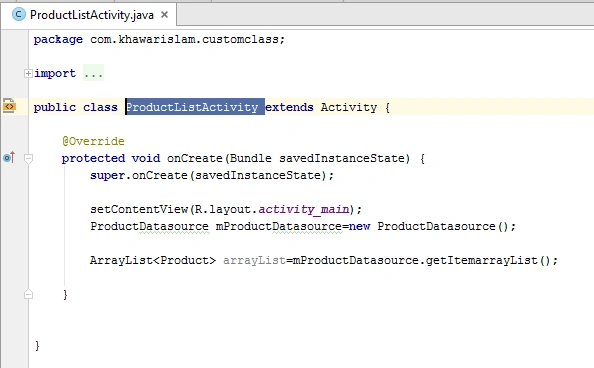
Now in make ProductListActivity.java we declare a data source and connect with this class,
Step 6
Now in make ProductListActivity.java we declare a data source and connect with this class,
Read more articles on Android
Shobana JPosted Jul 7, 2016, 7:31 AM
Nice explanation
Khawar IslamPosted Mar 9, 2016, 12:07 PM
Thanks
Vignesh ManiPosted Mar 9, 2016, 12:04 PM
Nice
Prashant VermaPosted Mar 9, 2016, 10:05 AM
nice