
Azure Portal provides single window access to perform all the actions (create/deploy/delete/organize) on Azure resources. With diagnostics and metrics, the Azure portal has taken cloud computing to the next level with all the Microsoft service offerings. Microsoft has now unleashed the potential of the Azure portal on mobile.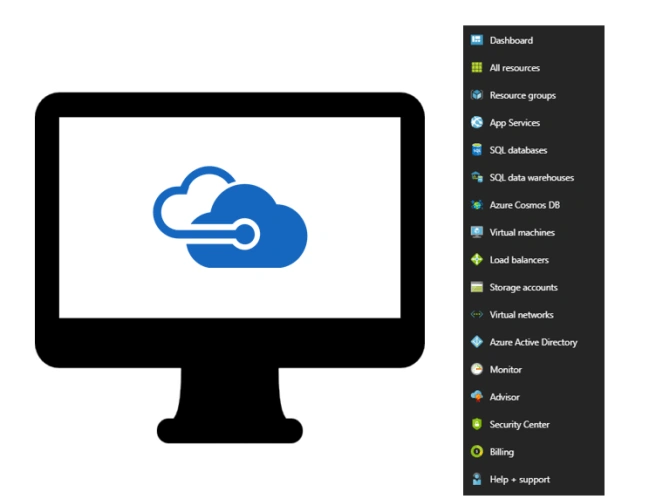
Azure client app provides high-level access to the Azure Resources which helps the user to perform basic operations with just a click from their mobile. Not only on Windows market place, you can find the Azure app on Google Play/Apple stores as well. This article focuses on the Azure mobile app, which helps to manage/supervise the Azure Resources on the fly. My experience is with the Iphone app of Azure.
Azure client app provides high-level access to the Azure Resources which helps the user to perform basic operations with just a click from their mobile. Not only on Windows market place, you can find the Azure app on Google Play/Apple stores as well. This article focuses on the Azure mobile app, which helps to manage/supervise the Azure Resources on the fly. My experience is with the Iphone app of Azure.
Azure-App History
In Build2017/Techorama2017 conferences, Microsoft introduced the Azure mobile app to remotely manage all your Azure resources from your mobile. It was a pre-matured product when it was introduced, now with the latest update it has attained more value with many more added features.

App Features
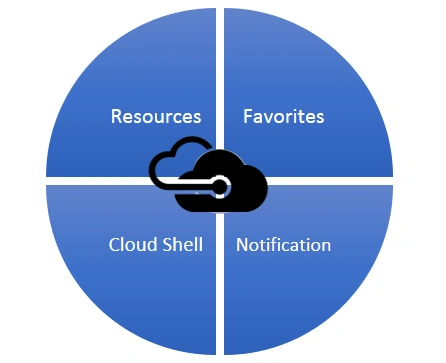
Azure App is packed with small but powerful features to make managing actions on Resources available on the cloud. Azure app is segregated with the below features
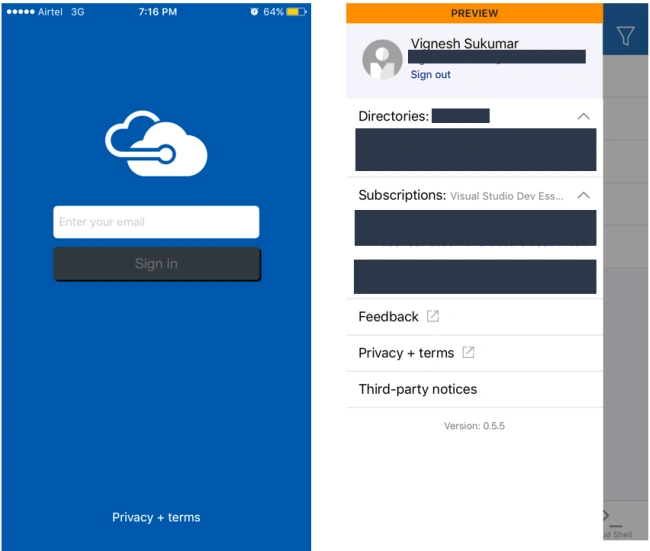
Azure app pops up with the login page to key in your credentials. The Azure app provides a preview of the account details along with the different subscriptions.
Resources
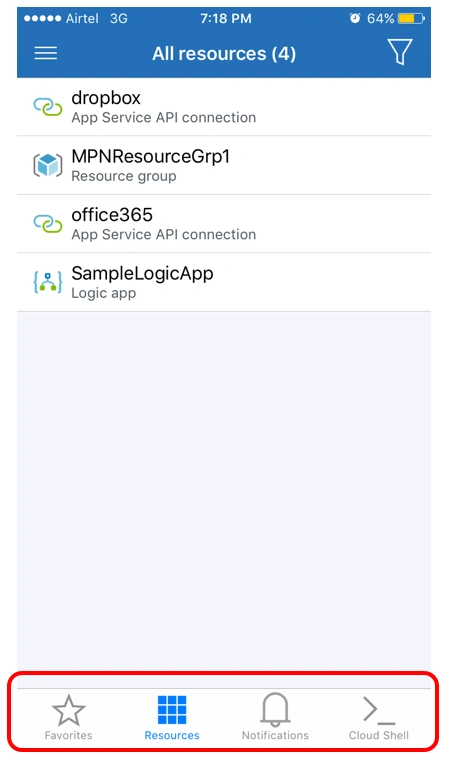
The Resources page helps you to view all the Cloud resources in one place. As Resource group is the container to hold all the cloud offerings, you can easily navigate to the desired items/functionalities. Also, to make it easy in terms of organizing, you can add the resource or any functionalities to the Favorites section with just a click from the Top Right corner of the module page.
Operations
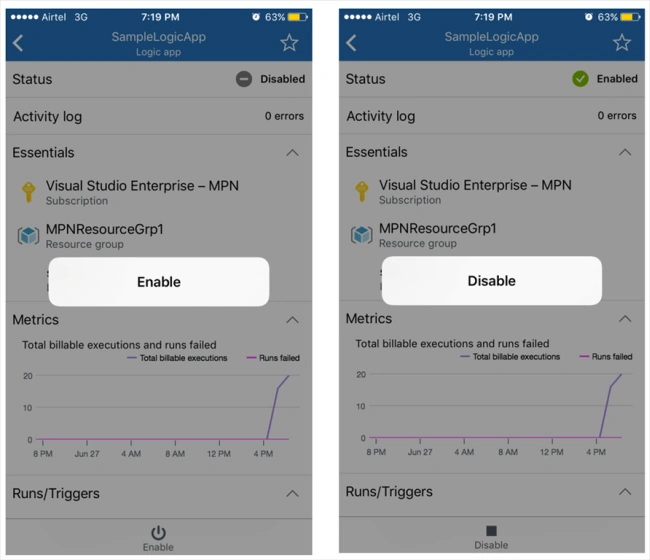
From the navigation of Resources to the items, you can view all the statistics like Status, Metrics, Essentials, Run/Trigger History and Properties. Also, it gives a provision to enable or disable the LogicApp/ Any Functionality with just a click.
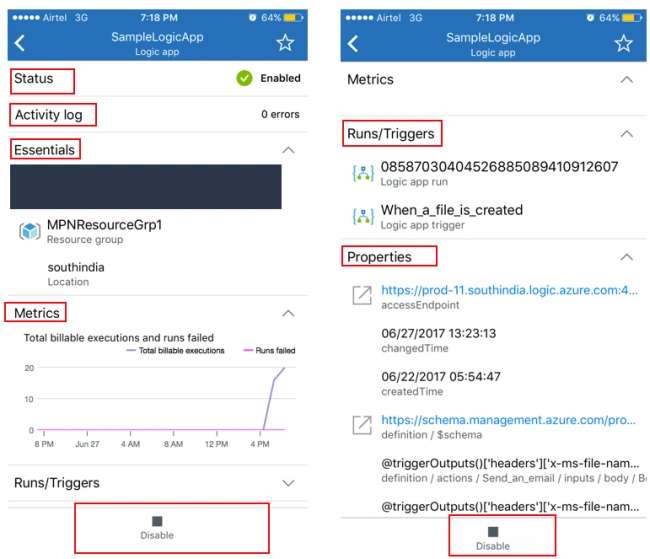
Being an integration developer, I could easily organize by Logic apps and check their statistics in an easier way. Here is the list of operations we can accomplish from the App,
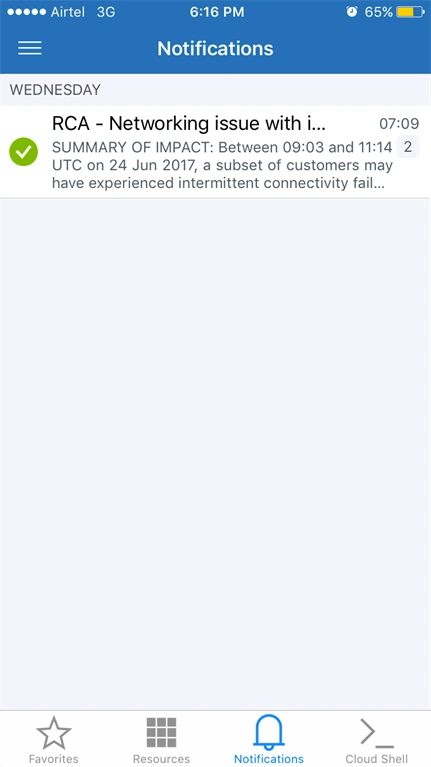
This notification makes you aware of the cloud environment and updates on the activities on the go without worrying about the actions performed
CloudShell
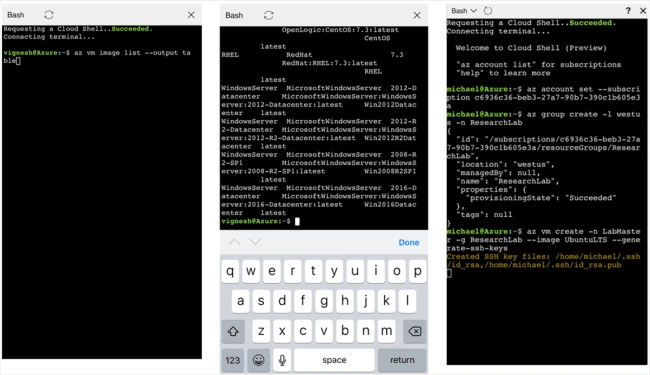
Not only basic operations, but also the advanced tasks are possible with the introduction of Mobile compatible cloud shell. A list of bash commands is available to accomplish tasks like creation of VM, deletion, restart, list of all VM’s and their status. Cloudshell, and Bash shell interface to perform all the advanced operations on the Azure resources; be it any resource or billing details or account info, you can just get it with a ping of a shell command. This feature was just introduced in the Build2017 event on the Azure web interface and this module makes a first mark on the mobile to get most out of the Azure app. I could observe the visible lag when using the Bash-shell command, which would get optimized, but nevertheless bash-shell is a powerful offering on the mobile.
Summary
Managing cloud resources is made easy with the release of Azure app, as the product matures, we may receive more exciting functionalities to make personal/enterprise resource management from your digital assistant. This adds a lot of value to the support professionals who do support around the clock. Just download from the app store and experience the “Cloud on Mobile” and key-in your feedback/idea to the Microsoft team for more feature releases!
From the navigation of Resources to the items, you can view all the statistics like Status, Metrics, Essentials, Run/Trigger History and Properties. Also, it gives a provision to enable or disable the LogicApp/ Any Functionality with just a click.
Being an integration developer, I could easily organize by Logic apps and check their statistics in an easier way. Here is the list of operations we can accomplish from the App,
- Basic Start/Stop/Restart any cloud services/offerings
- Browse Visual Studio Team Services
- Check Analytical Logs
- Open HDInsight portal and much more
Billing Savior
As Azure resources are based on per-minute billing, each resource running time may cost you more if it is not being disabled/stopped at the right time. This app lets you take actions immediately without any second thought, and that saves your azure credits
NotificationAs Azure resources are based on per-minute billing, each resource running time may cost you more if it is not being disabled/stopped at the right time. This app lets you take actions immediately without any second thought, and that saves your azure credits
This notification makes you aware of the cloud environment and updates on the activities on the go without worrying about the actions performed
CloudShell
Not only basic operations, but also the advanced tasks are possible with the introduction of Mobile compatible cloud shell. A list of bash commands is available to accomplish tasks like creation of VM, deletion, restart, list of all VM’s and their status. Cloudshell, and Bash shell interface to perform all the advanced operations on the Azure resources; be it any resource or billing details or account info, you can just get it with a ping of a shell command. This feature was just introduced in the Build2017 event on the Azure web interface and this module makes a first mark on the mobile to get most out of the Azure app. I could observe the visible lag when using the Bash-shell command, which would get optimized, but nevertheless bash-shell is a powerful offering on the mobile.
Summary
Managing cloud resources is made easy with the release of Azure app, as the product matures, we may receive more exciting functionalities to make personal/enterprise resource management from your digital assistant. This adds a lot of value to the support professionals who do support around the clock. Just download from the app store and experience the “Cloud on Mobile” and key-in your feedback/idea to the Microsoft team for more feature releases!
Kuppurasu NagarajPosted Jul 5, 2017, 2:38 AM
Nice article thanks for sharing Vignesh!