
- Windows 10 PC
- Raspberry Pi Model 2 or higher
- WI-Fi Modem For Raspberry
- Visual Studio 2015 (free edition)
- Monitor (Support HDMI)
- HDMI Cable
- Keyboard and mouse
- Introduction
- Initial Setup for Windows 10 PC
- Initial Setup for Raspberry Pi
- Connecting the device to a PC
- Creating HelloWorld App
- Deploying App
- Conclusion
Introduction
In this article w will learn about how to connect Raspberry Pi 2 Model B/Raspberry Pi 3 device to Windows 10 PC, Windows IoT Core OS Installation in Raspberry Kit and finally how to create and deploy Apps in IoT kit using Visual Studio.
Step 1: Initial Setup for Windows 10 PC,
- Download and install Visual Studio 2015 (Free Edition or Other Edition Like Pro/Enterprise).
- Download Visual Studio
- Sign In your account and click Download

- Before the Installation you must select the Software package to install,
Note: Must select Universal Windows App Development tool to Install (it contains the dev tool for Iot),
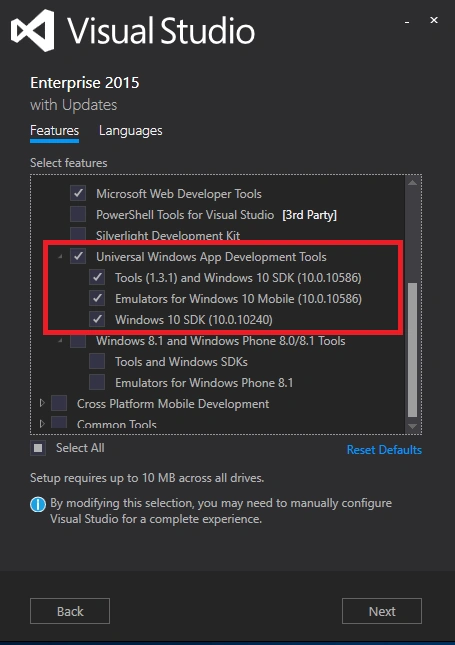
- Click Next to Install the Tool. (Installation may take more than a hour depending on Internet speed).
- Create a Windows10 IOT core Bootable SD Card
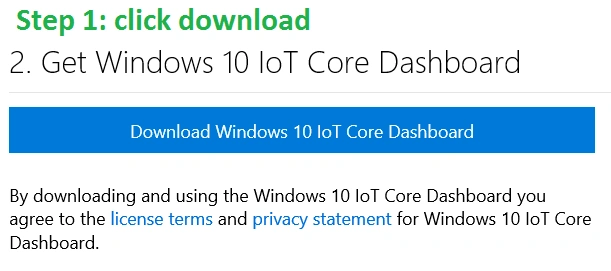
- Download the Windows 10 Iot dashboard.

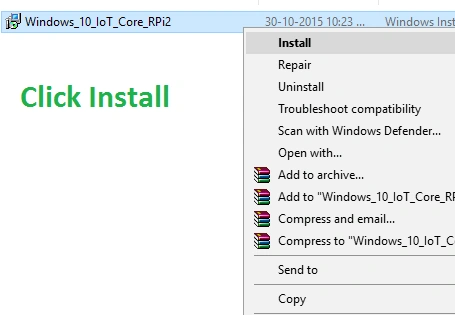
- After the Installation of IoT Core Dashboard on PC.
- Open Windows IoT Core Image Helper and prepare your Class 10* 8GB SD CARD for Booting OS.
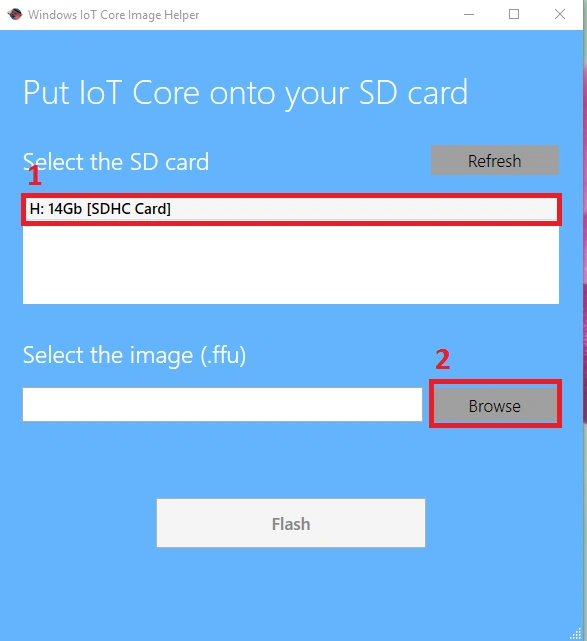
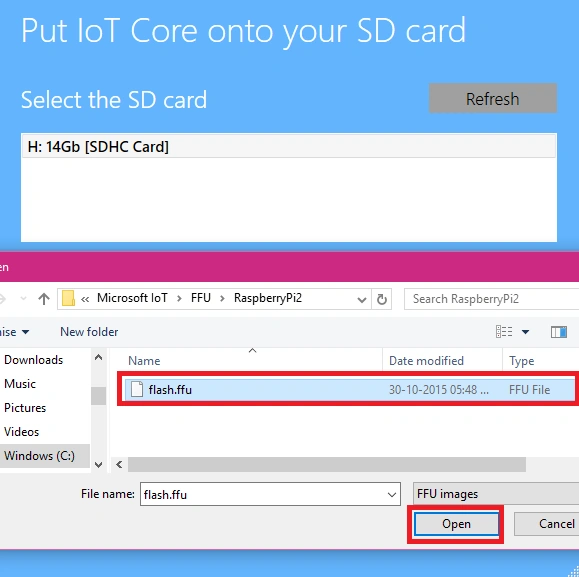
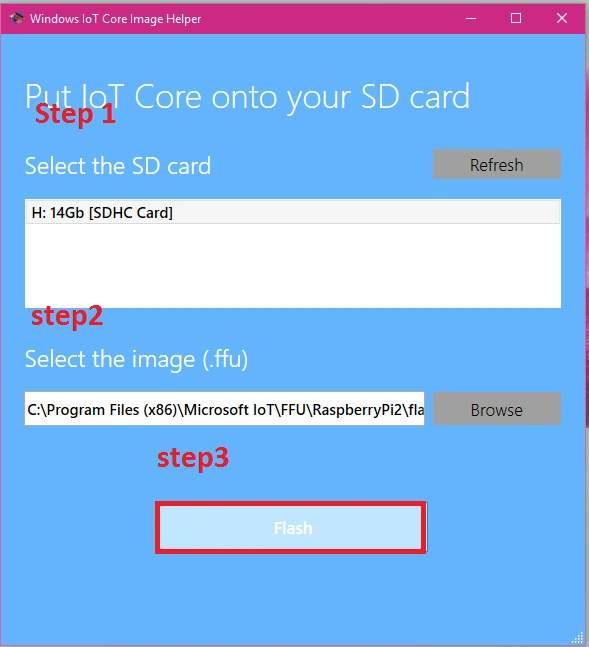
- After Flashing Complete Eject SD card from PC and Insert into the Raspberry PI,
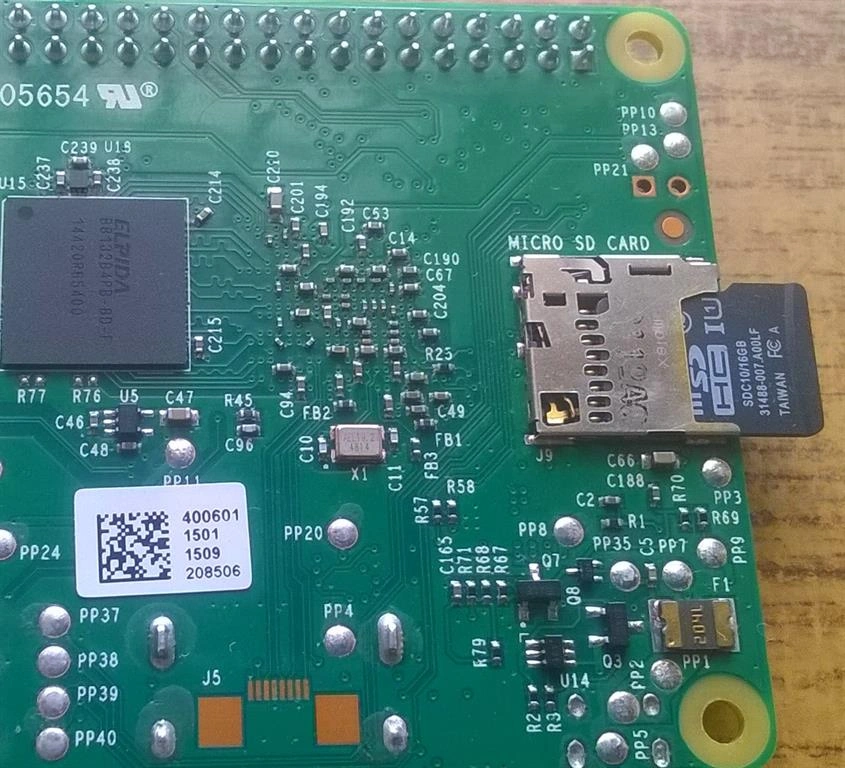
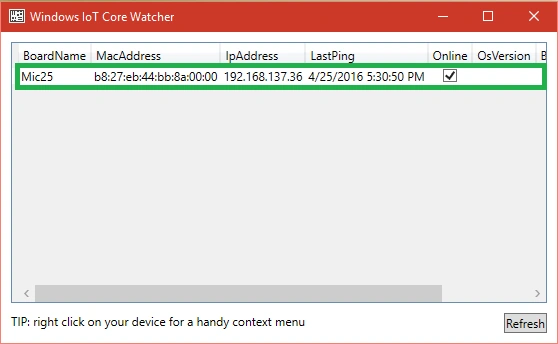
- Open Windows IoT Core Watcher App In Pc for tracking IoT Devices,
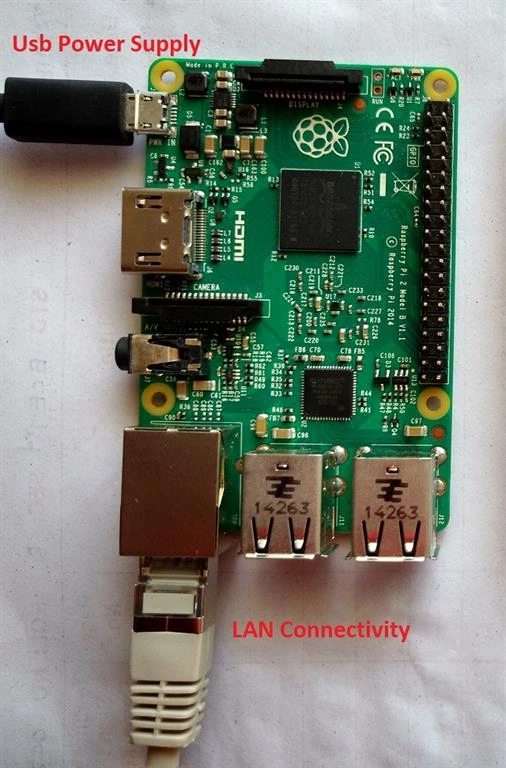
- Connect 5v Dc Power Supply to Raspberry PI and also connect Ethernet LAN between PC and Raspberry Pi,
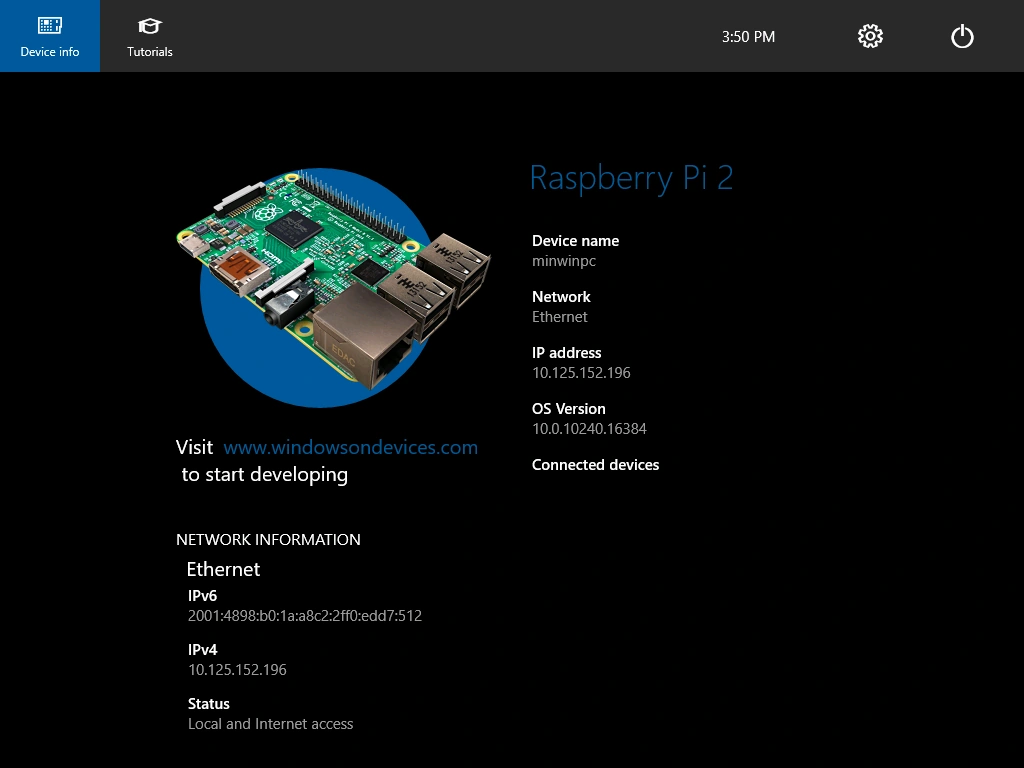
- After OS Boot, the Start Screen of Windows IoT Core Loaded in Raspberry Pi,
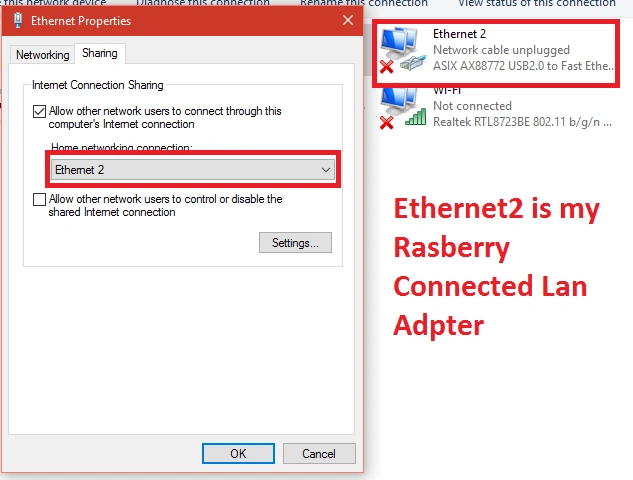
- After Connection, Share PC Internet Connectivity to Raspberry kit, Open Network Adapter, then select Ethernet Properties and select Sharing Tab
- Click Ok.
- Raspberry Pi obtain IP address for Remote Management.
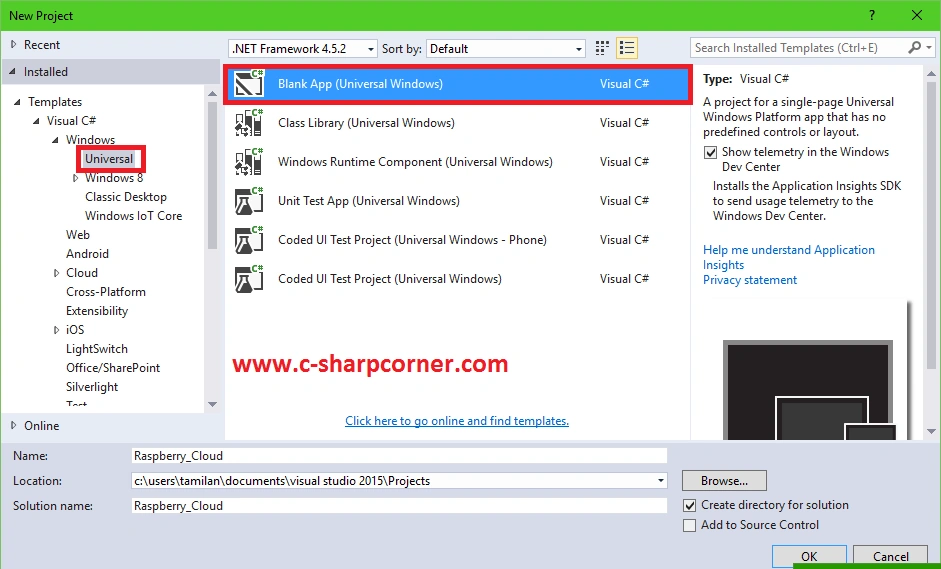
- Open Visual Studio 2015 and Click New Project, then Blank App (Universal Windows) Enter App Name & Location.
- Click OK
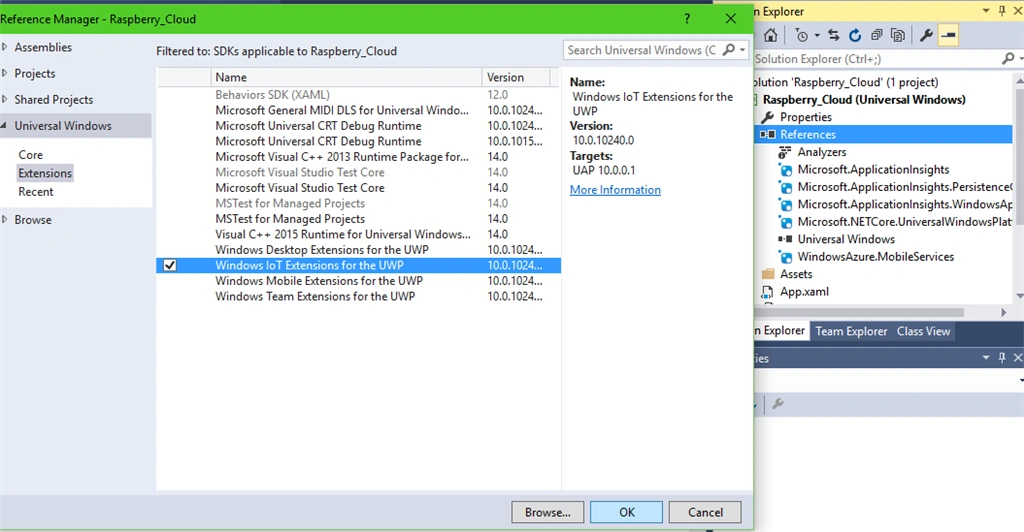
- Add IoT Reference To the Project, Right-click on the project, Add Reference, Universal Windows, then click Extensions.
- Select the Windows IoT Extensions for UWP, then click OK.
- Open mainpage.xaml add below Code
- <Grid Background="{ThemeResource ApplicationPageBackgroundThemeBrush}">
- <TextBlock Text="Hello, world!" Margin="0,0,0,40"/>
- </Grid>
- Click Save
- Copy the IP Address from Windows IOT Core Watcher.
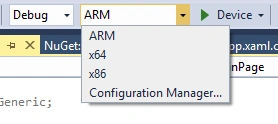
- Before Run the Project Select ARM Architecture,
- Select Remote Machine and Enter Remote IP or Use Device Name to run the app directly to IoT Device.
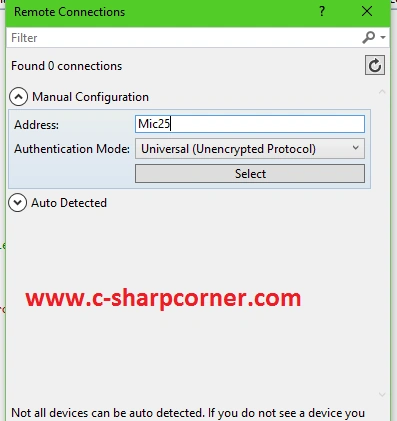
- Now run the App by clicking Remote Machine Tab and then click OK
Conclusion
We find out that it's easy to connect your Raspberry pi devices to Windows 10 PC for working with IoT.
Read more articles on IoT:
Santhakumar MunuswamyPosted May 21, 2016, 2:25 AM
Thank you for nice work
Bhuvanesh MohankumarPosted Apr 27, 2016, 3:03 AM
Good one
Debasis SahaPosted Apr 26, 2016, 10:18 AM
Nice One..
Asfend YarPosted Apr 26, 2016, 9:04 AM
where it will be displayed I mean you hello world ... ???
Vignesh ManiPosted Apr 26, 2016, 8:09 AM
Nice