

Azure CLI 2.0 is a new command line utility from the Azure Team. It got released on February 28 2017 and the moment it got released I read about it so the first thing that came to my mind was why do we need it? I have been a big fan of Powershell for many years and all my cross-platform scripts are written using Azure XPlath CLI. I wasn’t quite impressed by the idea of learning new commands for the same thing that can be done by the other technologies that I am familiar and comfortable with but after going through a couple of videos and blog posts from the official team, I was not only convinced but also impressed. Azure CLI was built on the top of Node.js whereas Azure CLI 2.0 is built on the top of Python. It supports from Python 3.5 and above.
Here are the main reasons why we need Azure CLI 2.0.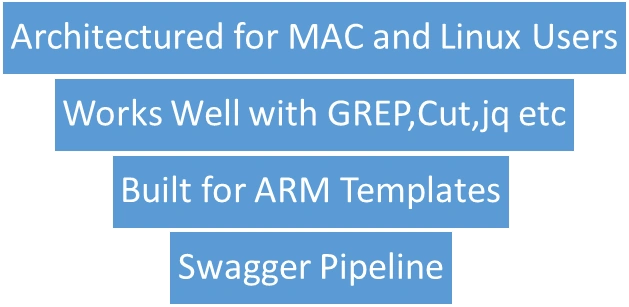
Let us discuss them in details.
- Architectured for Mac and Linux Unix Users
Although there was Azure CLI and PowerShell for Linux which work well on cross-platform they were still not able to provide the native experience to the Linux and Mac users. So, the idea was that the Linux user should be able to do apt get and the mac user should be able to get it from bash and use Azure seamlessly.
- Works well with GREP, CUT, jq etc
As it was designed for Unix and mac users to make sure that we can use tools like GREP, Cut, jq, jpterm etc. which is quite popular with the AWS and open source developers, and directly pass the output of one command to the other tools and work with it.
- Built For ARM Templates
As the people who migrated from version 1 to version 2 of Azure (which was fully based on ARM Templates or you can relate it to the Resource Group Deployment Model) know, the old cmdlets no longer make sense for the new infrastructure. Azure CLI supports the new and old deployment model but it is inconsistent and confusing due to the transaction but Azure CLI 2.0 is built for the ARM Template based deployment model and hence it is more streamlined with the new deployments.
- Swagger Pipeline
Now, this is one of the most important reasons that I took Azure CLI 2.0 seriously. All the Azure developers and IT pros must be aware that Azure is growing massively and they’re introducing one or the other new service or feature every now and then. It was very difficult for teams like PowerShell and CLI to keep up with that pace and release the commands for those new services and cmdlets so the backlog was increasing massively and the experience was inconsistent. With this new pipeline model, all the other services have to provide their API with the swagger which will give all the metadata required to build new commands for the services and which will make the turn around time for the commands lesser and hence it will be shipped to the customers ( which is us in this case) soon. I believe due to this development pipeline, this Azure CLI 2.0 is going to be much much stronger and more powerful in the coming future.
Installation
As Azure CLI 2.0 is an open source cross-platform tooling from the Azure Team, we need to install its binaries to our system and here are the commands you need to run for the different platforms.
WINDOWS
You need to install Python and PIP before installing the Azure CLI 2.0.
pip install --user azure-cli
MacOS
curl -L https://aka.ms/InstallAzureCli | bash
Linux
curl -L https://aka.ms/InstallAzureCli | bash
exec -l $SHELL
Docker
docker run azuresdk/azure-cli-python:<version>
Azure CLI 2.0 also has a docker image and they update that image on a nightly basis. So, if you have a docker, you can directly put Azure CLI 2.0 in your container and run your scripts without worrying about setting up that environment again.
Former memberPosted May 22, 2017, 5:24 AM
What we can do with azure cli ? in what kind of scenario people will go for azure cli ?
Saravanakumar SekaranPosted May 5, 2017, 10:20 PM
Wow very nice article