

Introduction
Intel Edison has onboard Wi-Fi and Bluetooth. This is one of my favorite IoT boards as it never disappoints me. Recently I wanted to play some sound with Edison in one of my projects so I thought to give its Bluetooth functionality a try and it was easier than I thought. In this project, I am going to show you how we can play an audio file with Edison by connecting it to Bluetooth speakers.
Requirements
- Intel Edison with Arduino Expansion board
- Bluetooth Speakers
- USB cables
Connections
Connect your Edison to a PC and also establish a serial communication. As we are connecting through Bluetooth our Edison will work in Device Mode. If you are using a USB sound card and headsets you need to switch it to host mode, in that case this article won’t be much help to you.
Setup
Connect to Edison with Putty
Enter username and Password. The default username is root with no password.
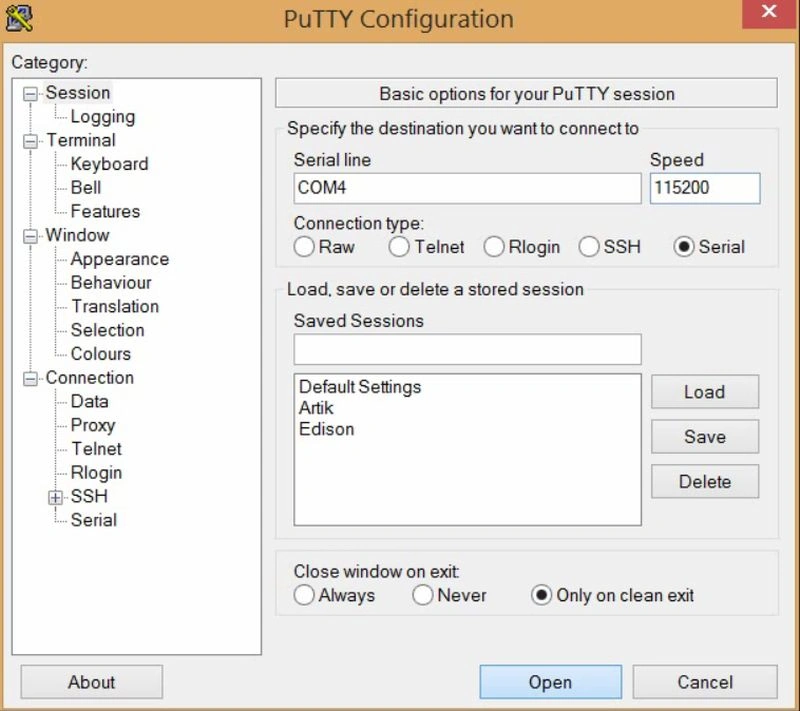 Make sure your Bluetooth speakers are turned on. Now type these commands,
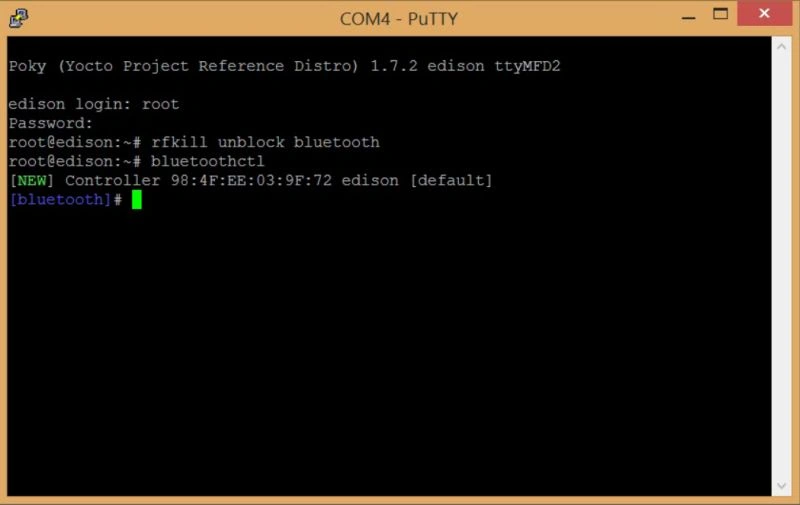
Figure 1: PuTTY Configuration
- root@edison:~# rfkill unblock bluetooth
- root@edison:~# bluetoothctl
Figure 2: Unblock Bluetooth
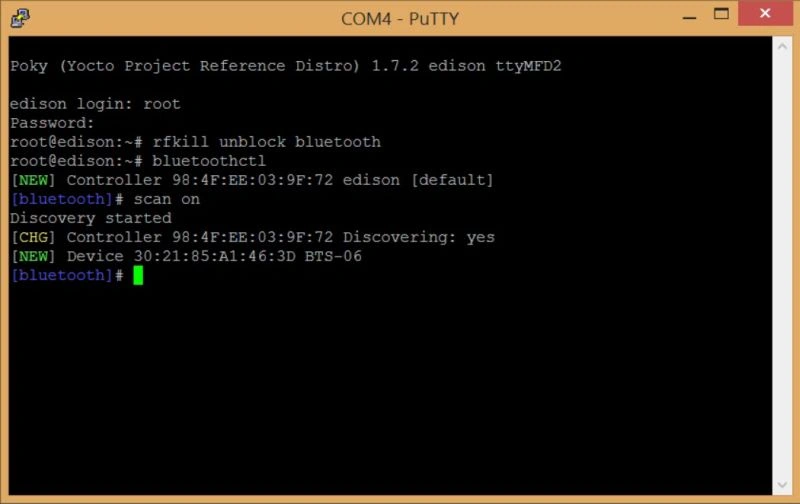
Figure 3: Scan Bluetooth devices.
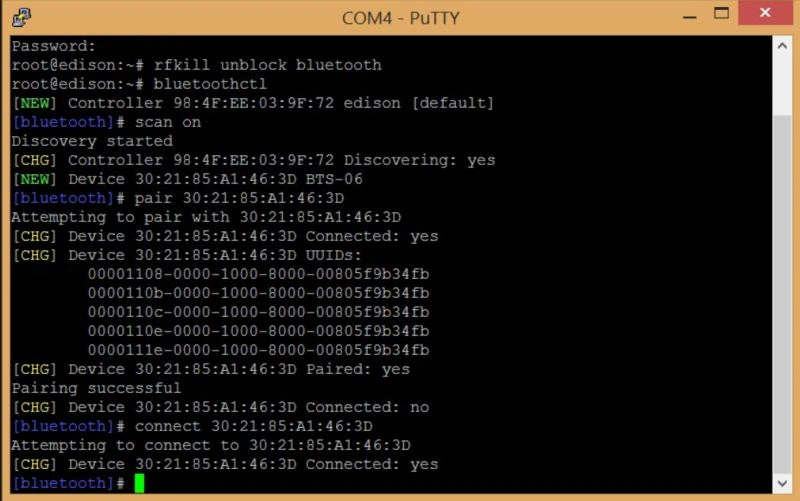
Figure 4: Command to connect
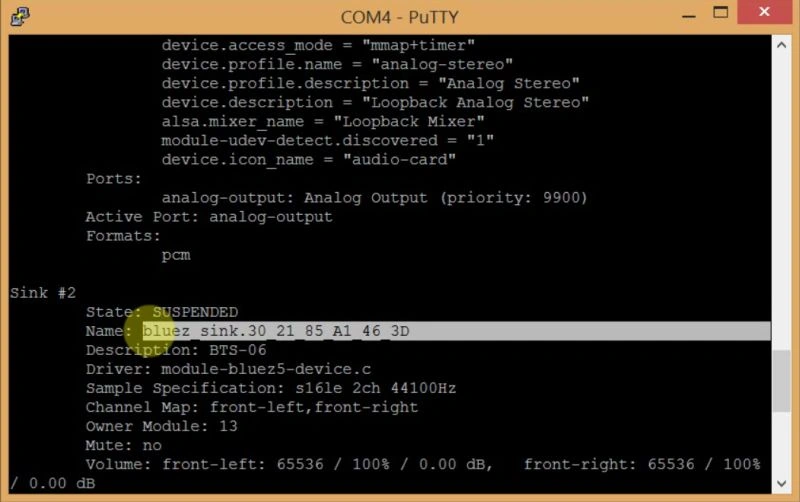
Figure 5: Configure the default sink
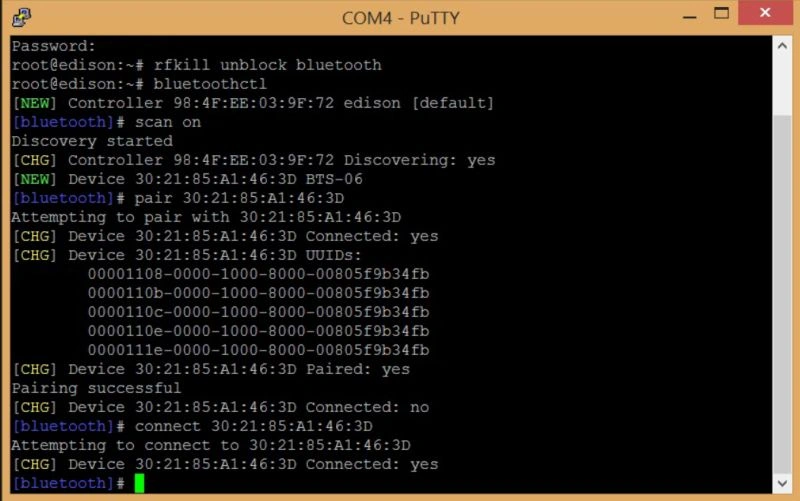
Figure 6: Replacing with the details of your device
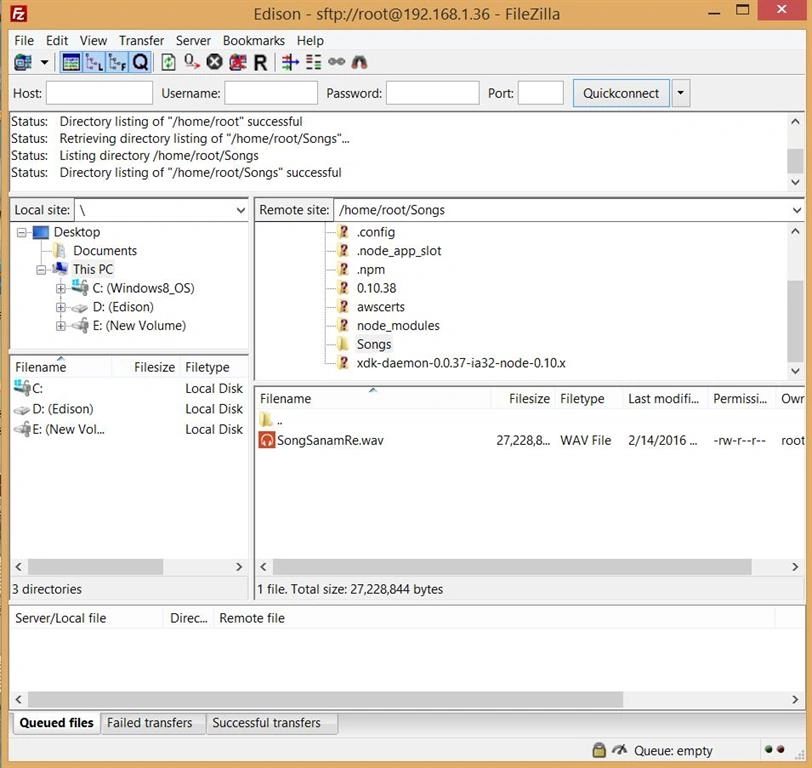
Figure 7: Edison using FileZilla
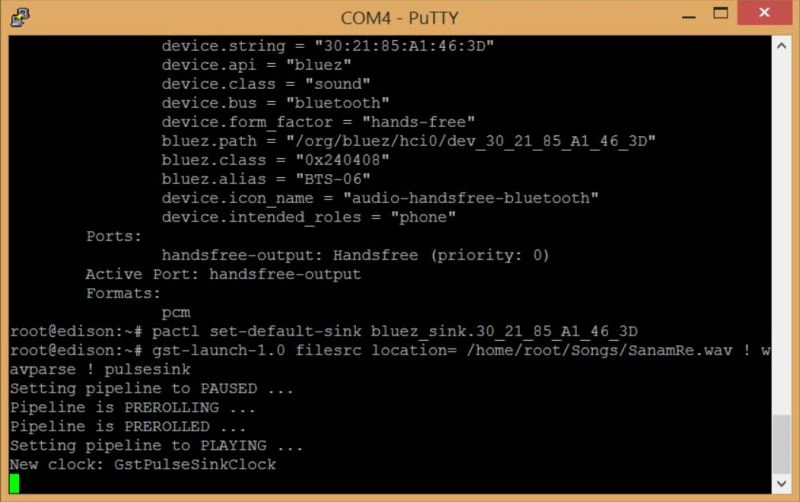
Figure 8: Run command
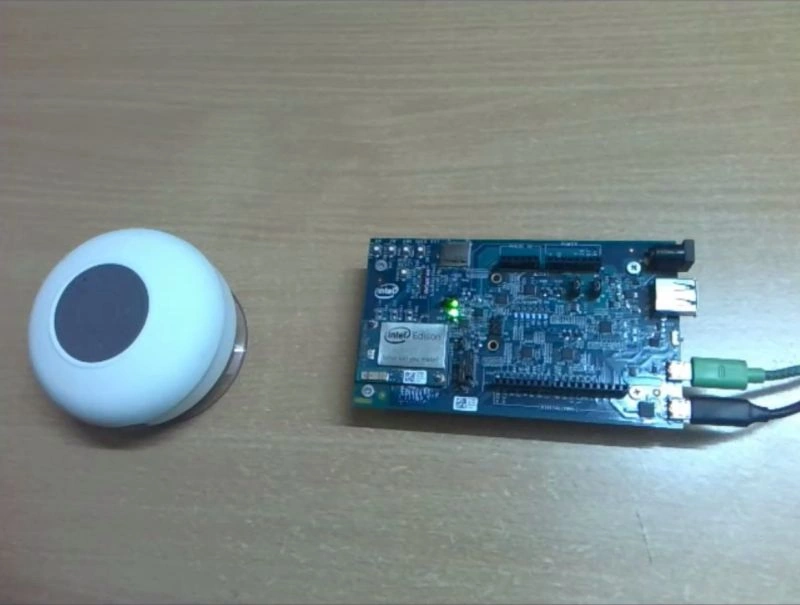
Figure 9: Onboard Wi-Fi and Bluetooth
Here are few links on everything you want to know about Edison Bluetooth or Audio.
Read more articles on Internet of Things:
Gowtham RajamanickamPosted Apr 21, 2016, 6:53 AM
good one...
Mohammed IbrahimPosted Feb 24, 2016, 7:14 PM
nice
Gowtham KPosted Feb 24, 2016, 2:50 AM
Thanks for sharing
Santhakumar MunuswamyPosted Feb 23, 2016, 2:07 PM
Thanks for nice article
Sibeesh VenuPosted Feb 23, 2016, 9:12 AM
Nice Share
Shubham KumarPosted Feb 23, 2016, 5:48 AM
Nice share