

Read the previous parts of the series here,
- Quick Start Tutorial: Creating Universal Apps Via Xamarin - Part One
- Quick Start Tutorial: Creating Universal Apps Via Xamarin - Part Two
- Quick Start Tutorial: Creating Universal Apps via Xamarin: Label and Button - Part Three
- Quick Start Tutorial: Creating Universal Apps Via Xamarin: Device class - Part Four
- Quick Start Tutorial: Creating Universal Apps via Xamarin: Device Class (cont.) - Part Five
- Quick Start Tutorial: Creating Universal Apps Via Xamarin: Entry Control - Part Six
- Quick Start Tutorial: Creating Universal Apps Via Xamarin: StackLayout and Layout Options - Part Seven
- Quick Start Tutorial: Creating Universal Apps Via Xamarin: DisplayAlert and DisplayActionSheet - Part Eight
DatePicker
This control is used to select only the date .
Properties
- Date
- Minimum Date
- Maximum Date
- DateSelected is event
Date property
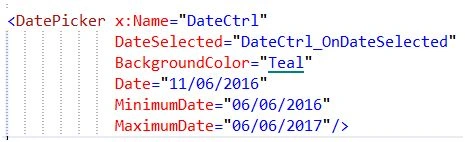
By default this property has today's date, we can assign the default date if it is required .
Minimum Date and Maximum Date
This property is a validation property to set the minimum and maximum date of the calendar. If this property has been set, the control displays the date only based on the Minimum & Maximum date. Other dates are hidden and set the minimum date; the calendar Date property gets overwritten.
Date Selected event
This is the event trigger when the date has been selected in the calendar control.
Example

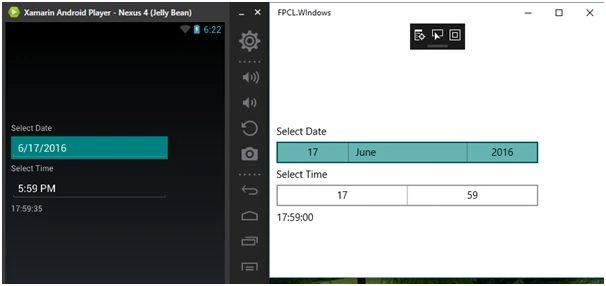
Example
Minimum & Maximum Date validation.
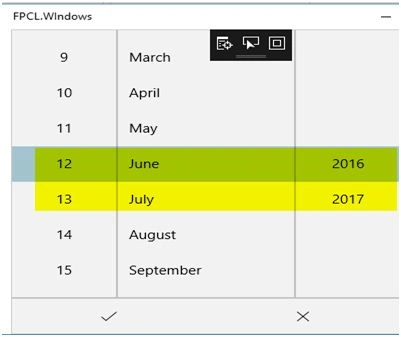
Click the “Right Symbol” button, and the Date Selected event gets fired.

Time Picker
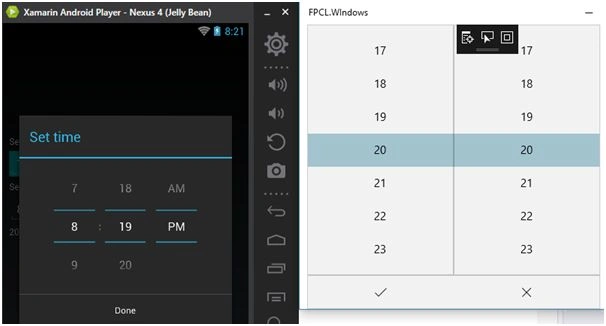
Time Picker is the control used to select the time and there is no specific event to trigger when the time has been selected by the user; to handle this situation either use Property Changed or Property Changing event.
Example
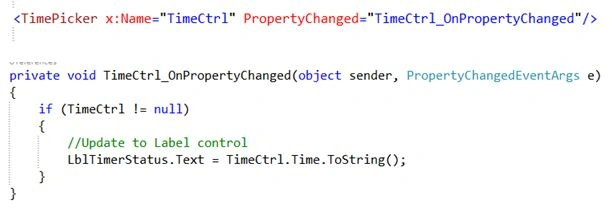
Click the Done button; the OnPropertyChanged event is fired.
Activity Indicator
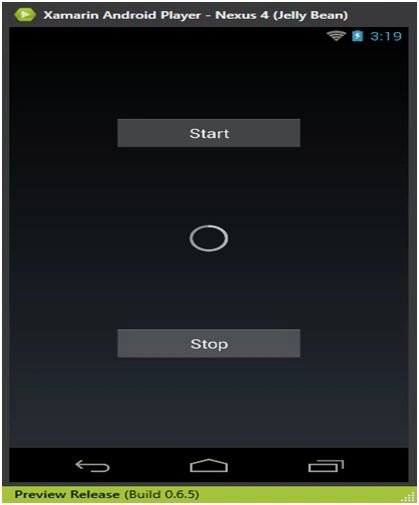
This control is used to display ongoing tasks in the progress state (loading state).
Properties
Is Running
If true animation will start, and if false it will stop.
Note
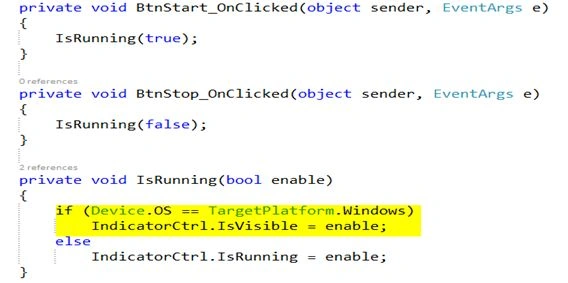
If UWP program IsRunning property is not working (Known issue: Microsoft will fix this issue) a workaround to use is the IsVisible property.
Example
kalu singh raoPosted Jul 18, 2016, 1:39 AM
Nice...
Santhakumar MunuswamyPosted Jun 25, 2016, 1:09 AM
Nice Share
Kuppurasu NagarajPosted Jun 21, 2016, 12:44 PM
Nice Sharing..
Vignesh ManiPosted Jun 20, 2016, 6:39 AM
Nice
Debasis SahaPosted Jun 20, 2016, 12:48 AM
Good One..
RajaPosted Jun 20, 2016, 12:06 AM
Nice Share...