

Introduction
When a new Android project is created, there are some files that are added to the project, by default. We call these default project files and folders as Android Resources.
Look at following screenshot to understand what is Resources in Xamarin Android,
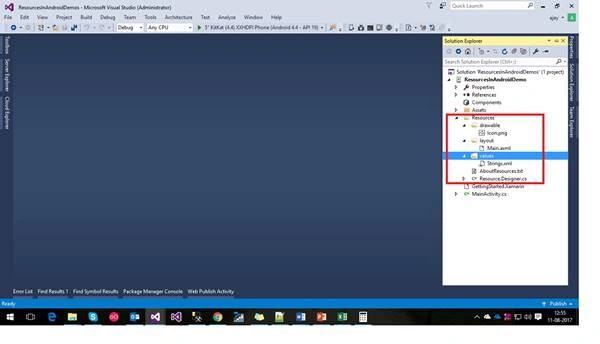
Resources are very important part of Xamarin android
So, basically what is Resources?
Resources are non-source code files and compiled (along with the source code) during the build process and packaged as an APK for distribution and installation onto devices.
Advantages of Resources are,
- Compile time checking.
- Target multiple devices.
- Code separation.
So, we are trying to understand resources in Xamarin Android in the following ways:
- Load Images in a layout and programmatically.
- Differences between Assets and Resources
- Images for different screen densities.
For this we are creating a sample project as below,
- Create a new Android project as follows,
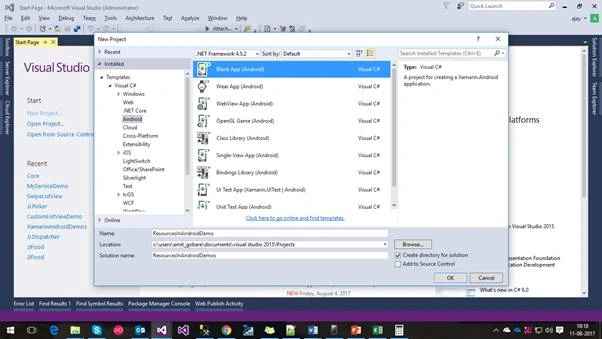
Load Images in a layout and programmatically.
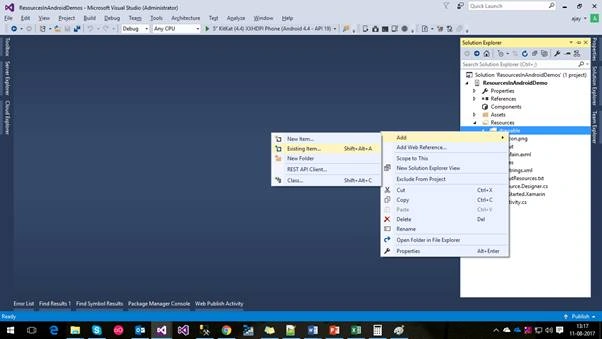
- The first way of loading the image is by using Layout is just drag and drop image into drawable folder of project or right clicked on Resources folder of project and adding files as shown below,
- Select your image from your local computer as below,
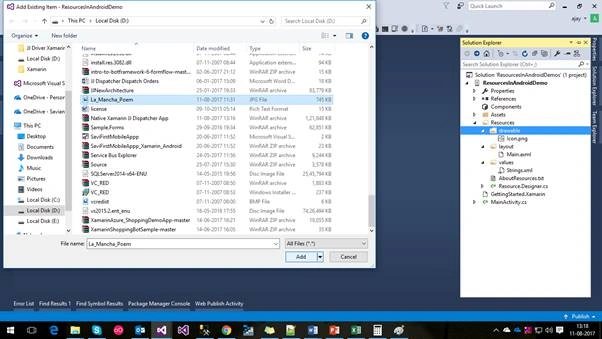
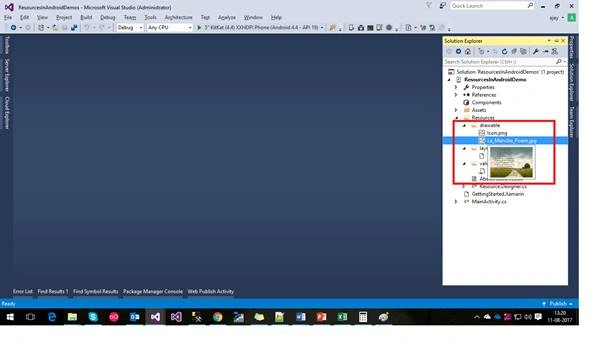
- Now the image is added into the drawable section of Resources folder in your project
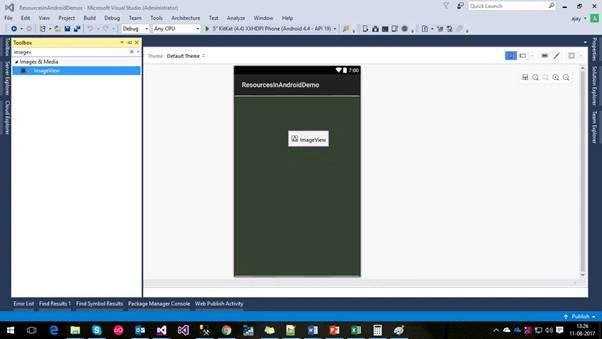
- Drag and drop ImageView as below,
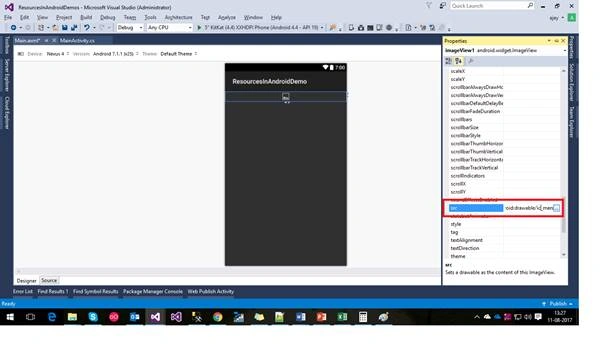
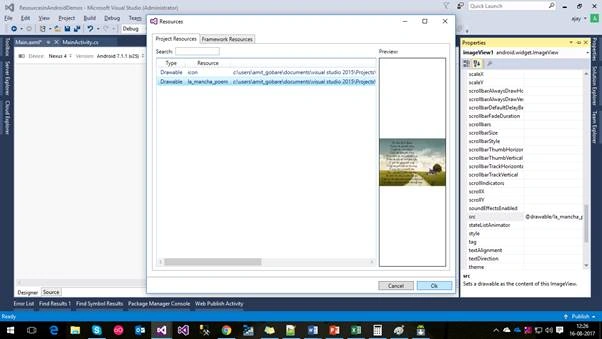
- Select your image and click ok as shown below,
- Add button and give some meaningful name as below,
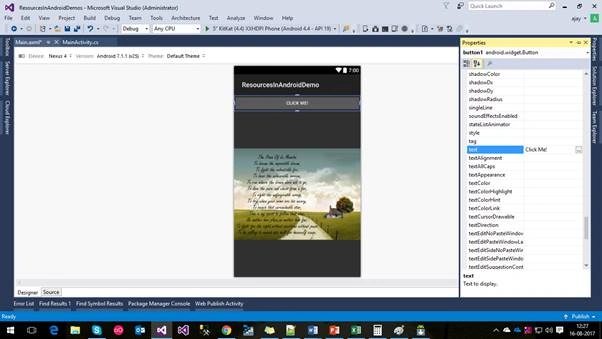
- Main.axml file is as below,
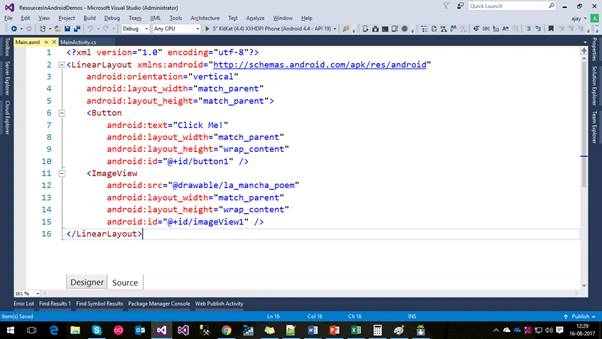
- Code of Main.axml is as below,
- <?xml version="1.0" encoding="utf-8"?>
- <LinearLayout xmlns:android="http://schemas.android.com/apk/res/android"
- android:orientation="vertical"
- android:layout_width="match_parent"
- android:layout_height="match_parent">
- <Button
- android:text="Click Me!"
- android:layout_width="match_parent"
- android:layout_height="wrap_content"
- android:id="@+id/button1" />
- <ImageView
- android:src="@drawable/la_mancha_poem"
- android:layout_width="match_parent"
- android:layout_height="wrap_content"
- android:id="@+id/imageView1" />
- </LinearLayout>
- We should initialize Main.axml in MainAcitivity.cs as below,
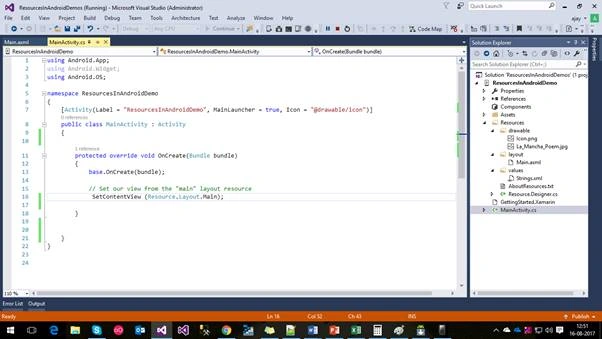
Now Load Image by Programmatically
- Don’t set image background in Main.axml is as follows,
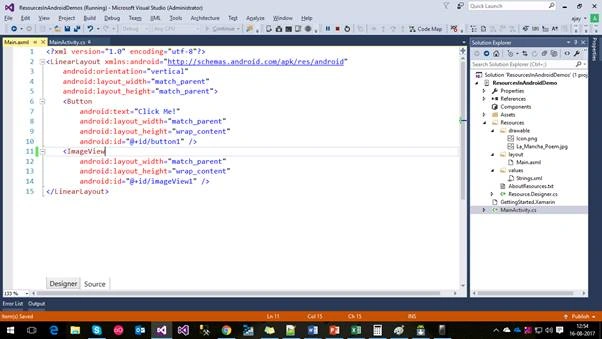
- MainActivity.cs class is as follows,
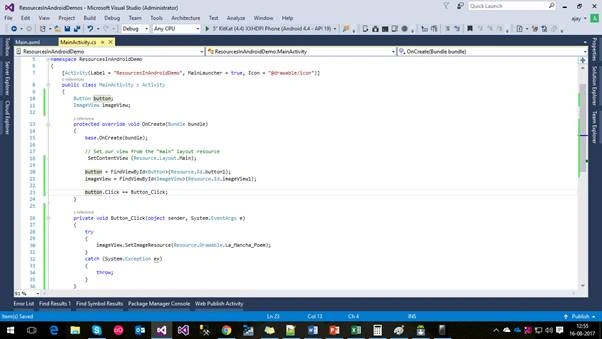
- We are showing Image by clicking on button click
- Code for MainActivity.cs is as follows,
- using Android.App;
- using Android.Widget;
- using Android.OS;
- namespace ResourcesInAndroidDemo
- {
- [Activity(Label = "ResourcesInAndroidDemo", MainLauncher = true, Icon = "@drawable/icon")]
- public class MainActivity : Activity
- {
- Button button;
- ImageView imageView;
- protected override void OnCreate(Bundle bundle)
- {
- base.OnCreate(bundle);
- // Set our view from the "main" layout resource
- SetContentView (Resource.Layout.Main);
- button = FindViewById<Button>(Resource.Id.button1);
- imageView = FindViewById<ImageView>(Resource.Id.imageView1);
- button.Click += Button_Click;
- }
- private void Button_Click(object sender, System.EventArgs e)
- {
- try
- {
- imageView.SetImageResource(Resource.Drawable.La_Mancha_Poem);
- }
- catch (System.Exception ex)
- {
- throw;
- }
- }
- }
- }
Difference between Assets and Resources
| Sr. No | Resources | Assets |
| 1. | It Support is for different languages, OS versions and screen orientation | None of this available for Assets |
| 2. | It checked at compile time so we don't make a mistake | Not applied in Assets |
| 1. | Resources defined in a library project are automatically imported to application projects that depend on the library | For Assets, that don't happen; asset files must be present in the assets directory of the application project |
| 2. | Resource directory each file is given a pre-compiled ID which can be accessed easily through R.id. [res id]. This is useful to quickly and easily access images, sounds, icons. | Asset directory is more like a filesystem and provides more freedom to put any file you would like in there. |
| 3. | Contains application resources, such as drawable files, layout files, and string values. | This is empty. You can use it to store raw asset files. Files that you save here are compiled into an. apk file as-is, and the original filename is preserved. |
Images for different screen densities.
Now we are trying to understand the difference between different densities of images. Android itself runs on many different devices, each having a wide variety of resolutions, screen sizes, and screen densities.
Screen Density
The number of pixels in any given area on the screen. The typical unit of measure is dots per inch (dpi).
- Create two folders drawable-hdpi and drawable-xxhdpi as below,
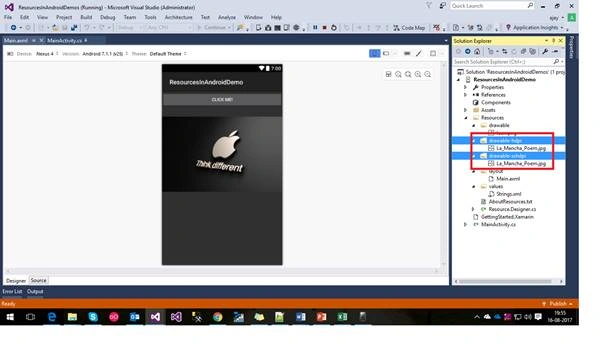
- In drawable-hdpi folder contain actual la mancha image and in drawable-xxhdpi folder contail apple logo image as shown below,
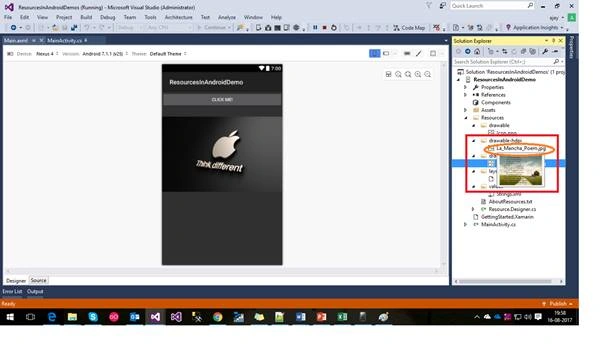
Fig. drawable-hdpi image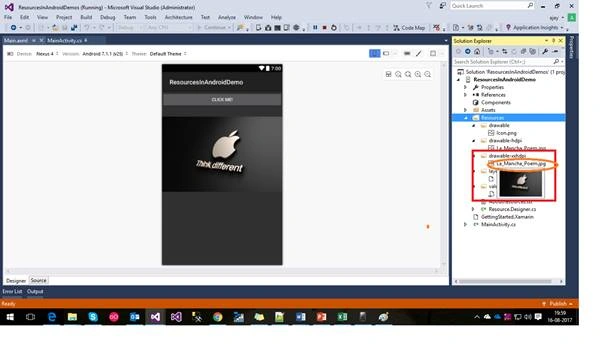
Fig. drawable-xxhdpi image
- Now when we run application on hdpi android device then it picks images from drawable-hdpi folder and if we run same application on high resolution devices like extra extra high density devices then it chooses the image from drawable-xxhdpi folders as shown below,
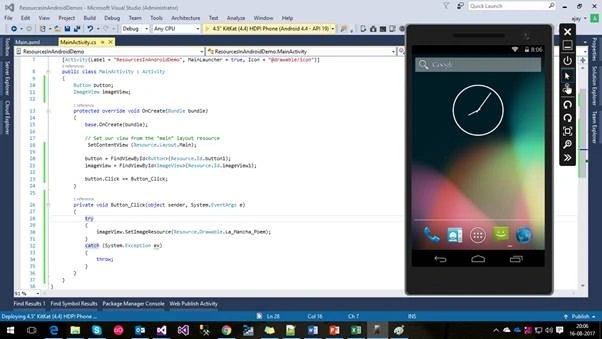
Fig. 4.4” Kitkat HDPI Phone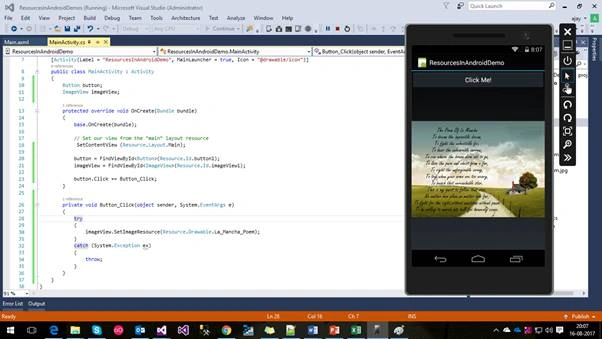
Fig. It shows image from drawable-hdpi folder
- Now we are running our application on a 5” Kitkat XX-HDPI Android Phone
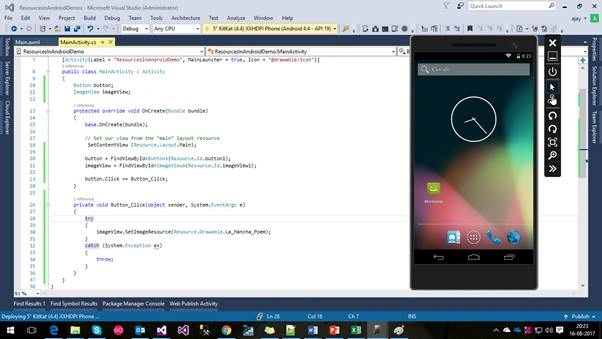
Fig. 5” Kitkat XXHDPI Phone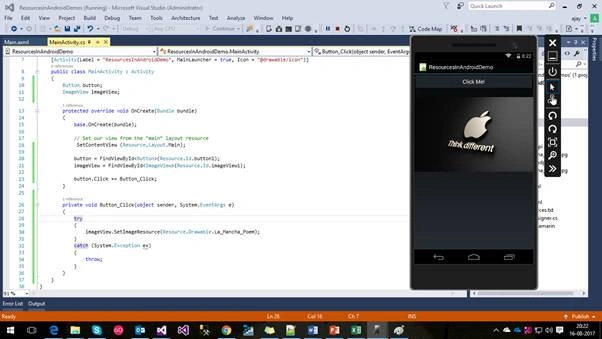
Fig. It takes an image from drawable-xxhdpi folder
- Hence we can say that Android take images from different drawable folders as per density or resolution size of respective device.
Conclusion
Hence we learned what Resources in Xamarin Android are, advantages of Resources, how to load images by using designer as well as programmatically, the difference between Assets and Resources, and images for different screen densities.
Amit GobarePosted Aug 18, 2017, 3:06 PM
Thank you...sure...I will be keep sharing!
Rafnas T PPosted Aug 17, 2017, 11:34 PM
Nice article, keep sharing..