

What is Ruby on Rails?
- Ruby on Rails (or “Rails”) is an open source framework for building powerful web applications.
- Rails was created in 2004 by David Heinemeier Hansson (aka “DHH”)
- Rails is based on the “Ruby” language.
- Rails can work with multiple types of servers and databases.
- Rails is based on the MVC design pattern.
- Ruby on rails is NOT a language. It is a framework.
- Rails is extremely productive web-application framework.
- Rails can develop a web application at least ten times faster than you can compile a typical Java framework.
What is Different about Rails?
Ruby on Rails is in its own class and is different than other frameworks.
- Convention over configuration
There are lots of development frameworks for java or .net frameworks; they are forced to write configuration codes in some pages. But Rails doesn't need much configuration. - Meta programming
Meta programming techniques are used to write programs. Ruby is one of the best language supports for Meta programming and Rails also uses this support as well for code generation. - Active Record
Rails introduces the Active Record framework service, which saves objects to the database. The Active Record shows data columns in a database and it automatically attaches to our domain using Meta programming. - Built-in testing
Rails creates automated tests. Rails also gives supporting code called enhancing and error fixtures that make it easier to write the code and execute the code. - Independent of the web server
- Everything is an object
What is Ruby?
- Ruby is a programming language like java.
- Ruby is a pure object-oriented, interpreted, open source programming language created by a Japanese man Yukihiro “Matz” Matsumoto in 1993.
- It was released publicly in 1995.
- It was created for productivity as well as to have fun with. Created with the programmer in mind.
- Many developers say ruby is the most concise and expressive language available.
- Martz took the best part of all of his favorite languages and used them in Ruby.
- The Ruby is designed to be complete, simple, extensible and portable language.
- Developed mostly on Linux operating systems, Ruby works most of the platforms like UNIX, Windows, Mac, and DOS.
- Ruby’s simple syntax inspired by Ada and Eiffel so it make readable by anyone who is familiar with modern programming language.
- Ruby is similar to Smalltalk and Perl.
- Used for both desktop applications and web applications(rails)
You don’t need to be fluent in Ruby to learn Ruby on Rails. In fact, many people learn Rails and do not know a Ruby but you must understand programming.
Ruby is A Multi –Paradigm Language
- Ruby is an object oriented language but can use multiple paradigms for different problems
- Ruby is object oriented at its core but can also use functional and imperative paradigms.
- Ruby claims there is no one size fits all. Different problems or aspects of code sometimes need more than one programming paradigm.
Everything is an object
When working in Ruby, its is important to understand that it treats EVERYTHING as an object
- Numbers
- Strings
- Booleans
- Statements
- Methods/Functions
Objects can have methods
- “hello“.reverse
- “hello”.length
Syntax of Ruby
Ruby syntax is similar to Perl and Python
Keywords signal class and method definition
What is different?
- No brace is used for methods
- No needed semi-colon
- Uppercase variables are constants
- Ruby keeps all instance variable private to the class
- $ And @ are not thought of as data types but scope resolution.
RubyGems
- RubyGems is a package manager for the Ruby language.
- Used to distribute Ruby-based programs and libraries
- Used as a tool to manage installation of gems.
- RubyGems is part of the standard library from Ruby.
- Rails is actually a gem itself
code
- gem install mygem
Windows & Linux Systems
- Rails runs on both operating systems.
- Rails is very popular with Linux users.
- More and more people are Using Windows but dabble in Linux as well.
- Windows RailsInstaller package.
- Windows Interactive Ruby package.
How to install Ruby on Rails
Step 1
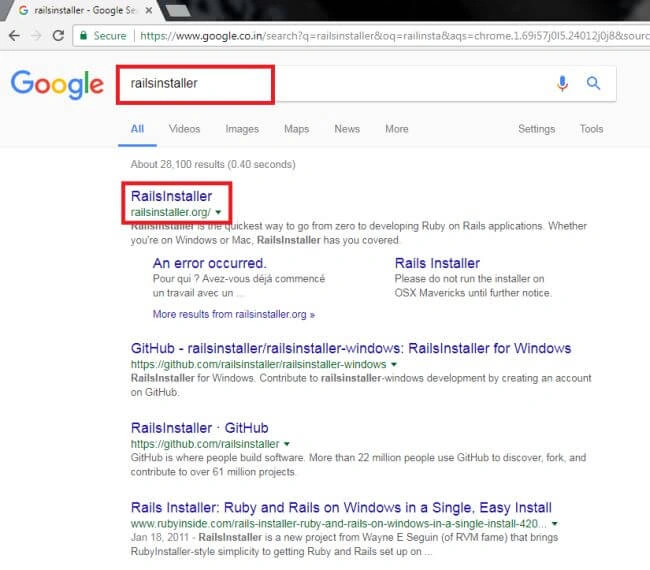
First open any web browser (mine is Google chrome) to search RailsInstaller and open RailsInstaller.org official page.
Step 2
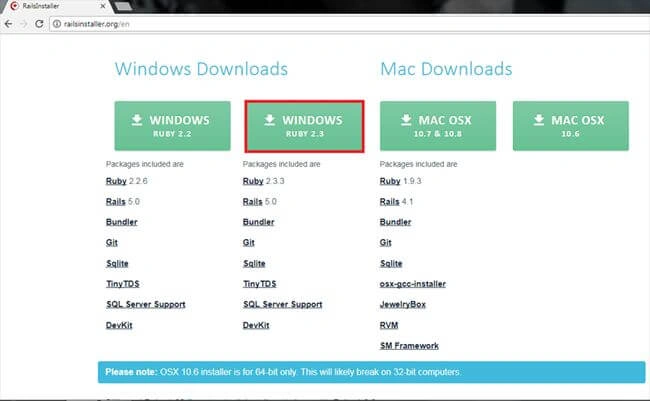
- After opening RailsInstaller.org web page, scroll down and you will see some download buttons now click “WINDOWS RUBY 2.3” button to download the package.
- That package contains Ruby2.3.3, Rails5.0, builder, Git, SQLite, TinyTDS, SQL server support and Devkit.
Step 3
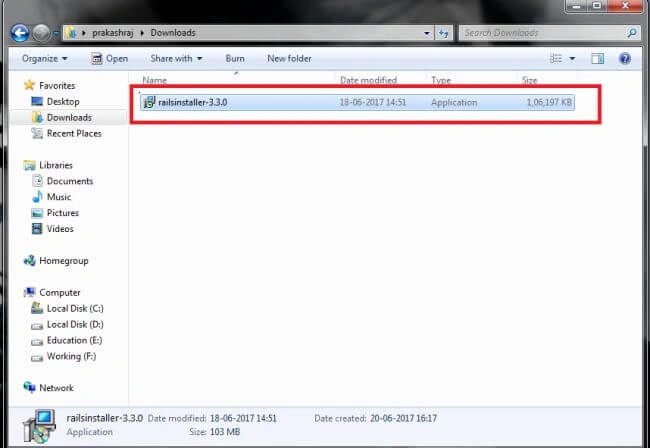
Now you will find the RailsInstaller package and open that package to start the installing process.
Step 4
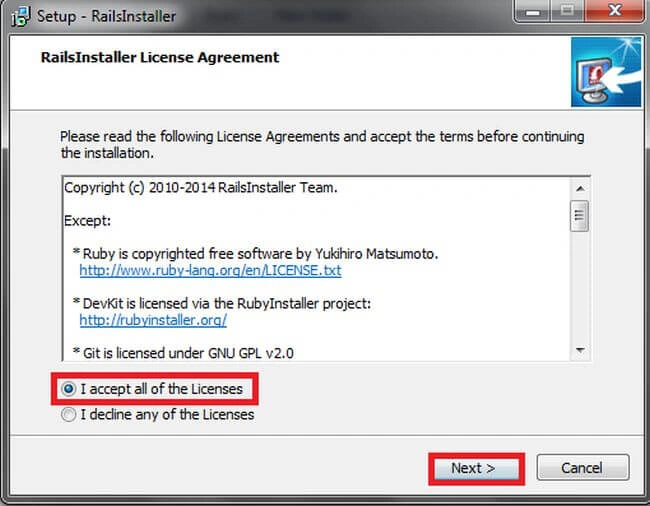
After opening the RailsInstaller package, it requires you to accept all of the licensing agreements. To accept click next button.
Step 5
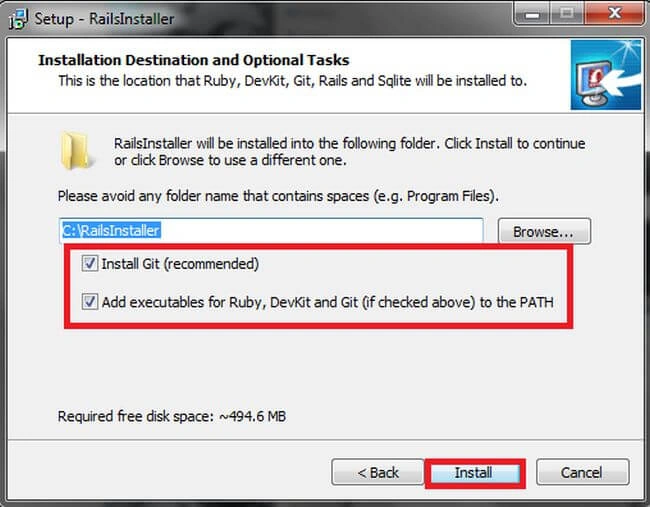
After clicking the next button open the installation destination and optional tasks window to click browse button and select the RailsInstaller to install folder location, then tick the recommended packages and click the install button.
Step 6
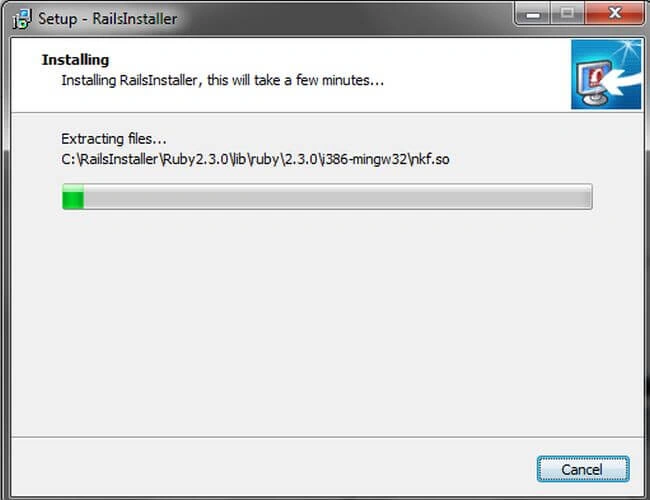
After you click the install button now open the Installing window and the RailsInstaller installs all the included packages. It will take a few minutes so wait until it completes the installing process.
Step 7
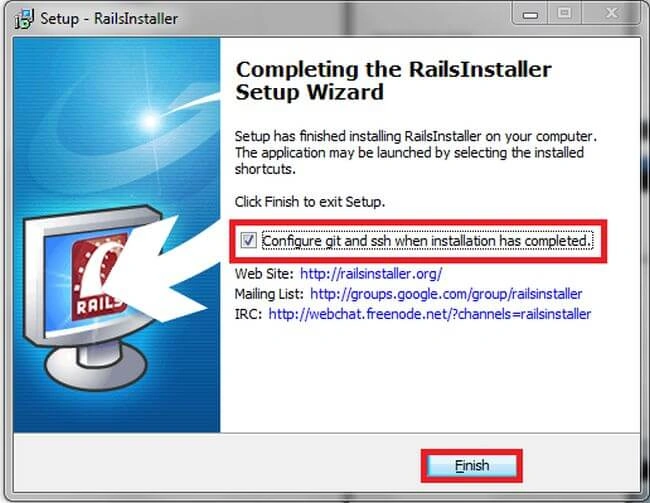
After completing the installing process then open the completing the Rails Installer setup wizard to tick the configure Git and ssh when installation has completed checkbox and click Finish button to complete the installation.
Step 8
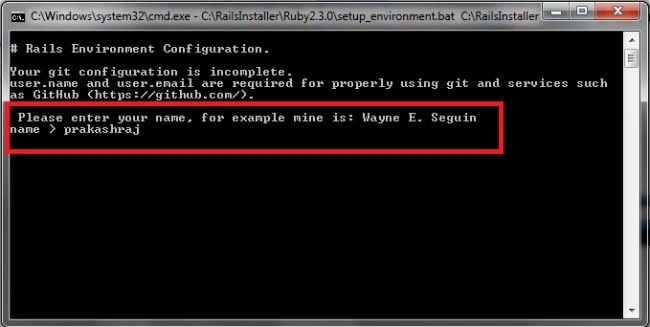
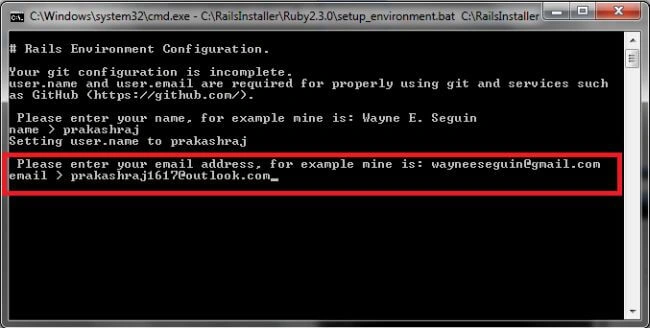
When you click the Finish button automatically open the Rails environment configuration command prompt; it requires completion of Git configuration. Enter the username (your name) it will give an example above the current line.
Step 9
After entering the username it requires user email (your email).
Step 10
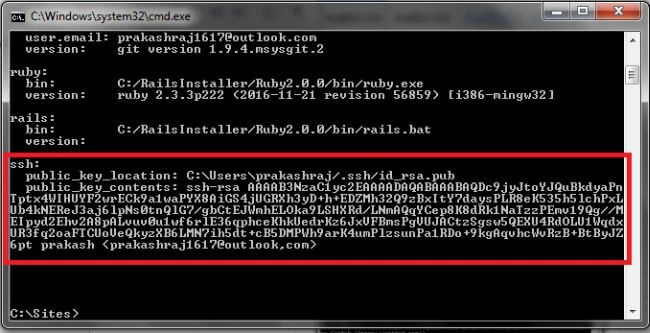
After completing the Git configuration it will automatically configure ssh configuration to locate user files to show the command prompt and the RailsInstallation is completed.
Step 11
If you'd like to know what version of Ruby is installed in your system enter this code at the command prompt:
Code
- Ruby -v

If you'd like to know what version of SQLite is installed in your system enter this code at the command prompt:
Code
- sqlite --version

Step 13
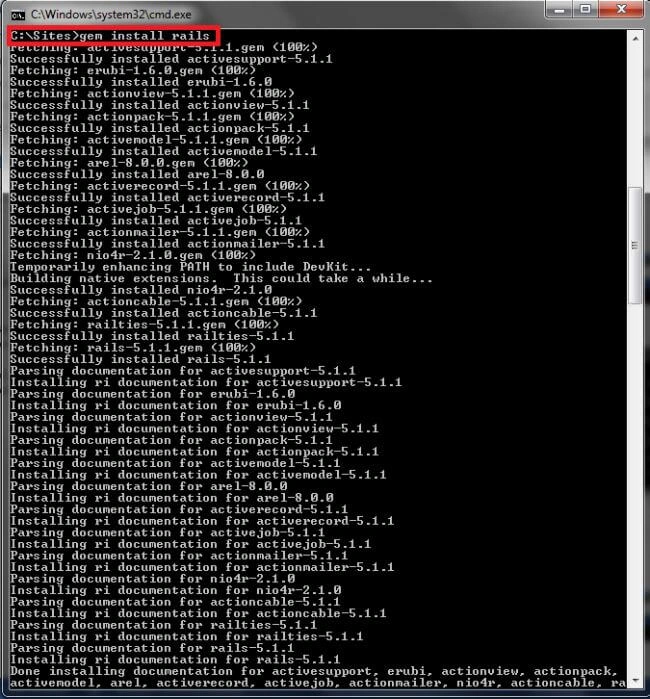
If you'd like to install gems in rails for package management enter this code at the command prompt -- it will take some minutes for installing packages
Code
- gem install rails
Step 14
If you'd like to know what version of Rails is installed in your system enter this code in command prompt:
Code
- rails --version

Step 15
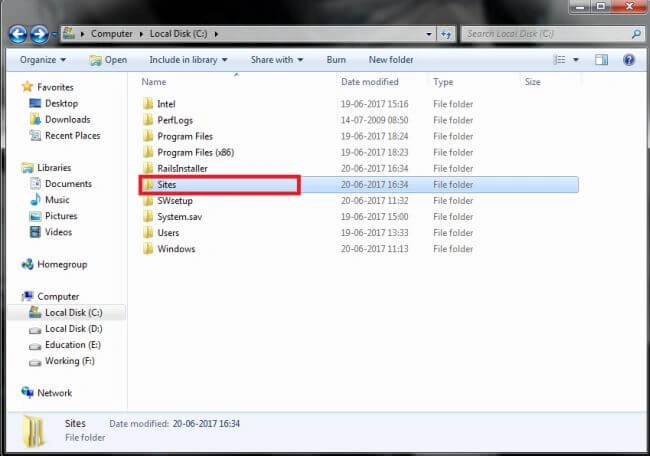
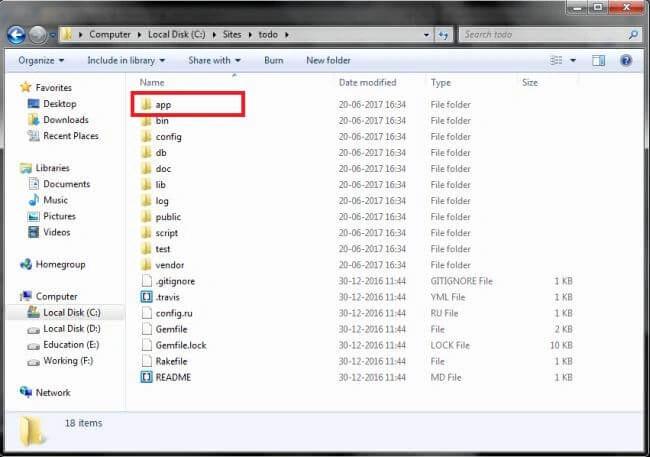
The command prompt works to close the command prompt: Use exit code to close the window then you can see your applications in the sites folder (all the app files for Rails) C:/sites.
Step 16
After opening the sites folder you will see the created applications in the app folder.
Conclusion
I hope you understood what Ruby on Rails is and how to install Ruby on Rails in your machine. In future articles you will learn Ruby on Rails step by step.
Manikandan VengadasalamPosted Jul 11, 2017, 6:56 AM
Nice thanks for sharing
Alagunila MeganathanPosted Jul 3, 2017, 10:40 AM
Good Starting on New topics... Good pa... Keep going..
Gayathri AnbazhaganPosted Jun 28, 2017, 8:27 AM
Nice sharing prakash....
Sundaram SubramanianPosted Jun 22, 2017, 12:06 AM
Excellent Work. Looking forward from you more like this. Continue in the same follow