

In one of my blogs, I explained how to bind the events in ASP.NET Calender control, you can check the link from here.
In this article, I will explain, how to use DHTMLX scheduler in MVC project, which is similar to the "Binding Events in ASP.NET Calendar Control"
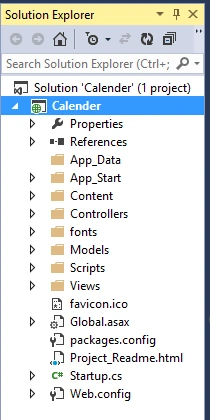
First, we will create a new MVC project. I have created my MVC project as "Calendar", given below:
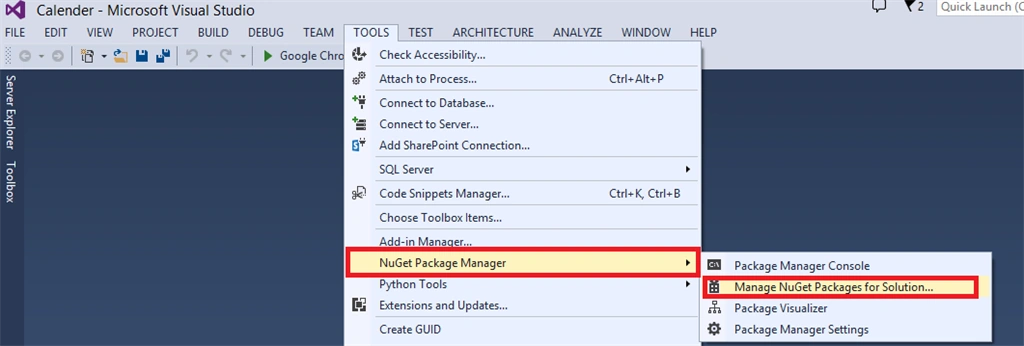
Now, our second step is to add DHTMLX Scheduler from NuGet Package, as given below:
In this article, I will explain, how to use DHTMLX scheduler in MVC project, which is similar to the "Binding Events in ASP.NET Calendar Control"
First, we will create a new MVC project. I have created my MVC project as "Calendar", given below:
Now, our second step is to add DHTMLX Scheduler from NuGet Package, as given below:
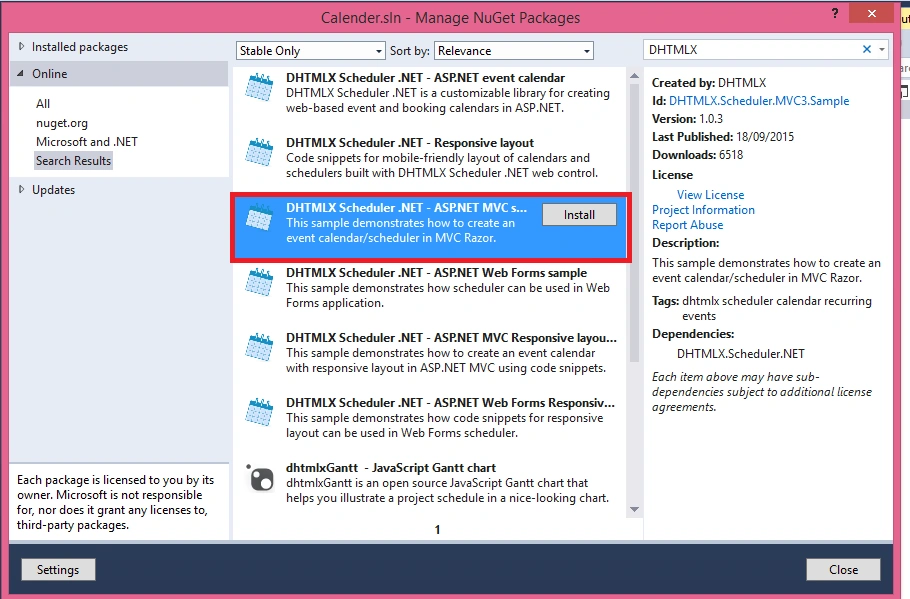
Now, search for DHTMLX Scheduler and add to our project..
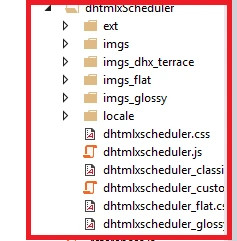
After adding it in our project, a lot of JavaScript and CSS are automatically added in our project, as given below:
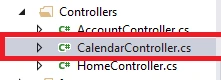
It also adds a Controller, as given below:
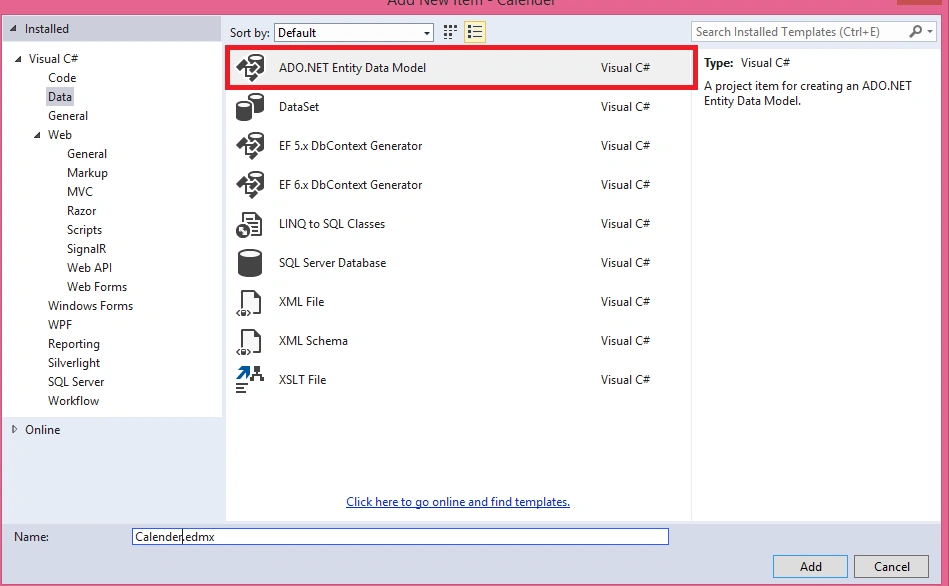
Now, we need to save the events in our database. For this, we need to create a table as "Events." Here, I have provided the script to create the table:
- CREATE TABLE [Events](
- [id] int IDENTITY(1,1) NOT NULL,
- [text] nvarchar(256) NULL,
- [start_date] datetime NOT NULL,
- [end_date] datetime NOT NULL,
- PRIMARY KEY (id)
- )
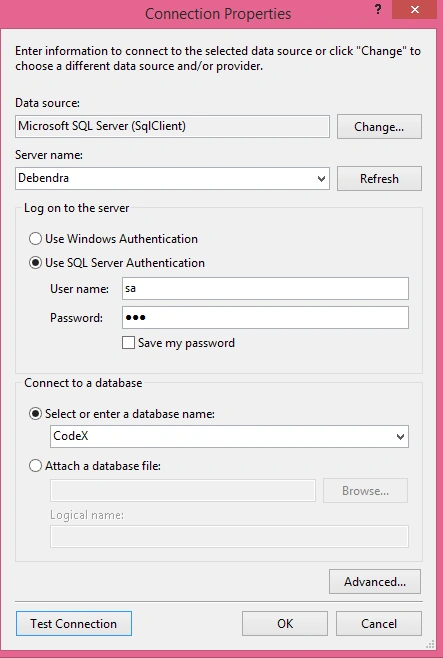
Provide the connection details to connect with the database.
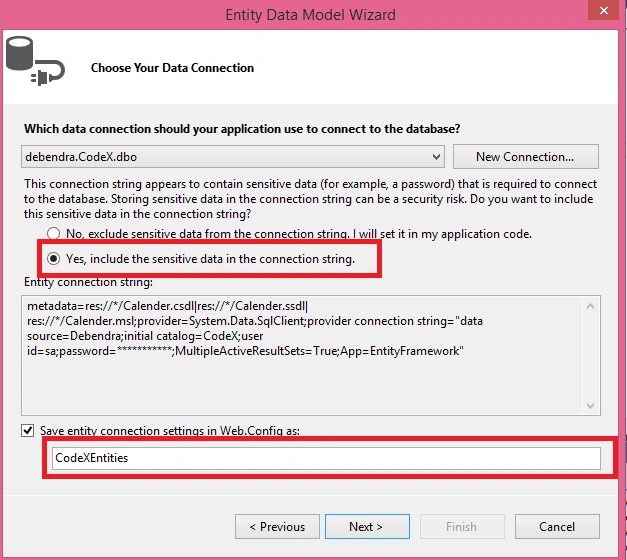
Give the proper entity name and allow it to save the connection string in Web.Config.
Now, retrieve the table in the ORM pattern.
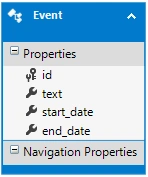
Now, our job from Entity data model is finished.Now go to the calender controller it will have three methods defined; delete all the code from the methods except the method name and structure.
Now we have only these 3 action methods.
- Index() - It defines the scheduler configuration.
- Data() - It loads the data (events) to the scheduler from the database.
- Save() - It defines,how to create/update/delete the logic.
Now, create an object for my CodeX entity. Here is the code of Index method. Don't change the code.
Now, delete all the code given above and write the code, given below, in the data to show the events from our database:
- public class CalendarController : Controller
- {
- CodeXEntities cX = new CodeXEntities();
- public ActionResult Index()
- {
- //Being initialized in that way, scheduler will use CalendarController.Data as a the datasource and CalendarController. Save to process the changes
- var scheduler = new DHXScheduler(this);
- /*
- * It's possible to use different actions of the current controller
- * var scheduler = new DHXScheduler(this);
- * scheduler.DataAction = "ActionName1";
- * scheduler.SaveAction = "ActionName2";
- *
- * Or to specify full paths
- * var scheduler = new DHXScheduler();
- * scheduler.DataAction = Url.Action("Data", "Calendar");
- * scheduler.SaveAction = Url.Action("Save", "Calendar");
- */
- /*
- * The default codebase folder is ~/Scripts/dhtmlxScheduler. It can be overriden:
- * scheduler.Codebase = Url.Content("~/customCodebaseFolder");
- */
- scheduler.InitialDate = new DateTime(2012, 09, 03);
- scheduler.LoadData = true;
- scheduler.EnableDataprocessor = true;
- return View(scheduler);
- }
- public ContentResult Data()
- {
- try
- {
- var details = cX.Events.ToList();
- return new SchedulerAjaxData(details);
- }
- catch(Exception ex)
- {
- throw ex;
- }
- }
Now, go to the save method and write the code, given below, to save the event in the database.
- switch (action.Type)
- {
- case DataActionTypes.Insert:
- Event EV = new Event();
- EV.id = changedEvent.id;
- EV.start_date = changedEvent.start_date;
- EV.end_date = changedEvent.end_date;
- EV.text = changedEvent.text;
- cX.Events.Add(EV);
- cX.SaveChanges();
- break;
- }
- @{
- Layout = null;
- }
- <!DOCTYPE html>
- <html>
- <head>
- <link href="~/Scripts/dhtmlxScheduler/dhtmlxscheduler.css" rel="stylesheet" />
- <title>DHXScheduler initialization sample</title>
- <style>
- body
- {
- background-color:#eee;
- }
- </style>
- </head>
- <body>
- <div style="height:700px;width:900px;margin:0 auto">
- @Html.Raw(Model.Render())
- </div>
- </body>
- </html>
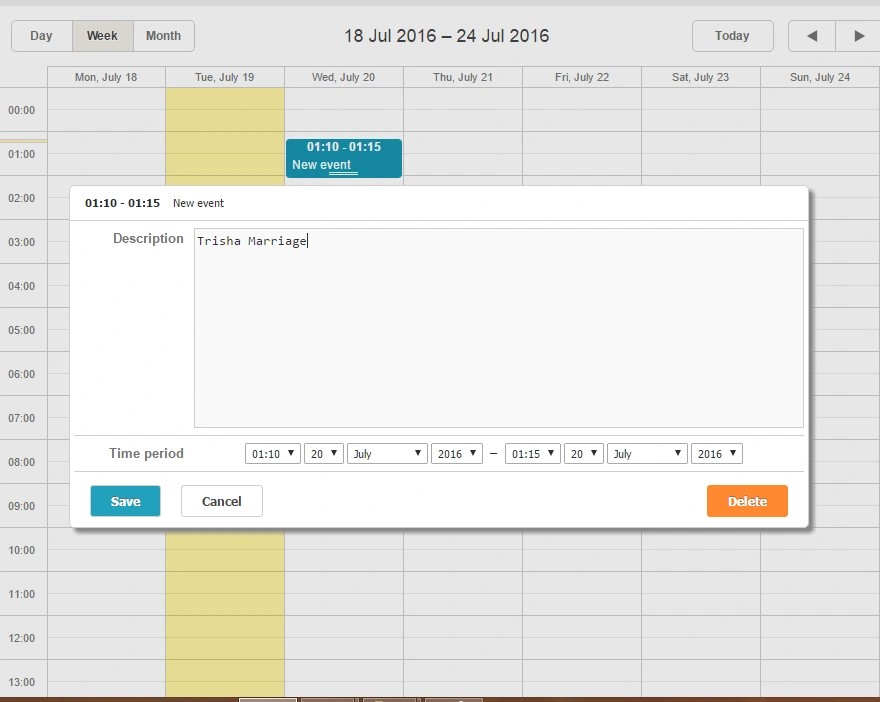
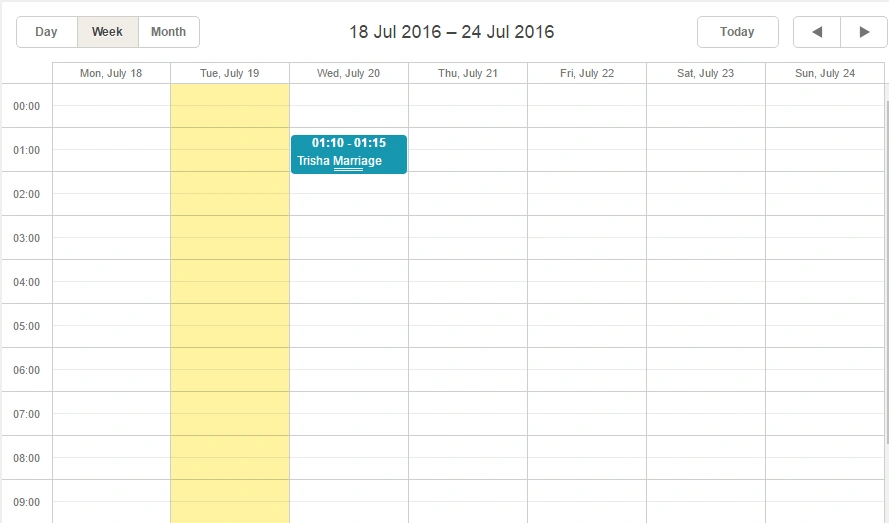
Afterwards, click the Save button to save the event in the database. It will save the database and will be shown, as given below:
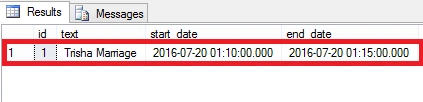
Now, if you go and check in the table; the record is saved.
Like this, if you want to update and delete any record; write the code, given below, in the update section.
- case DataActionTypes.Delete:
- var details = cX.Events.Where(x => x.id == id).FirstOrDefault();
- cX.Events.Remove(details);
- cX.SaveChanges();
- break;
- default:// "update"
- var data = cX.Events.Where(x => x.id == id).FirstOrDefault();
- data.start_date = changedEvent.start_date;
- data.end_date = changedEvent.end_date;
- data.text = changedEvent.text;
- cX.SaveChanges();
- break;
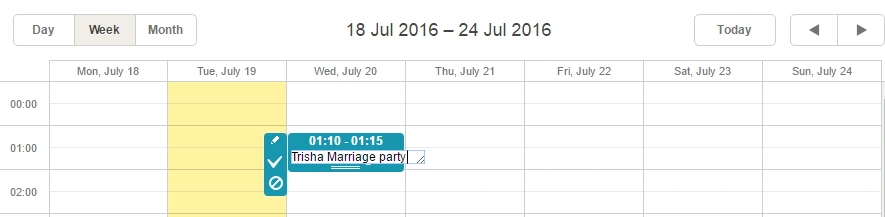
Afterwards, click the update or right symbol to update the record.

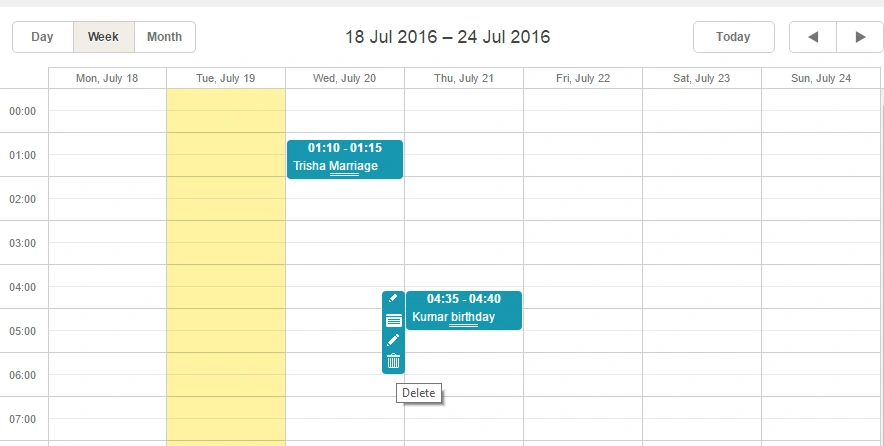
In this way, we have a delete option and we can also delete the records.
Here is my complete code for the save Action method.
- public ContentResult Save(int? id, FormCollection actionValues)
- {
- var action = new DataAction(actionValues);
- try
- {
- var changedEvent = (Event)DHXEventsHelper.Bind(typeof(Event), actionValues);
- switch (action.Type)
- {
- case DataActionTypes.Insert:
- Event EV = new Event();
- EV.id = changedEvent.id;
- EV.start_date = changedEvent.start_date;
- EV.end_date = changedEvent.end_date;
- EV.text = changedEvent.text;
- cX.Events.Add(EV);
- cX.SaveChanges();
- break;
- case DataActionTypes.Delete:
- var details = cX.Events.Where(x => x.id == id).FirstOrDefault();
- cX.Events.Remove(details);
- cX.SaveChanges();
- break;
- default:// "update"
- var data = cX.Events.Where(x => x.id == id).FirstOrDefault();
- data.start_date = changedEvent.start_date;
- data.end_date = changedEvent.end_date;
- data.text = changedEvent.text;
- cX.SaveChanges();
- break;
- }
- }
- catch
- {
- action.Type = DataActionTypes.Error;
- }
- return (ContentResult)new AjaxSaveResponse(action);
- }
madhura lakshmiPosted Oct 20, 2023, 5:48 AM
Data is not rendering from database c#
sujith monyPosted Jan 19, 2018, 9:32 AM
I am getting this error "Additional information: Evaluation period has expired"
Ejazul HaqPosted Nov 2, 2017, 10:39 AM
How to add rooms in place of days in the above scheduler
Vikash KumarPosted Dec 22, 2016, 9:28 AM
Sorry, let me recorrect, cX.Events and cX.SaveChanges() are not identified. What class or method is it? Am I missing an assembly
Vikash KumarPosted Dec 22, 2016, 9:27 AM
CXD.Events and cX.SaveChanges() are not identified. What class or method is it? I missing an assembly
Vignesh ManiPosted Jul 21, 2016, 4:45 PM
Nice
kalu singh raoPosted Jul 21, 2016, 1:48 AM
Interesting !
Raja TPosted Jul 20, 2016, 8:03 PM
Nice, Thanks for sharing