

In our code, most of the time we use constants (Ex: cell Identifier, some static text, maybe certain height). It’s a good practice to use constants instead of variables whenever possible. Since their value can’t be changed afterward, it’s much safer and the compiler can make optimizations if the system knows certain data won’t change. It is always advisable to declare all the constants in a global file and access those constant from the global file itself. This technique has lots of advantages. Consider, we are using one constant "My Name" in 4 to 5 View Controllers. Then, after that we realize that constant should be "My Name is :", we need to go to all view controllers and search for that particular constant. Now, assume we have added the global constant somewhere in a Swift file like :
- let kMyNameConstant = " My Name "
- Xcode 9.0 , Swift 4.0 .
- Expertise level: intermediate.
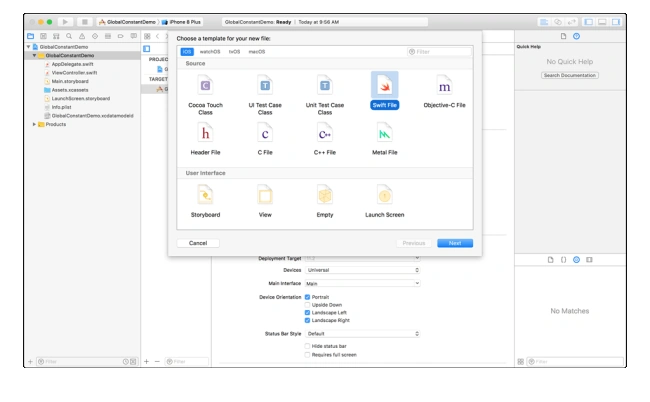
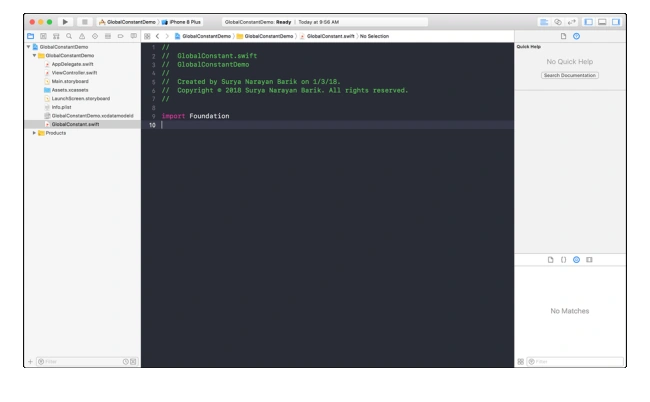
Create one blank iOS project. Add a new Swift file to it - GloablConstant.swift
You must know how to create a Swift constant.
- let number: Int = 5
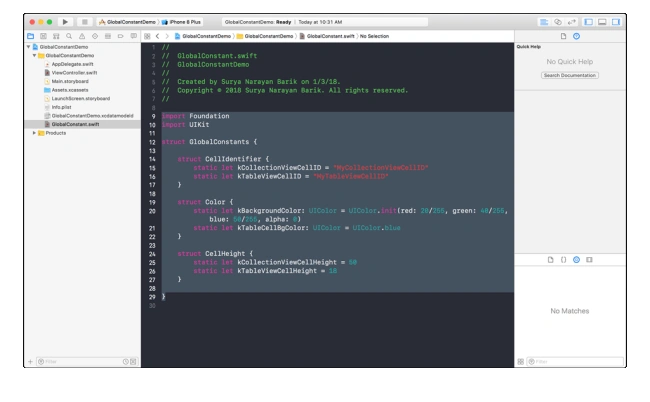
- import Foundation
- import UIKit
- struct GlobalConstants {
- struct CellIdentifier {
- static let kCollectionViewCellID = "MyCollectionViewCellID"
- static let kTableViewCellID = "MyTableViewCellID"
- }
- struct Color {
- static let kBackgroundColor: UIColor = UIColor.init(red: 20/255, green: 40/255, blue: 50/255, alpha: 0)
- static let kTableCellBgColor: UIColor = UIColor.blue
- }
- struct CellHeight {
- static let kCollectionViewCellHeight = 50
- static let kTableViewCellHeight = 18
- }
- }
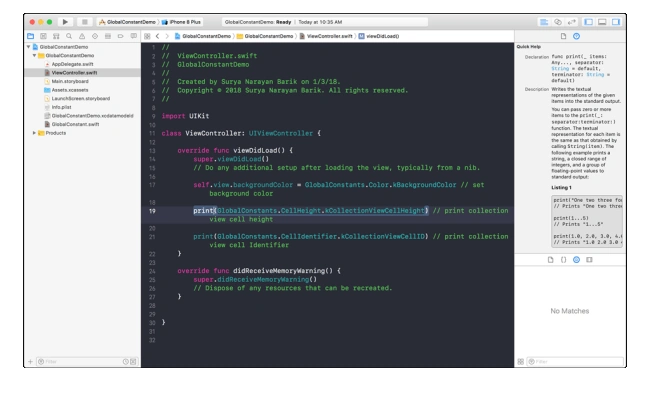
Now, we will access those constants in our view controller class. Go to ViewController.swift -> ViewDidLoad Function . Write the below code to access all the constants in your view controller.
- override func viewDidLoad() {
- super.viewDidLoad()
- // Do any additional setup after loading the view, typically from a nib.
- self.view.backgroundColor = GlobalConstants.Color.kBackgroundColor // set background color
- print(GlobalConstants.CellHeight.kCollectionViewCellHeight) // print collection view cell height
- print(GlobalConstants.CellIdentifier.kCollectionViewCellID) // print collection view cell Identifier
- }
Conclusion
Hadshana KamalanathanPosted Jul 22, 2018, 4:05 AM
Good one...
Shoeb KhanPosted Jan 19, 2018, 7:26 AM
Its great article to understand basic and maintaining coding standerds.
Dipoo SinghPosted Jan 4, 2018, 2:19 AM
Nice Article This will be helpful for the IOS developer, Thank to you to publish these kind of article.
Rashmiranjan DalabeheraPosted Jan 3, 2018, 11:41 PM
Nice one !!! Thanks Surya Narayan