

Introduction
Yesterday, Microsoft released a new Windows 10 update to Windows Insiders in the Fast ring. This update has one of the biggest changes in the recent releases of the Windows 10 operating system. The updates include a new UI for Start and Action Center, and improvements in several areas including Microsoft Edge, Cortana, handwriting experience with a pen, keyboard, shell, my people, night light, settings, fonts, gaming, developers, ease to access and lot more. You can find all the changes in this blog.
Here is a list of the key improvements in Microsoft Edge.
Pin your favorite websites to your taskbar
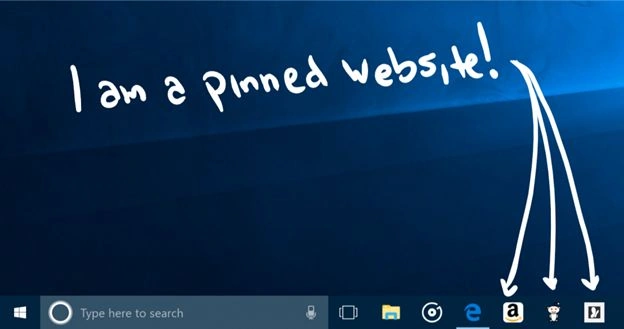
Pinned sites are back! We heard your feedback, and are in this build you can now pin a website to the taskbar from Microsoft Edge! We’ll use the site’s icon to give you quick access to your favorite sites right from the taskbar. Simply select “Pin this page to the taskbar” from the settings menu in Microsoft Edge.
Full-screen mode (F11) in Microsoft Edge
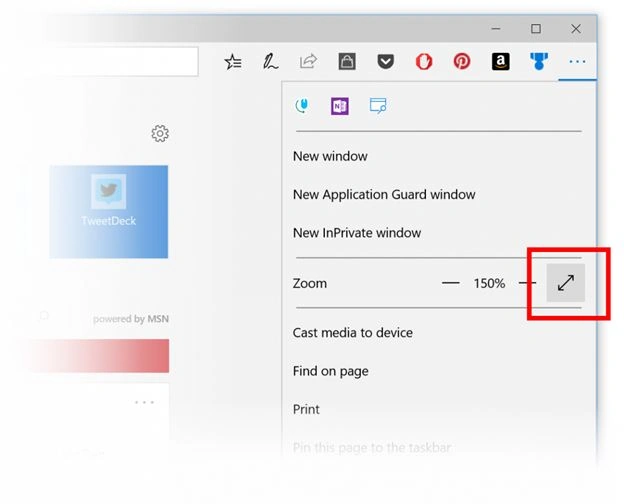
This build introduces a new Full-Screen experience in Microsoft Edge. Simply press F11 or choose the new Full-Screen icon in the Settings menu to take your websites full-screen. You can exit Full-Screen view by pressing F11 again, or by clicking the Restore icon in the top-right corner.
Annotate Books in Microsoft Edge
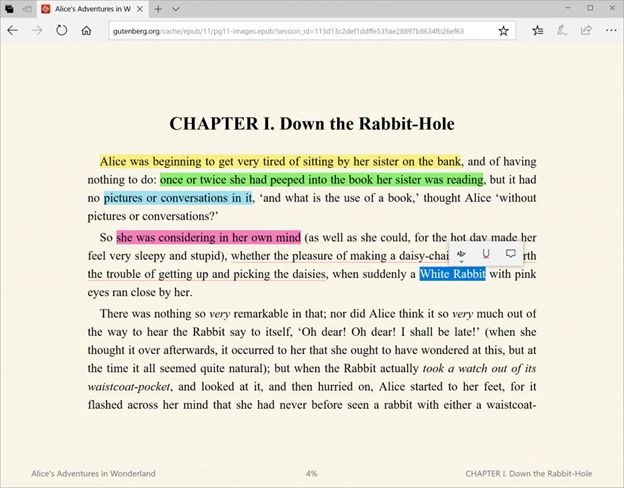
We’ve added the ability to annotate EPUB Books by highlighting in four colors, underlining, and adding comments. To get started, select some text, and choose an option from the menu.
To add notes as you read, select text, tap or click the Add a note button and add your note.
To edit or delete your note, click the Edit your note button.
Microsoft Edge PDF improvements
We’ve added more highlight colors and the option to Ask Cortana in PDFs in Microsoft Edge.
Other Microsoft Edge Improvements, including:
- Microsoft Edge’s splash page (seen when newly launched) so that the color transitions more smoothly to the Start and New Tab pages.
- You will now be able to close the Microsoft Edge app directly using the close button, even when a JavaScript dialog is showing.
- We’ve added an option to “Add tabs to favorites” from the right-click context menu on tabs. Using it will create a Favorites folder with all the sites open in tabs in the current window.
- New tabs will now animate more smoothly onto the tab bar when opened and closed.
- We’ve improved session restore behavior so that when a multi-window Microsoft Edge session is restored by clicking on a link (for example, from an email), the window in focus at the end of restoration is the one containing the new link.
Next
Summary
In this article, we learned about the new in Microsoft Edge in Windows 10 Insider Preview Build 16215.
Thiruppathi RPosted Jun 9, 2017, 11:51 AM
Nice article.Thanks for sharing...
Manoj KallaPosted Jun 9, 2017, 10:02 AM
Thank You sir.. for sharing............