

Introduction
In this article, we shall learn how to build a flags quiz game in Xamarin Android.
Features
- Questions about flags of all the countries in the world
- Time Limit: 5 seconds per question
- Database: SQLite
- Mode: Easy, Medium, Hard, Hardest
- Score: Highest and lowest score based medals
Part 1
Download the data and tools
Write simple tools for creating databases query.
Step 1
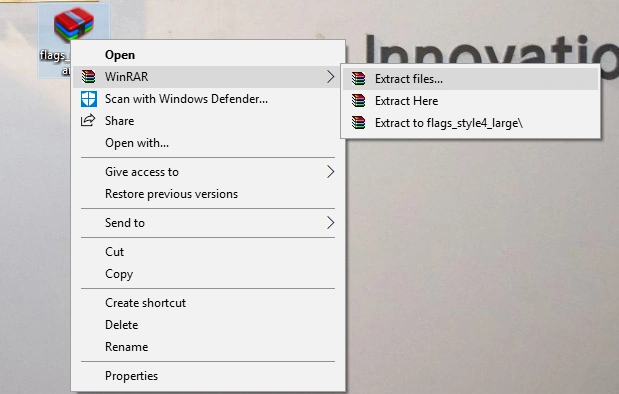
Extract the flag images from the package and save them on your computer.
Step 2
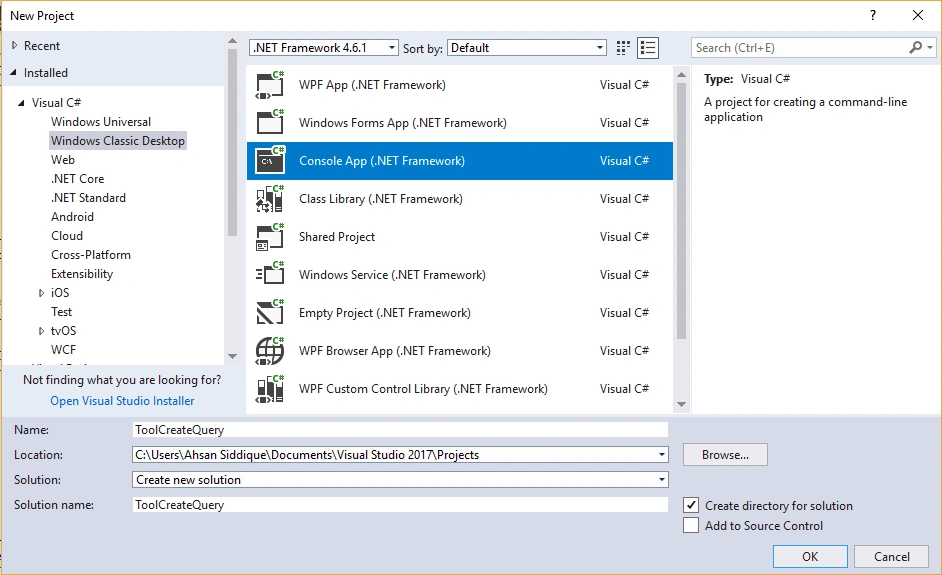
Open Visual Studio and go to New Project-> Templates-> Visual C#-> Window Classic Desktop-> select Console Application. Give it a name as ToolCreateQuery.
Step 3
Next, go to Solution Explorer-> Project Name -> Program file and write the following code changing appropriate namespaces.
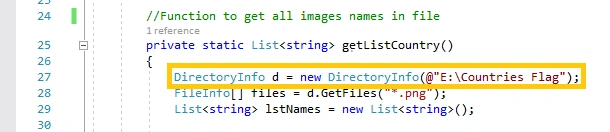
Must change your flag images folder location before building the project.
- using System;
- using System.Collections.Generic;
- using System.IO;
- using System.Linq;
- using System.Text;
- using System.Text.RegularExpressions;
- using System.Threading.Tasks;
- namespace ToolCreatQuery {
- class Program {
- //For Android...
- public static string ConvertToUnsign(string str) {
- //Convert unicode to Asxii Character
- //because Android Drawable Resource can't contains unicode.
- Regex regex = new Regex("\\p{IsCombiningDiacriticalMarks}+");
- string temp = str.Normalize(System.Text.NormalizationForm.FormD);
- return regex.Replace(temp, String.Empty).Replace('\u0111', 'd').Replace('\u0110', 'D');
- }
- //Function to get all images names in file
- private static List < string > getListCountry() {
- DirectoryInfo d = new DirectoryInfo(@ "E:\Countries Flag");
- FileInfo[] files = d.GetFiles("*.png");
- List < string > lstNames = new List < string > ();
- foreach(var file in files) {
- //Add this line to rename all uper file name to lower file name.
- //because Android Drawable Resource can't contains "'" and "-" character
- //So i remove it.
- //Just run and get query.
- File.Move(file.FullName, ConvertToUnsign(file.FullName.ToLower().Replace("'", String.Empty).Replace("-", String.Empty)));
- lstNames.Add(file.Name.Replace(".png", String.Empty)); //Pakistan.png -> Pakistan
- }
- return lstNames;
- }
- //Function get random name of country from list without duplicate
- private static List < string > getNameRandom(string name, List < string > lstNames) {
- HashSet < string > myHashSet = new HashSet < string > ();
- myHashSet.Add(name); //first we need add name
- //Second, we will random some other name with no duplicate with name
- while (myHashSet.Count < 4) //we need 4 names for 4 answer
- {
- //Add random name to HashSet
- myHashSet.Add(lstNames.OrderBy(s => Guid.NewGuid()).First());
- }
- return myHashSet.OrderBy(s => Guid.NewGuid()).ToList(); // Random all answer
- }
- //Function to generate query INSERT INTO for create Database Question
- private static async Task genrateQuery() {
- List < string > lstQuery = new List < string > ();
- List < string > lstCountryName = getListCountry();
- string query = string.Empty;
- foreach(var name in lstCountryName) {
- List < string > answerList = getNameRandom(name, lstCountryName);
- //With one value in listCountryName , we create one
- //Question with 4 answer and 1 correct answer
- //Example
- //INSERT INTO QuestionINSERT INTO Question (Image,AnswerA,AnswerB,AnswerC,AnswerD,CorrectAnswer)
- //VALUES ('Pakistan','India','Russia','Germany','Pakistan');
- query = "INSERT INTO Question (Image,AnswerA,AnswerB,AnswerC,AnswerD,CorrectAnswer)" + $ "VALUES(\"{name}\",\"{answerList[0]}\",\"{ answerList[1]}\",\"{ answerList[2]}\",\"{ answerList[3]}\",\"{name}\");";
- lstQuery.Add(query); // Add query we just created to list
- //Write all to File
- System.IO.File.WriteAllLines(@ ".//QueryGenerate.txt", lstQuery);
- }
- }
- static void Main(string[] args) {
- Console.WriteLine("TOOL GENERATE QUERY 1.0");
- Console.WriteLine("Please wait...");
- genrateQuery();
- Console.WriteLine("Success...");
- Console.ReadKey();
- }
- }
- }
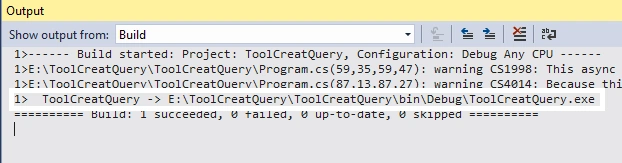
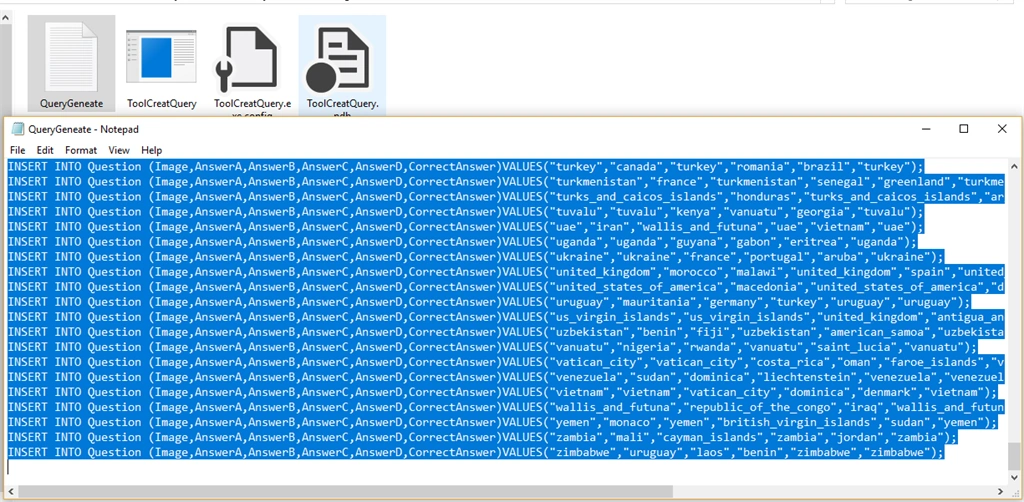
Just rebuild the project and go to ToolCreateQuery-> bin-> Debug and run ToolCreateQuery.exe file. The query generates a txt file in the same folder.
Step 4
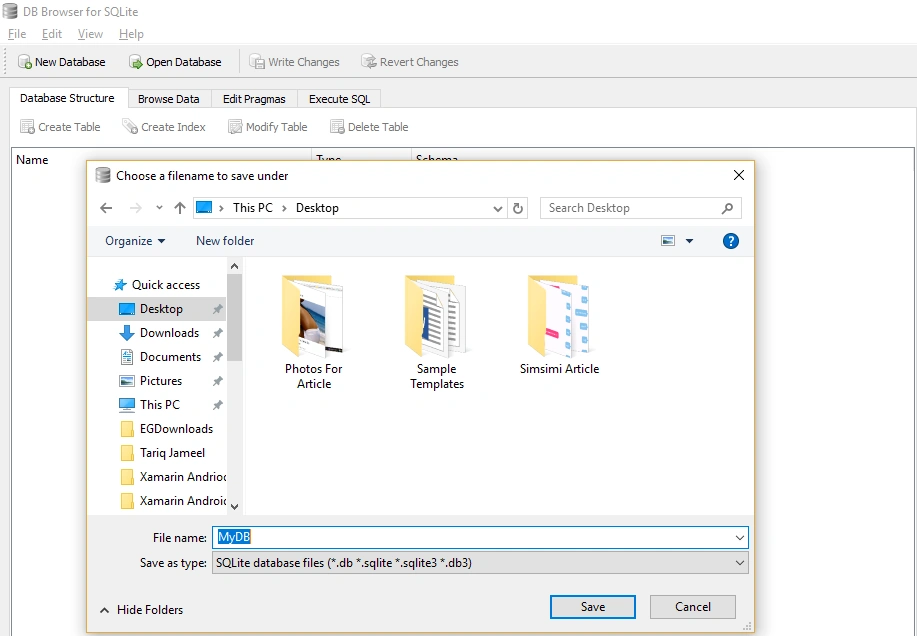
Go to File-> New Database. A pop window will show up. Give it a name like MyDB and location where you want to save.
Step 5
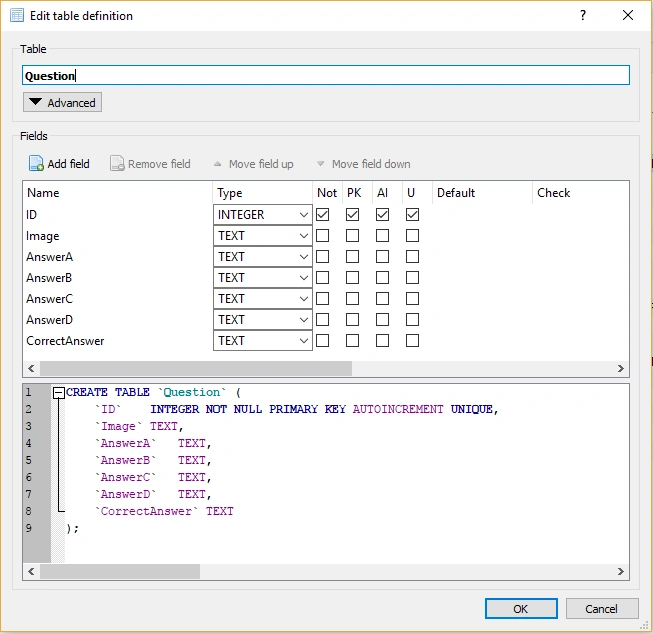
Now, add a new table with name Question and add 7 fields - ID, Image, AnswerA, AnswerB, AnswerC, AnswerD, CorrectAnswer.
Step 6c
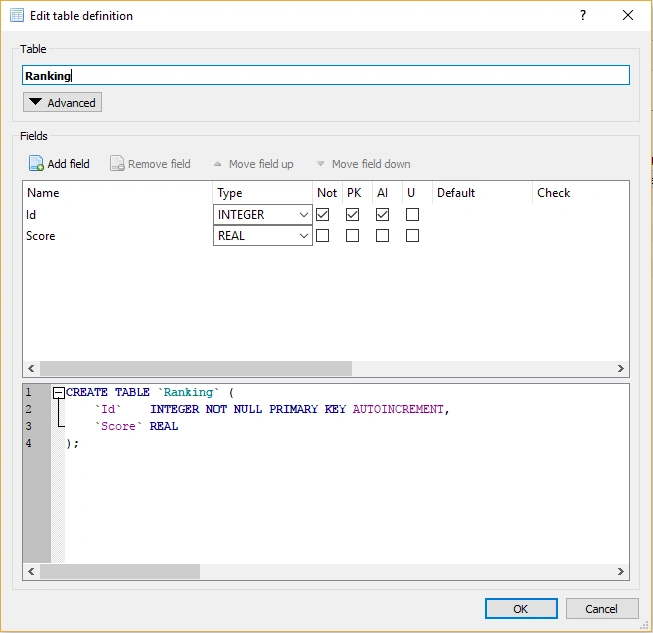
Next, add another table with the name Ranking and give two fields - Id and Score type. Score type must be a real number.
Step 7
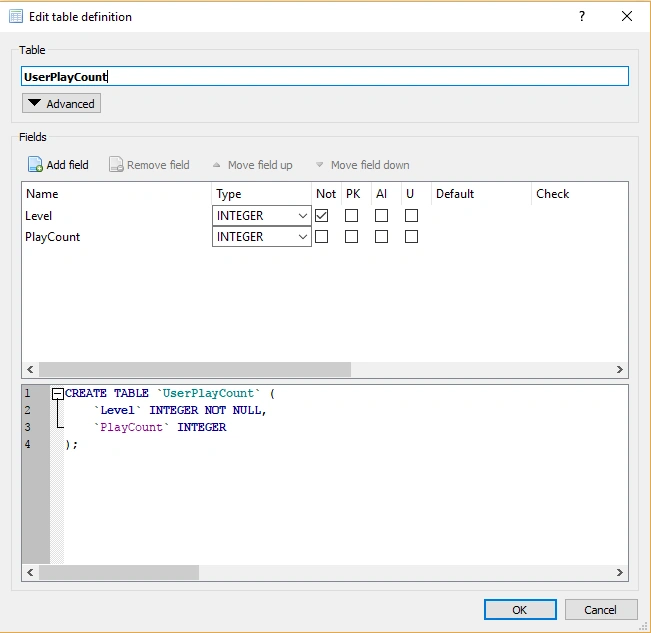
Next, add a final table of the database with name UserPlayCount and add two fields - Level, PlayCount.
Step 8
Open Query-generated txt file, copy all the queries, and open DB Browser for SQLite.
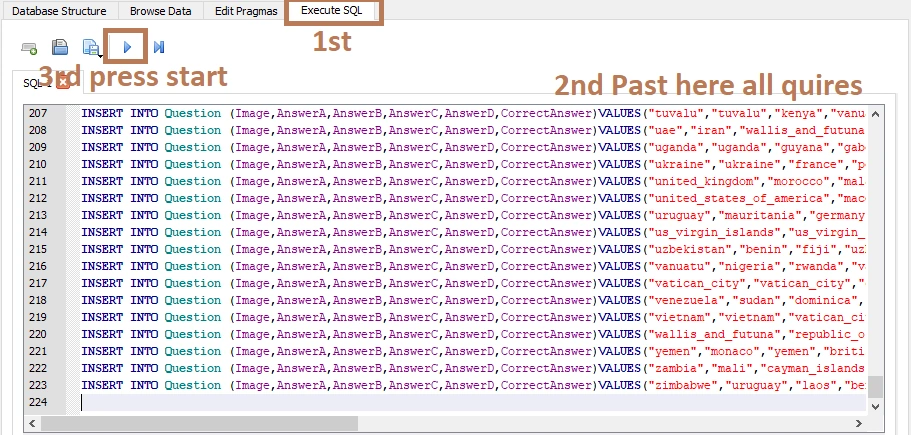
Click on "Execute SQL" and paste all the queries in it. Press the "Start" button. It writes the changes. We have created an SQLite database for Android application.
Join the conversation! Your thoughts help the community grow.