

Here, I will explain how to get the list of installed software in a local machine.
Step 1: Drag and drop Listbox control to Window Forms form and also drag and drop Label control on to the form.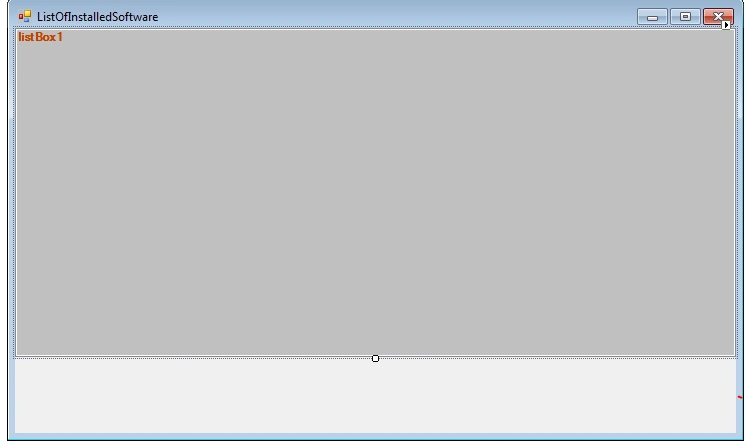
Step 2: For this you need to add the following NameSpace in your code.
using Microsoft.Win32;
Step 3: Then Add this code
public void GetInstalledApps()
{
string uninstallKey = @"SOFTWARE\Microsoft\Windows\CurrentVersion\Uninstall";
using (RegistryKey rk = Registry.LocalMachine.OpenSubKey(uninstallKey))
{
foreach (string skName in rk.GetSubKeyNames())
{
using (RegistryKey sk = rk.OpenSubKey(skName))
{
try
{
listBox1.Items.Add(sk.GetValue("DisplayName"));
}
catch (Exception ex)
{ }
}
}
label1.Text = listBox1.Items.Count.ToString();
}
}
Step 4: Then Call This method in the Window Forms Constructor.
public Form1()
{
InitializeComponent();
//Call this GetInstalledApps in Window Forms Constructor.
GetInstalledApps();
}
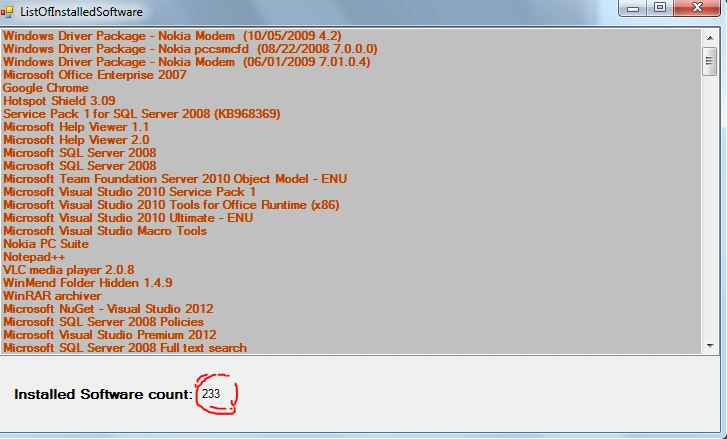
Step 5: Run your application and see that the output looks like this and also observe the number of software installed in your local machine.
Umair IlyasPosted Jul 16, 2018, 11:37 AM
Sir want little bit change.. Please compromise with me..
WillingtonPosted Dec 8, 2016, 7:33 AM
How to open/execute/run the application from the listed window? I would like to open a application onClick.
srikanth RadharamPosted Nov 21, 2014, 1:14 AM
using (RegistryKey rk = Registry.LocalMachine.OpenSubKey(uninstallKey)) at this line am getting error
srikanth RadharamPosted Nov 21, 2014, 1:14 AM
can you solve my problem am getting the error it the does not contain the definition for local machine.i added the namespace using Microsoft.win32;