

Start Visual Studio 2005.
File -New-Project Type Visual C#.
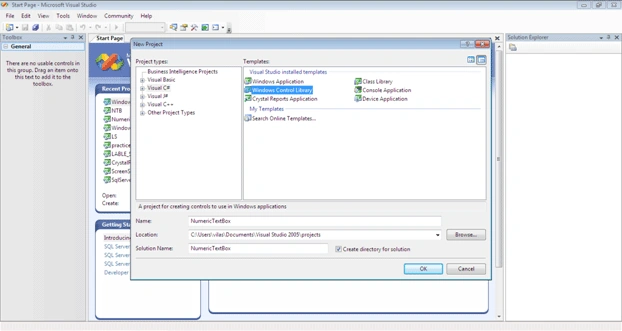
Select Windows Control Library from the Templates.
Specify Name with NumericTextBox and save on proper location.
Visual Studio Opens with Blank Control.
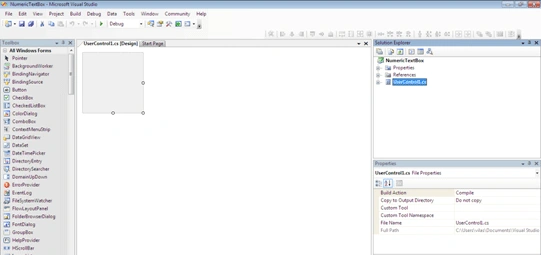
Right Click on Blank Control and View Code
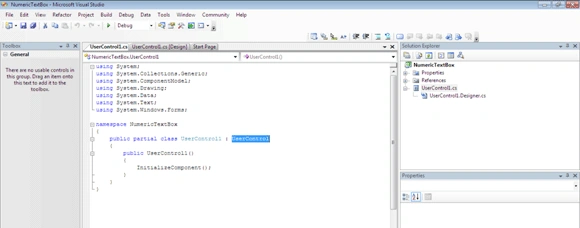
Inherit TextBox control by modifying System.Windows.Forms.TextBox on UserControl.
Add code in control to restrict for non-numeric input by user.
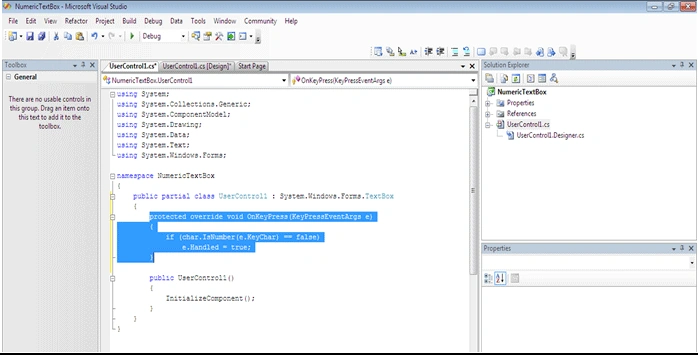
Open UserControl1.Designer.cs from Solution Explorer and pass a comment to the line, shown in below:
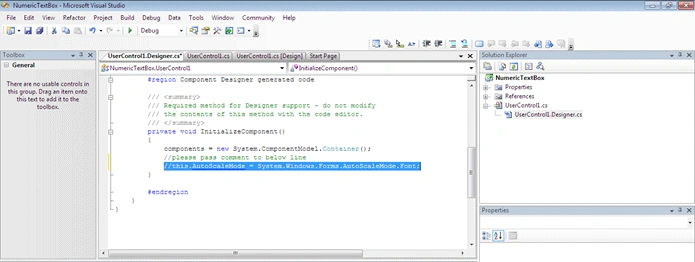
Now, Build – Build NumericTextBox.
Build Succeeded.
How to use a user defined control, such as the NumericTextBox, in a Windows application.
Create a Windows application with the name PhoneDictionary.
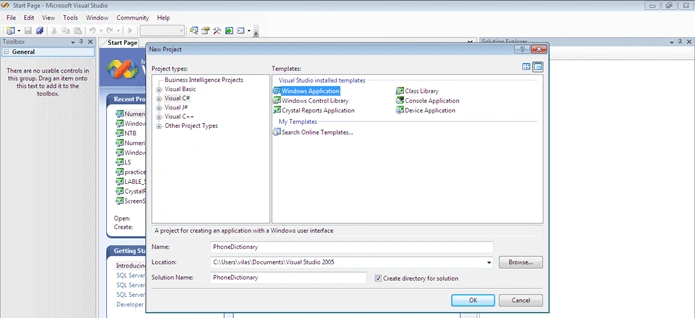
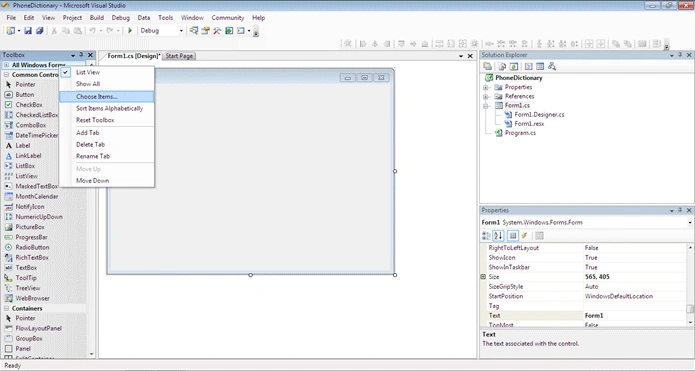
Select a ToolBox and right-click on All Windows Forms then click on Choose items.
.NET Framework Components by default shown after Choose Items...
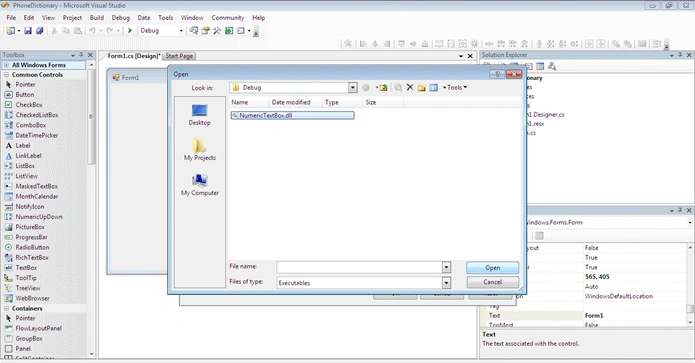
Now, browse to the location where NumericTextBox.dll has been saved; select NumericTextBox.dll, click the open button and to close choose Toolbox Items.
Add the User Control to the form.
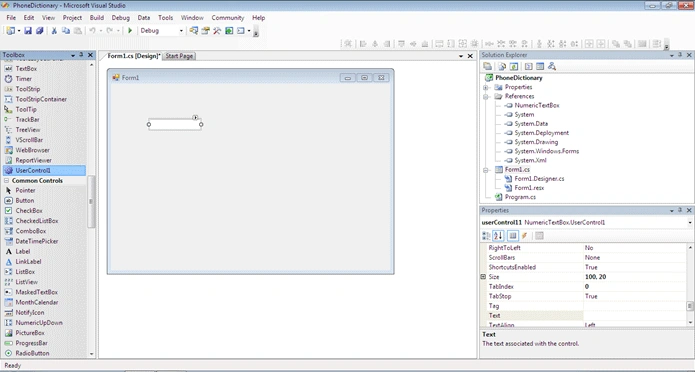
Click on Start Debugging or press F5.
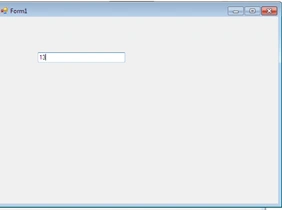
Only numeric input has been accepted in the textbox shown (NumericTextBox). The User Control can be used many more times in an application/project in Visual Studio.
SubashPosted Jul 29, 2016, 7:42 AM
Nice
Gowtham RajamanickamPosted Apr 7, 2016, 3:02 AM
useful one...
seema trivediPosted Jan 16, 2013, 12:26 AM
its not even allowing numeric values.
mani kandanPosted Mar 15, 2012, 2:43 AM
This article is very usful. Please tell me how to bring the decimal numbers(Ex : 1234.56) in the user defined edit box?