
In the first few parts I would give a brief of how we are going to use those features.
In this article let us check out how to bind the listbox to an objectdatasource.
Lets create a new Blend Silverlight Application.
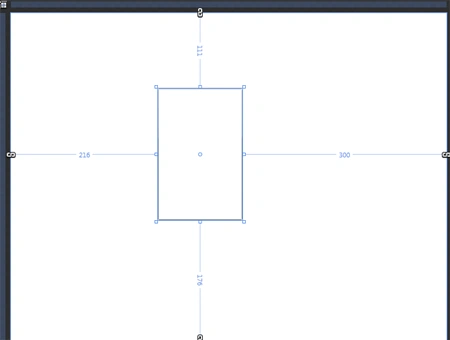
First and foremost lets create out classes as shown below :
public class Employee: INotifyPropertyChanged
{
public Employee(string name, int id, bool current)
{
_name = name;
_empID = id;
_isCurrentEmployee = current;
}
private string _name = string.Empty;
private int _empID = 0;
private bool _isCurrentEmployee;
public string Name
{
get {return _name;}
set {
if (value != _name)
{
_name = value;
OnPropertyChanged(this, "Name");
}
}
}
public int EmpID
{
get { return _empID; }
set {
if (value != _empID)
{
_empID = value;
OnPropertyChanged(this, "EmpID");
}
}
}
public bool IsCurrentEmployee
{
get { return _isCurrentEmployee;}
set {
if (value != _isCurrentEmployee)
{
_isCurrentEmployee = value;
OnPropertyChanged(this, "IsCurrentEmployee");
}
}
}
public event PropertyChangedEventHandler PropertyChanged ;
private void OnPropertyChanged( object sender, string propertyName)
{
if ( this .PropertyChanged != null )
{
PropertyChanged(sender, new PropertyChangedEventArgs(propertyName)) ;
}
}
}
public class Employees
{
string _companyName;
public string CompanyName
{
get { return "Fabrikam Inc.";}
set { _companyName = value;}
}
public ObservableCollection<Employee> EmployeeCollection
{
get {
ObservableCollection<Employee> _emplist = new ObservableCollection<Employee>();
_emplist.Add(new Employee("Joe Smith", 12343, false));
_emplist.Add(new Employee("Mark Jones", 8555, true));
_emplist.Add(new Employee("Jane Miller", 2377, true));
_emplist.Add(new Employee("Suzy Day", 5885, true));
return _emplist;
}
}
}
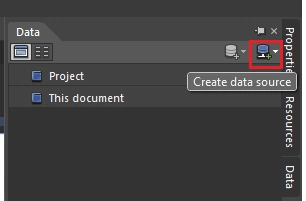
Create a data source by clicking on the icon highlighted below :
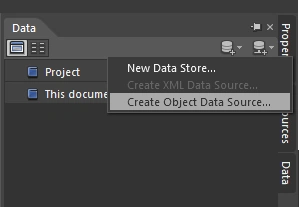
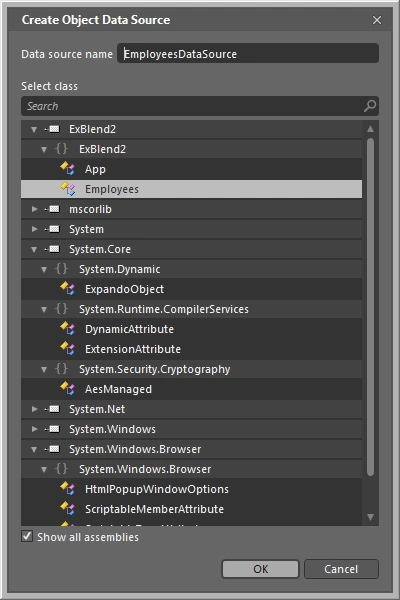
Click on Create Object Data Source.
A Create Object Data Source Dialog appears. Make sure the Show all assemblies is checked.
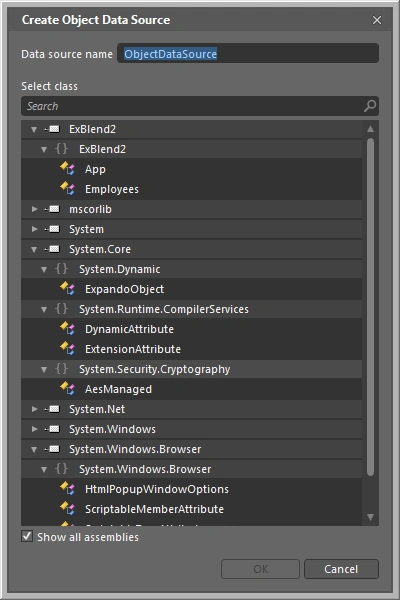
Select the Employees class as our ObjectDataSource.
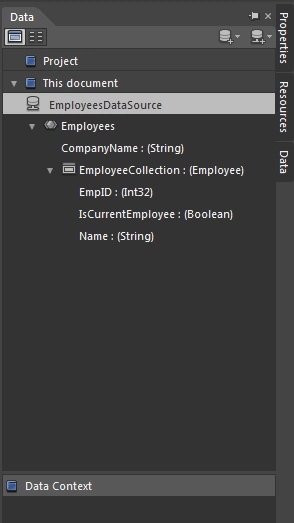
The Data Window changes as shown below :
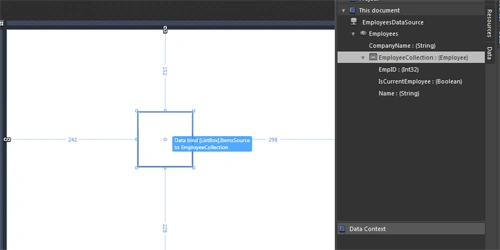
Simply drag and drop the EmployeeCollection into the Listbox.
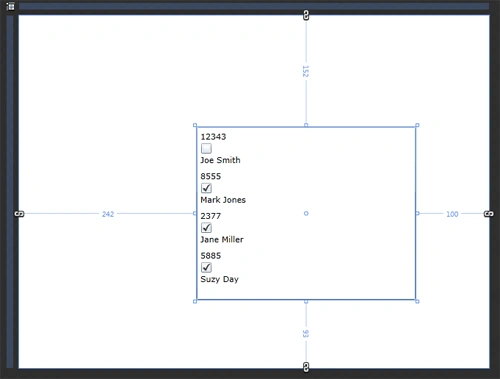
Well we are done. The ListBox gets updated with the data as shown below :
Happy coding.
Join the conversation! Your thoughts help the community grow.