
Created a new Project SLDatagridClick and
Add a DataModel as shown below to the Web Project.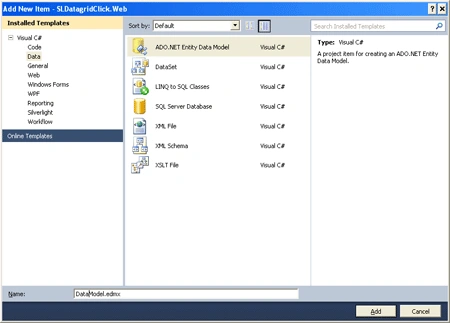
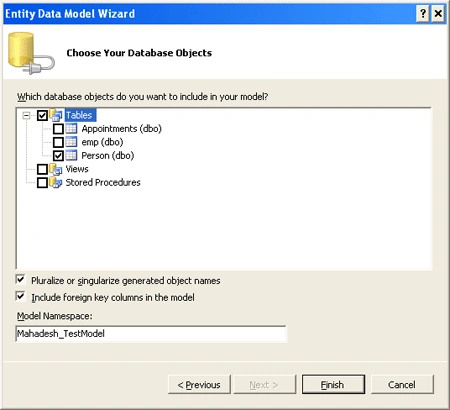
Data Model is created as shown below :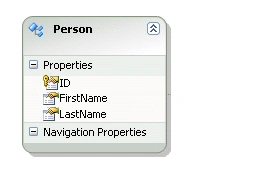
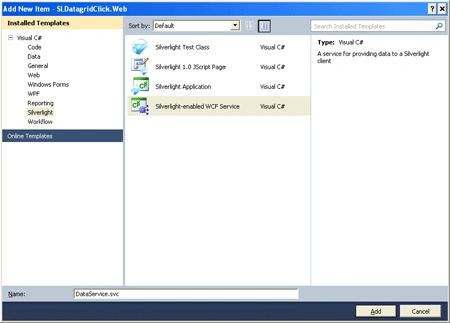
Add a method to the DataService as shown below :
[OperationContract]
public IEnumerable<Persons>
GetPersons()
{
DataEntities context = new
DataEntities();
var
persons = from o in
context.People
select
new
Persons
{
id = o.ID,
firstName =
o.FirstName,
lastName =
o.LastName
};
return
persons;
}
public
class
Persons
{
public int
id { get; set; }
public string
firstName { get; set;
}
public string
lastName { get; set;
}
}
Add the Service Reference to the Silverlight Project.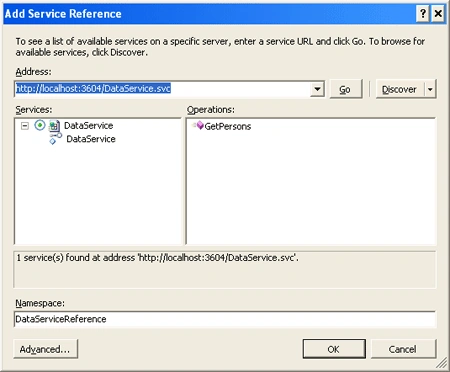
Now lets get into the Silverlight project.
Modify the MainPage.xaml.cs as shown below :
using
SLDatagridClick.DataServiceReference;
namespace
SLDatagridClick
{
public partial
class MainPage
: UserControl
{
public MainPage()
{
InitializeComponent();
DataServiceClient client =
new
DataServiceClient();
client.GetPersonsCompleted += new
EventHandler<GetPersonsCompletedEventArgs>(client_GetPersonsCompleted);
client.GetPersonsAsync();
}
void client_GetPersonsCompleted(object
sender, GetPersonsCompletedEventArgs e)
{
dg.ItemsSource = e.Result;
}
}
}
Now lets give it a run and see the output :
Now lets get to work. When I Edit the cell , I should be able to retrieve the
modified cell contents. I have just tried to bring together some of the
scenarios I came across while using Datagrid. In this article I would
demonstrate one such scenario :
Lets add the code for that scenario :
Add the event handler :
dg.CellEditEnded
+= new EventHandler<DataGridCellEditEndedEventArgs>(dg_CellEditEnded);
Make use of the CellEditEnded.
Dubovszki MartinPosted Oct 10, 2011, 8:53 AM
Hello Mahadesh! I'd like to ask you a question. Can I overwrite the datagrid's default behaviour about the Enter key? Now if i hit the enter key in the data grid the seleciton jumps down a row. But i want to perform some action in the selected item in the datagrid when i hit the enter. Can I do this or i have to make a new class based on the datagrid? Thanks for your help, Best regards, Dubi