

In this article we will see that how to use sharepoint default datetimecontrol picker in custom webparts. I will show it in a .aspx but we can use it in the usercontrol and can make a custom webpart of that usercontrol.
Here are the steps to use the sharepoint datetimecontrol in custom application built in ASP.net
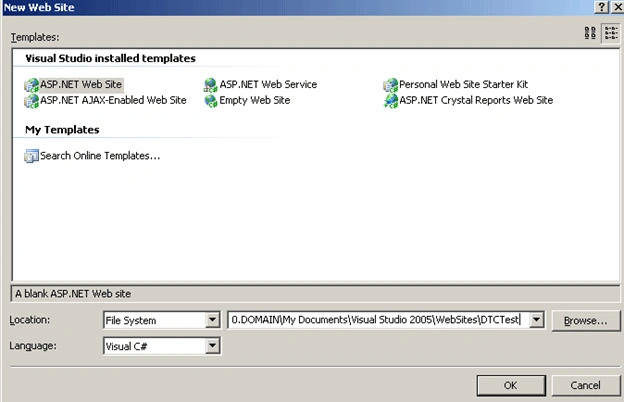
Step 1: Open Visual studio and create one Website.
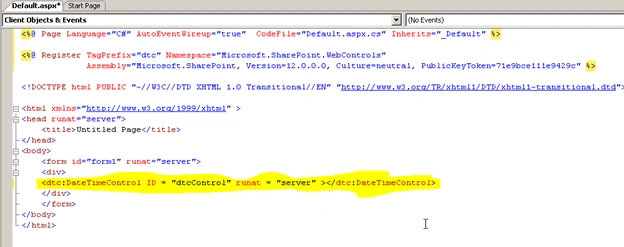
Step2: Add the below mention Register tag in .ascx file.
<%@ Register TagPrefix="dtc" Namespace="Microsoft.SharePoint.WebControls"
Assembly="Microsoft.SharePoint, Version=12.0.0.0, Culture=neutral, PublicKeyToken=71e9bce111e9429c" %>

Step 3: After adding this Register tag add the below mentioned line in .ascx file
<dtc:DateTimeControl ID = "dtcControl" runat = "server" ></dtc:DateTimeControl>
Step 4: Build the website and place the Default.aspx and Default.aspx.cs files in the below mentioned location.
C:\Program Files\Common Files\Microsoft Shared\web server extensions\12\TEMPLATE\LAYOUTS\Test
Now open any website that you have already created. In my case I have already created one website with the url http://spdevserver:1003/
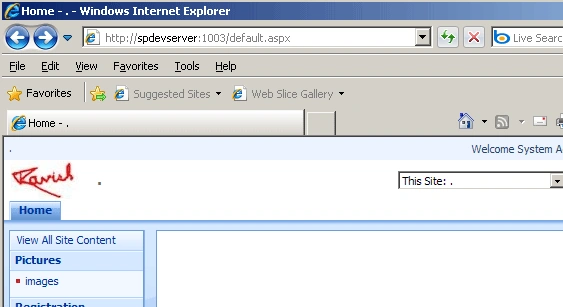
Now just add "_layouts/test/Default.aspx" to the URL.
Now the url becomes http://spdevserver:1003/_layouts/test/Default.aspx
Click on GO button you will see the sharepoint datetime control picker.
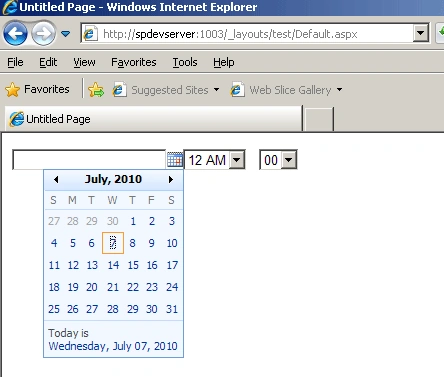
There are lots of default properties that you can use according to the requirements like if you don't want time part than just set the dateonly property to true.
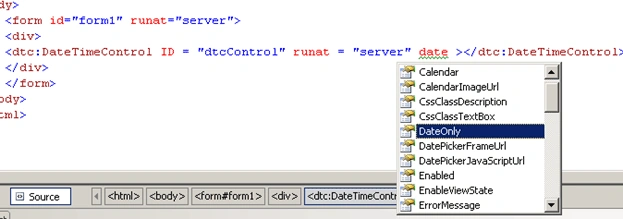
In this way we can use datetime control for the custom applications built for Sharepoint 2007.
Hope this article will be a help to you.
jags mohantyPosted Oct 11, 2017, 9:14 PM
I have a sharepoint datetime control , even if the datetime control value are empty , when button click even is fired , it set to default todays Date