SIGN UP MEMBER LOGIN:    
ARTICLE

Easy way to debug Sharepoint web part or Event handler

Posted by Destin joy Articles | SharePoint September 06, 2010
I think this is worth enough to show how to debug share point controls (User control, Event handler or web part). It will reduce your time on finding out the issue.
Reader Level:


I think this is worth enough to show how to debug share point controls (User control, Event hander or web part). It will reduce your time on finding out the issue.

1. First you have to build the application and put your DLL in GAC or BIN folder of your web application

2. Then you have to put that web part in share point. If it an event handler you have to register it

3. Then you have to make a break point in the code where you want to break the code for debugging(Please make sure the current version of the code and the dll you placed in BIN or GAC are same)
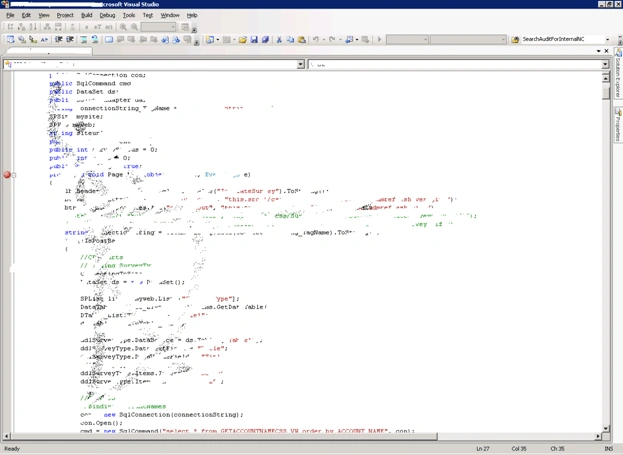
sharepoint1.gif

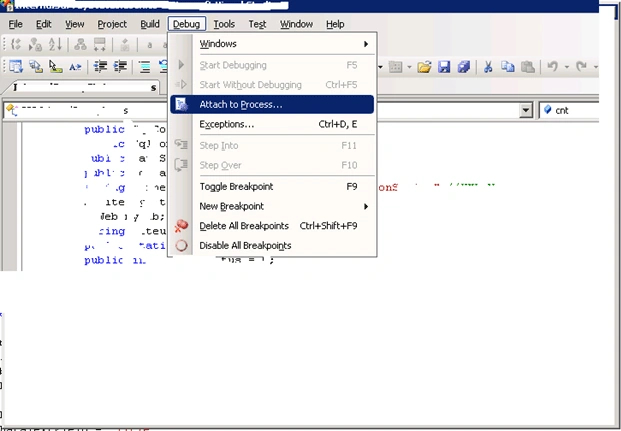
4. Then you have to go to DebugSelect Attach to process

sharepoint2.gif

5. From the next screen you have to select all the W3wp.exe process

6. Click Attach
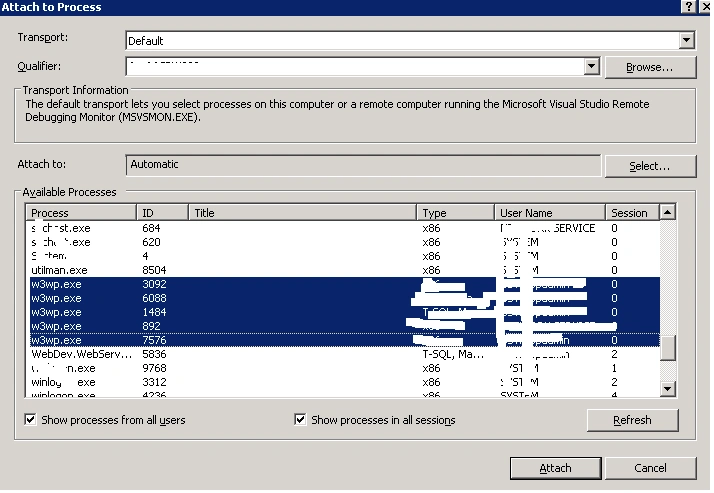
Third.PNG

7.. Make an IIS reset in the share point server and refresh your page where you deployed your web part.

8. Now when the web part loads you can see it is stopped on the section where we added the break point

9. Now you can debug the share point web part as normal as you debug In ASP.Net

Login to add your contents and source code to this article
share this article :
post comment
 
Team Foundation Server Hosting
Become a Sponsor
PREMIUM SPONSORS
  • Finally – a virtual platform that delivers next-generation Windows Server 2008 Hyper-V virtualization technology from a managed hosting partner you can truly depend on. Visit www.maximumasp.com/max for a FREE 30 day trial. Hurry offer ends soon. Climb aboard the MaxV platform and take advantage of High Availability, Intelligent Monitoring, Recurrent Backups, and Scalability – with no hassle or hidden fees. As a managed hosting partner focused solely on Microsoft technologies since 2000, MaximumASP is uniquely qualified to provide the superior support that our business is built on. Unparalleled expertise with Microsoft technologies lead to working directly with Microsoft as first to offer IIS 7 and SQL 2008 betas in a hosted environment; partnering in the Go Live Program for Hyper-V; and product co-launches built on WS 2008 with Hyper-V technology.
    Finally – a virtual platform that delivers next-generation Windows Server 2008 Hyper-V virtualization technology from a managed hosting partner you can truly depend on. Visit www.maximumasp.com/max for a FREE 30 day trial. Hurry offer ends soon. Climb aboard the MaxV platform and take advantage of High Availability, Intelligent Monitoring, Recurrent Backups, and Scalability – with no hassle or hidden fees. As a managed hosting partner focused solely on Microsoft technologies since 2000, MaximumASP is uniquely qualified to provide the superior support that our business is built on. Unparalleled expertise with Microsoft technologies lead to working directly with Microsoft as first to offer IIS 7 and SQL 2008 betas in a hosted environment; partnering in the Go Live Program for Hyper-V; and product co-launches built on WS 2008 with Hyper-V technology.
Nevron Gauge for SharePoint
Become a Sponsor