

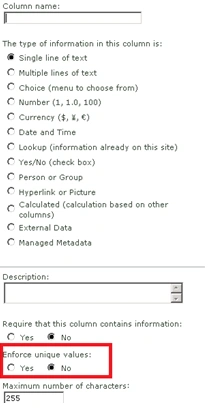
Before starting on it let me introduce another good feature of SharePoint 2010. If you want to create a unique column in SharePoint 2010, it is very easy you don't have to write an event handler or features like we do in 2007. While creating the column just click on Enforce unique Values: "Yes". You are done!!
Column Level Validations
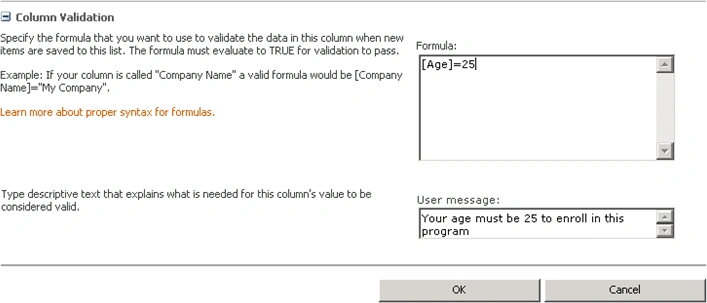
- Just create a column; Say Age. I want the users to enter only age 25 in the age column. So you can go down to the column validation section and can write
[Age]=25 you done it will enforce for the age 25.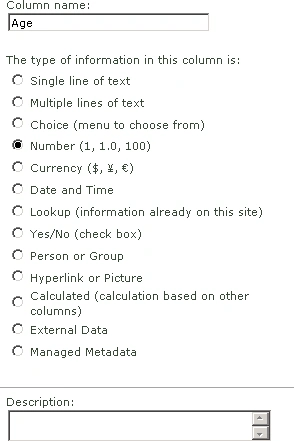
- Please find the Screen shot below
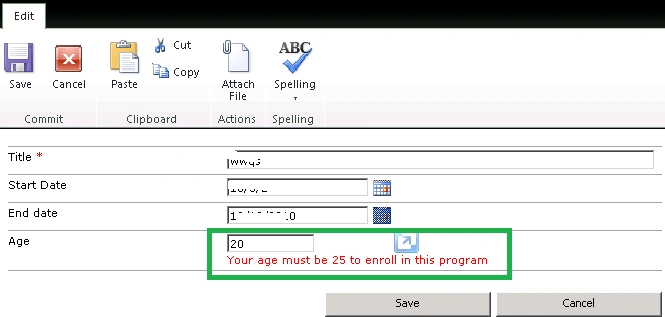
- You can find the Column level validation in Action
List Level Validation
- Now we move on to List level Validation
- Create two columns Named Start Date and End Date. Here I want to enforce a validation like End Date must be greater than or equal to Start Date
- Go to List Settings Click on validation Settings
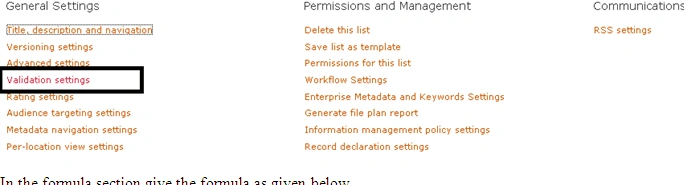
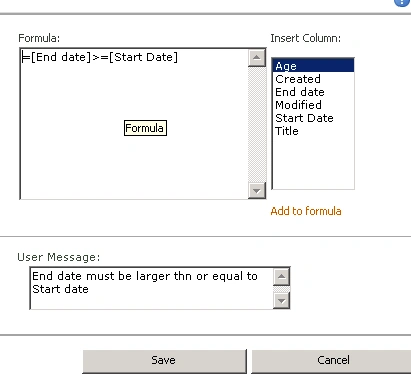
- In the formula section give the formula as given below
- =[End date]>=[Start Date]
- Give the error message also in the second column you have done
- You can see a list level validation in Action below
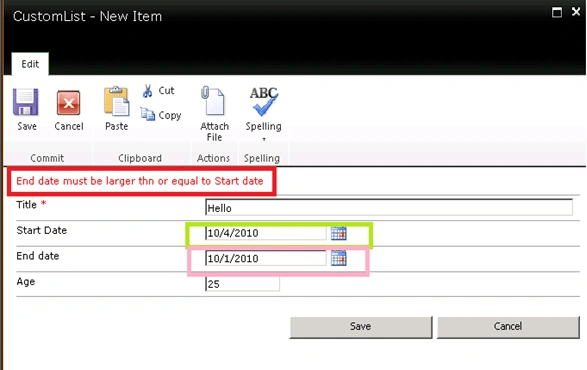
The formula Syntax is similar to what we use in calculated column in 2007. But one important thing to be noted that TODAY is not a valid validation formula. in 2010.
Manimaran RamakrishnanPosted Jan 21, 2011, 7:36 AM
Do you have any idea, how to use Today in Formula?