
Description
We will describe a GridView sorting method we used in recent projects. Each GridView column can be sorted in ascending or descending order. An arrow indicates which column is being sorted, and in which direction.
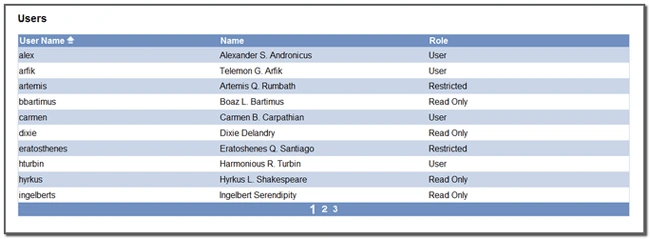
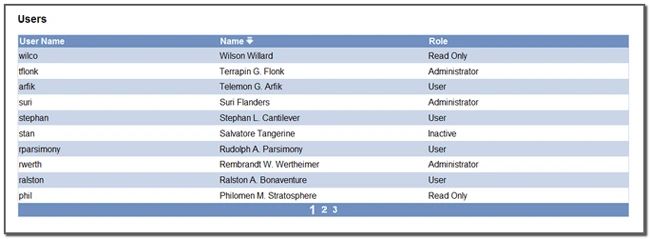
We're going to describe a GridView sorting method we used many times in recent projects. Here are two images that show what it looks like.
In the first image, the first column (UserName) is sorted in ascending order. There is an arrow pointing up to indicate the sort column and sort direction.
In the second image, the second column (Name) is sorted in descending order. Again, the arrow indicates the sort column and direction. We can sort any column by clicking on the header. We can reverse the sort direction by clicking again. The arrow shows which column is being sorted and in which direction.
The code to create this grid is in the attached project. The best way to understand how it works is to download the project and run it. Here's a brief explanation:
The Markup
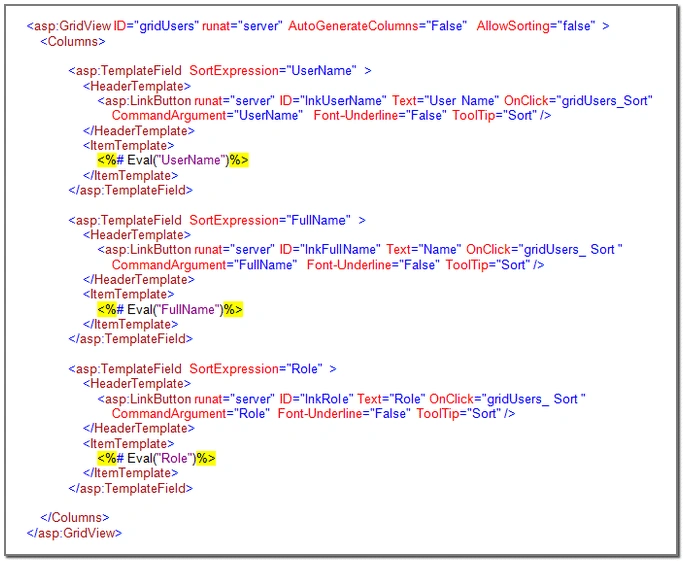
Here is the markup for the GridView.
Each column includes a Header Template. The HeaderTemplate contains a LinkButton. A LinkButton is a button that looks like a hyperlink. We set Font-Underline=False, so the links look like plain text, but that is a matter of preference. The important thing to understand is that the header for every column looks like text, but is really a button. When the button gets clicked, the gridUsers_Sort method gets called.
The Code
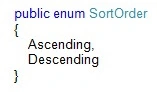
We define sort order as an enum.
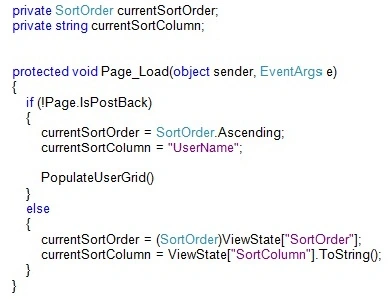
When the page loads, we determine the grid sort order and the current sort column. These values are stored in the ViewState.
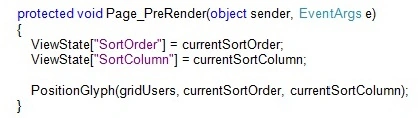
When we're done processing, and the page is about to render, we save the sort order and sort column back into the ViewState. Then we call PositionGlyph() to put the sort arrow into the grid's header.
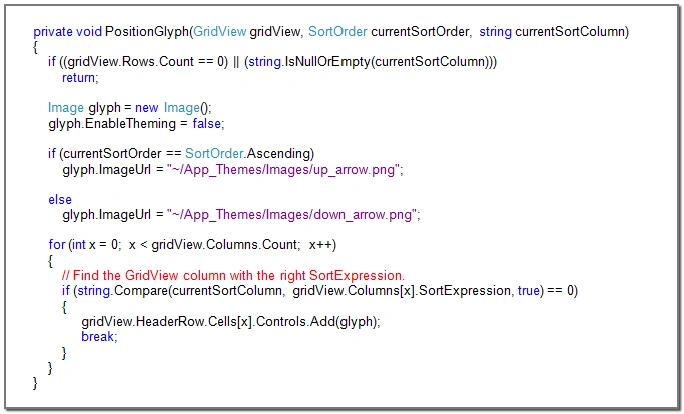
PositionGlyph() creates an Image control. If the sort order is ascending, the Image control will have an image of an arrow pointing up. If the sort order is descending, the Image control will have an image of an arrow pointing down. The Image control gets inserted in the column being sorted.
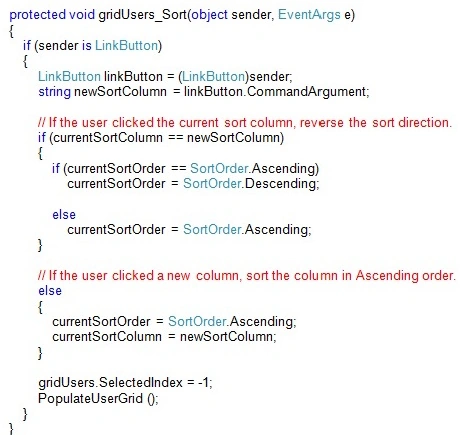
When the user clicks the LinkButton at the top of a column, the gridUsers_Sort() method gets called. We determine which column is being sorted by looking at the LinkButton's CommandArgument. We update the current sort order and sort column and then we bind the grid.
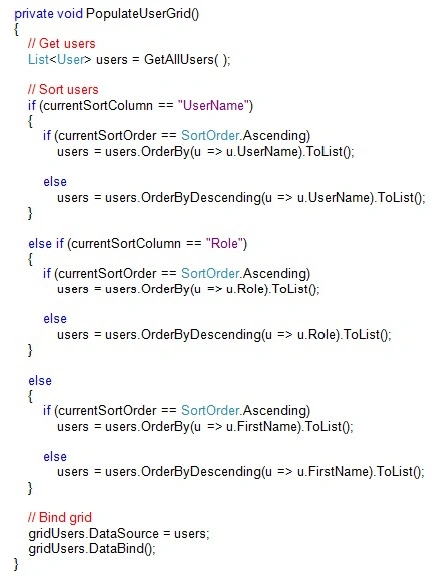
Whenever we bind the GridView, we sort the data first.
Going Further
Most of this code is the same for any grid you want to sort. The Page_Load(), Page_PreRender(), PositionGlyph() and grid_Sort() methods don't change. Rather than cut and paste these methods over and over, they could all go in a base class.
DeepanPosted Dec 24, 2018, 9:39 AM
Nice interesting article
Amit Kumar SinghPosted Dec 5, 2018, 9:14 PM
Thank you for sharing Boguslaw !!!
Mahesh ChandPosted Aug 19, 2010, 11:24 AM
Nice work Andrew. Thank you for sharing.