

Introduction:
Really Simple Syndication (RSS) is used for transmitting information across the
Internet and intranets. We can also subscribe to RSS Feeds from SharePoint
libraries, lists, and other elements. We can use an RSS Viewer Web Part to
display an RSS Feed on a SharePoint site. RSS Viewer Web Part provides a
convenient way to view information from many sources on a single page.
In this article we will be seeing how to configure RSS settings for the
SharePoint list using powershell.
Configure RSS settings for the list:
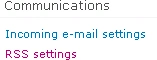
- Go to the SharePoint List => List Settings
=> Communication => RSS settings.
- Go to Start => All Programs => Microsoft SharePoint 2010 products => SharePoint 2010 Management Shell.
- Run as an administrator.
- Run the following script.
//Enable RSS settings

$site=get-spsite "http://serverName:1111/sites/Sample/"
$web=$site.rootweb
$list=$web.Lists.TryGetList("Contributor")
$list.EnableSyndication = $true
$list.Update()
// Truncate multi-line text fields to 256 characters

$list.RootFolder.Properties["vti_rss_LimitDescriptionLength"] = 1
// Title

$list.RootFolder.Properties["vti_rss_ChannelTitle"] = "Contributor List RSS"
// Description

$list.RootFolder.Properties["vti_rss_ChannelDescription"] = "RSS feed for Contributor List"
// Image URL

$list.RootFolder.Properties["vti_rss_ChannelImageUrl"] = "/sites/Sample/_layouts/images/siteIcon.png"
// Maximum items to include

$list.RootFolder.Properties["vti_rss_ItemLimit"] = 15
// Maximum days to include

$list.RootFolder.Properties["vti_rss_DayLimit"] = 3
// For Document Library
// Include file enclosures for items in the feed?
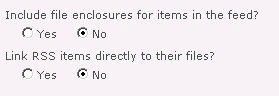
$list.RootFolder.Properties["vti_rss_DocumentAsEnclosure"] = 0
// Link RSS items directly to their files?
$list.RootFolder.Properties["vti_rss_DocumentAsLink"] = 0
// Update RSS settings for the list
$list.RootFolder.Update()
purunepPosted Aug 4, 2011, 3:18 AM
Hi! I can't access "vti_rss_..." in Sharepoint 2010 list.RootFolder.Properties. Do I need to set anything to get vti_rss properties in SharePoint 2010. Let me know ASAP , that wil be great help for me. Thanks in advance. In MOSS its working fine but in 2010 i didn't find rss properties.