

You can download the language packs for SharePoint 2010 server in the following link
http://www.microsoft.com/downloads/en/details.aspx?displaylang=en&FamilyID=046f16a9-4bce-4149-8679-223755560d54
To install the language packs on the SharePoint web servers check the following link
http://technet.microsoft.com/en-us/library/cc262108.aspx
Create site collection in different languages:
Go to Central administration => Application Management => Create Site Collections.
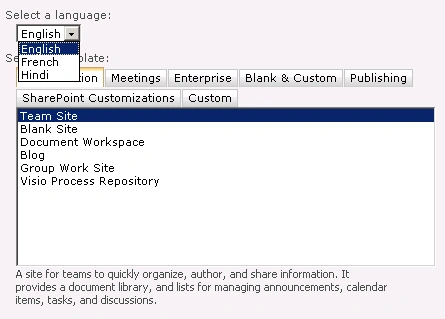
We can select the language from the drop down which will be the default language for the site collection.
Create site in different languages:
Go to Site Actions => New Site.
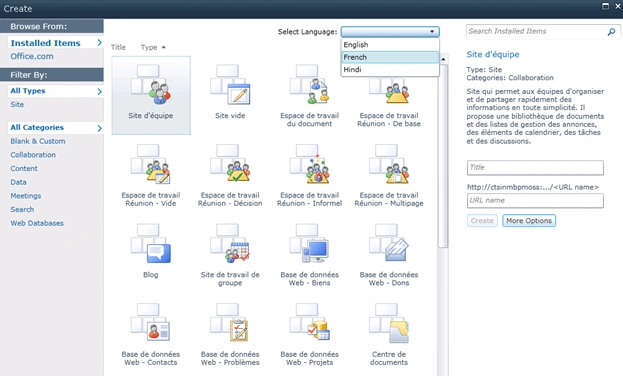
You could see a drop down to select the language which would be the default language for the site.
rim royPosted Dec 29, 2011, 6:13 PM
create own mail site like [email protected] in c# 2005 my mail id [email protected]
Mahesh ChandPosted May 11, 2011, 9:57 AM
Good Anand. Actually, I was looking for the same. I didn't see any options in SharePoint. Now I know.