

Introduction:
Enterprise keywords are used to tag the documents when uploading the documents in the document library. Enterprise documents can be enabled in both SharePoint lists and libraries. Enterprise keywords - Terms are stored in a non-hierarchical way and available for users to key in which is known as folksonomy (free tagging). In this article we will be seeing how to enable Enterprise keywords for a list using powershell script.
Prerequisites:
- Managed metadata service application should be configured.
- Web application should be associated to the Managed Metadata Service Application.
Enable Enterprise Keywords using powershell
To enable Enterprise keywords through UI refer http://www.c-sharpcorner.com/UploadFile/anavijai/7633.
To enable enterprise keywords using powershell do the following steps:
- Go to Start => All Programs => Microsoft SharePoint 2010 products => SharePoint 2010 Management Shell.
- Run as an administrator.
- Run the following script.
$site = Get-SPSite "http://serverName:22222/sites/Test/"
$web = $site.OpenWeb("BL")
$list = $web.Lists.TryGetList("dl");
if ($list -ne $null)
{
$field = $list.ParentWeb.AvailableFields["Enterprise Keywords"]
if ($list.Fields.ContainsField("Enterprise Keywords") -eq $false)
{
$list.Fields.Add($field)
$list.Update()
write-host $field.Title " added successfully to the list"
}
else
{
write-host $field.Title " column already exists in the list"
}
}
else
{
write-host $list.Title " does not exists in the site"
} - Go to the =>Permissions and Management => Enterprise Metadata and Keywords Settings.
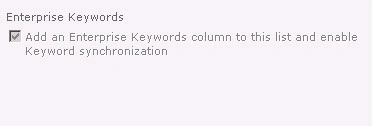
- You could see the "Enterprise Keywords" enabled.
Join the conversation! Your thoughts help the community grow.